Meeting Summarization Eval
Score AI-generated meeting summaries for quality with Future AGI's Summary Quality eval, then cross-check with BERTScore.
Load meeting transcripts into Future AGI, generate summaries from three models, then score each summary with the summary_quality eval template and BERTScore to see which model summarizes best.
| Time | Difficulty | Package |
|---|---|---|
| 25 min | Beginner | ai-evaluation |
- Future AGI account → app.futureagi.com
- API keys:
FI_API_KEYandFI_SECRET_KEY(see Get your API keys) - An LLM provider key configured on your Future AGI project (used by Run Prompt to generate summaries)
- Python 3.11
Install
pip install ai-evaluation bert-score pandas tabulateexport FI_API_KEY="your-api-key"
export FI_SECRET_KEY="your-secret-key"Tutorial
Load the transcript dataset
This cookbook scores summaries against MeetingBank, transcripts of 1,366 city council meetings from 6 U.S. cities (paper). Upload it as CSV, or import it directly from Hugging Face, following Add a dataset.
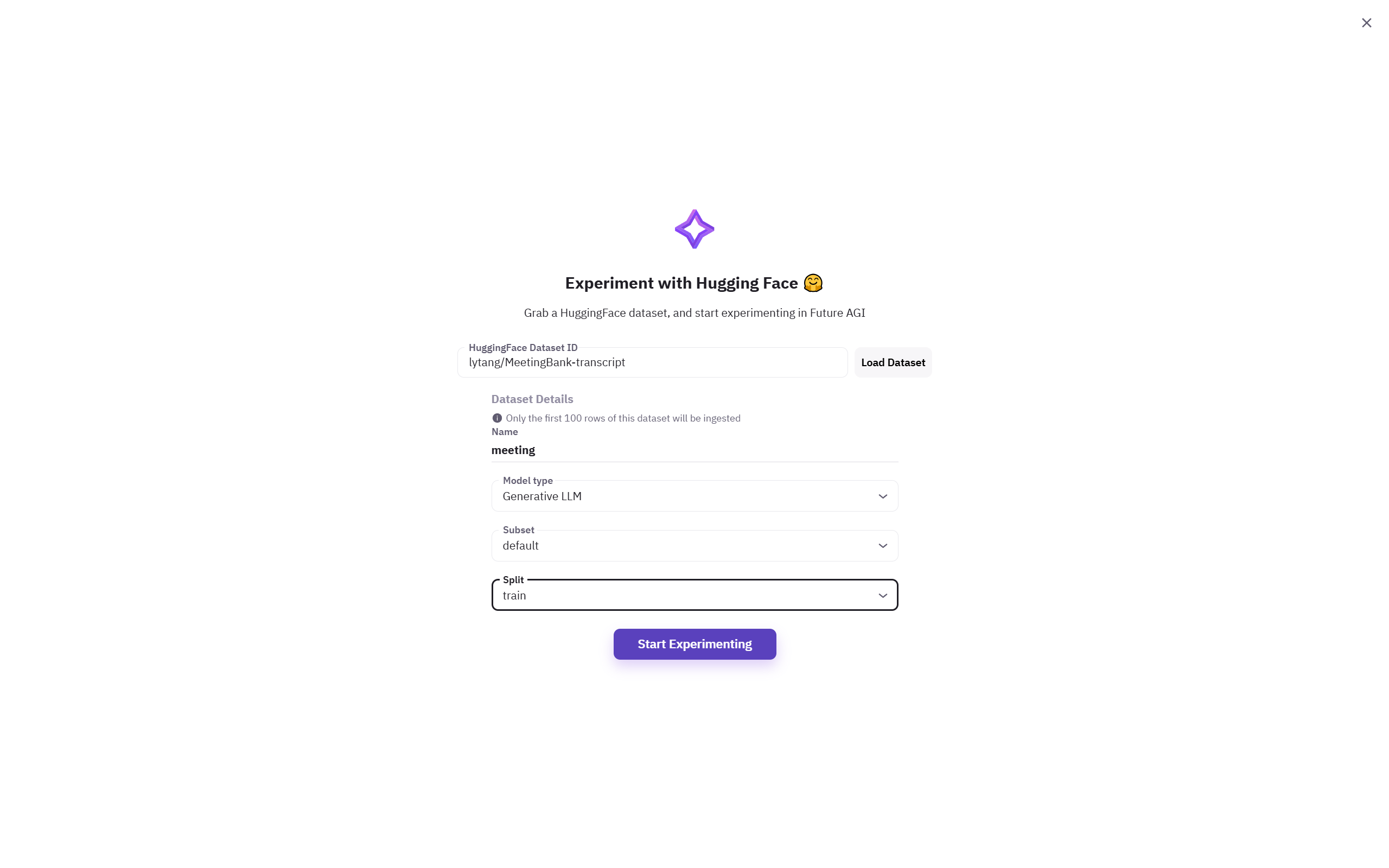
Add a dataset from a CSV upload or a Hugging Face import
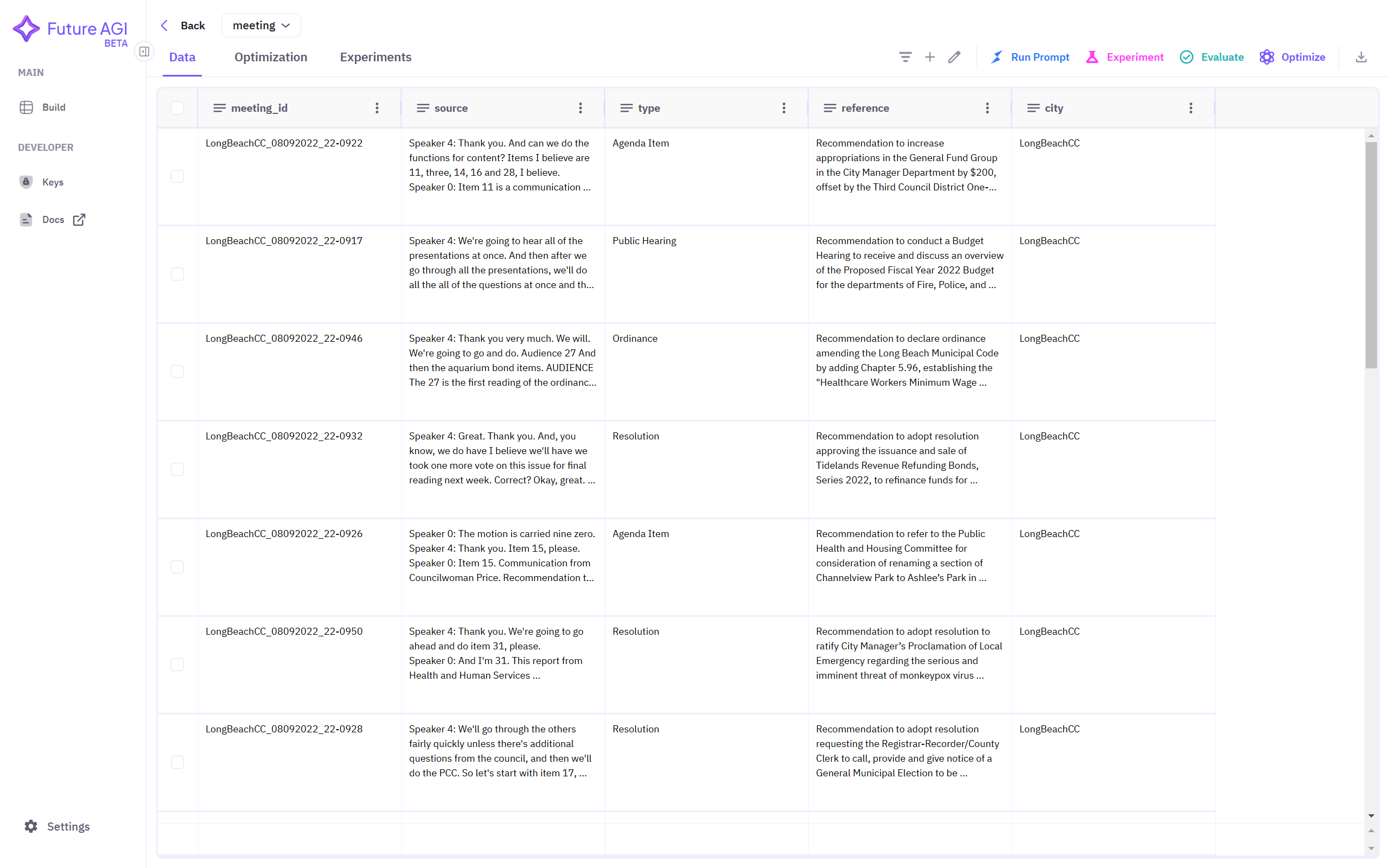
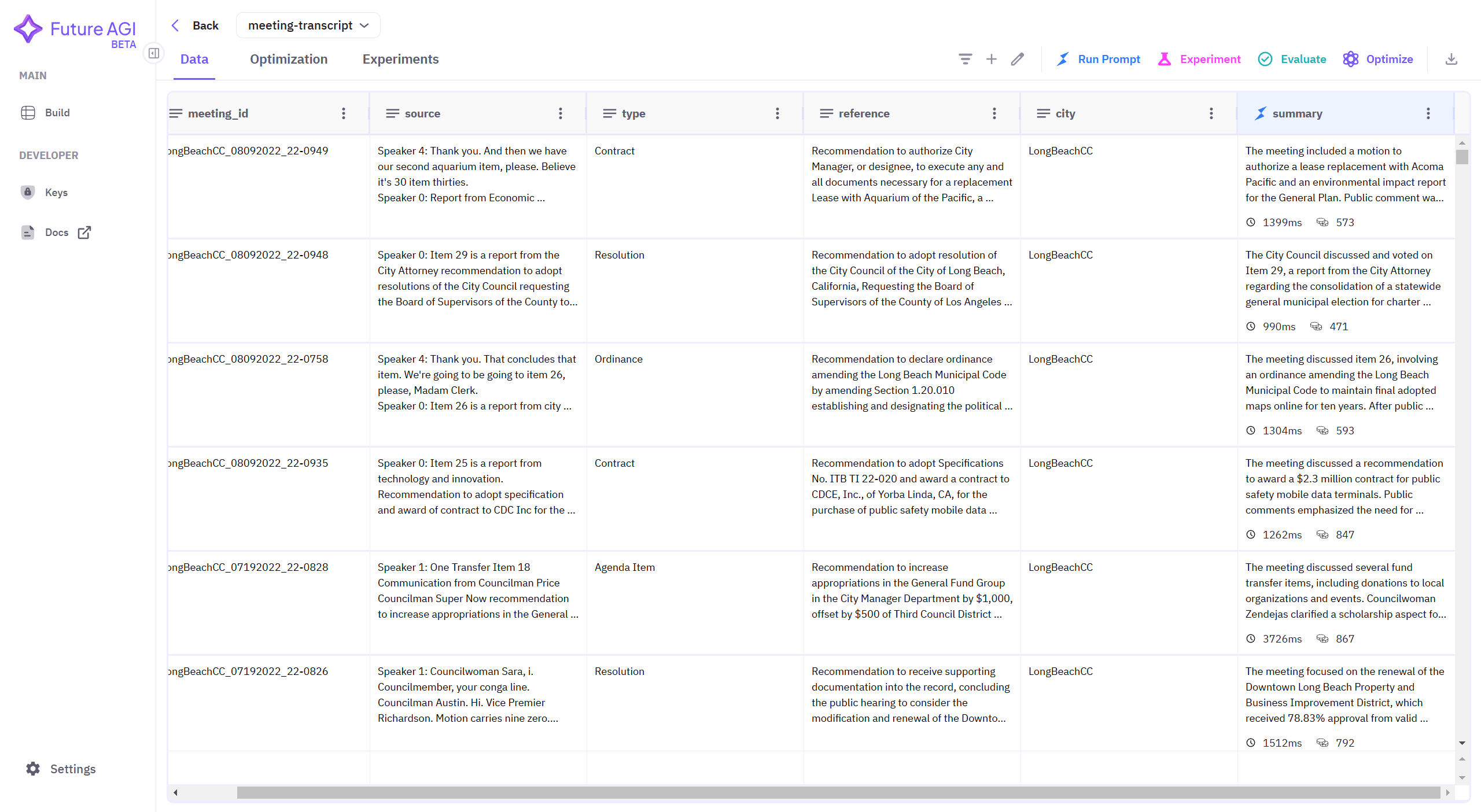
The transcript dataset once it finishes loading, with a source column and a reference summary column
You should see the dataset listed in your project with source (transcript) and reference (human-written summary) columns.
Generate summaries with Run Prompt
Click Run Prompt in the top-right corner and write a summarization prompt against the source column. Name the output column summary-<model> (for example summary-gpt-4o) so later steps can find it. Repeat with each model you want to compare, for example gpt-4o, gpt-4o-mini, and claude-3.5-sonnet.
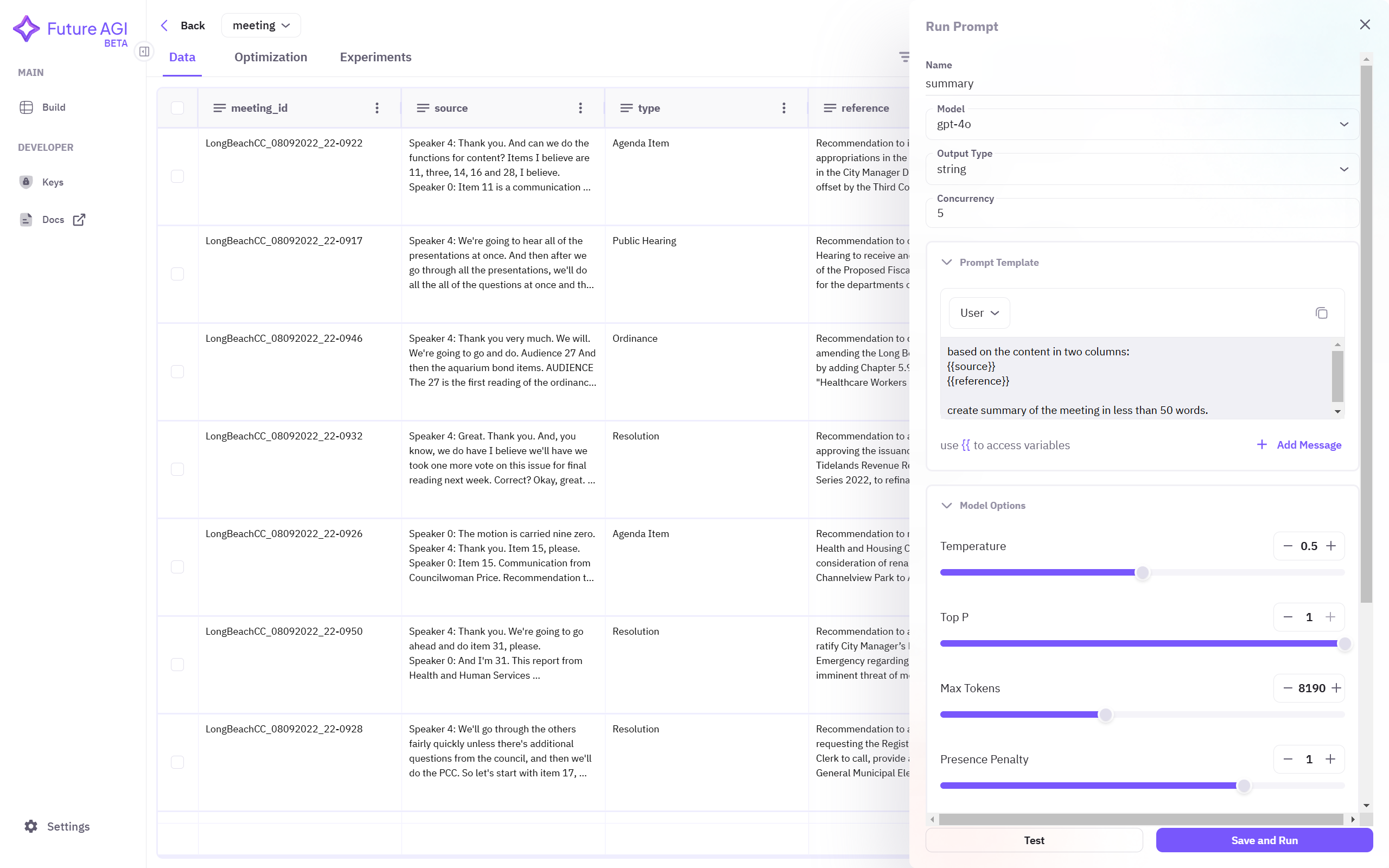
Run Prompt generates one summary per row for the selected model
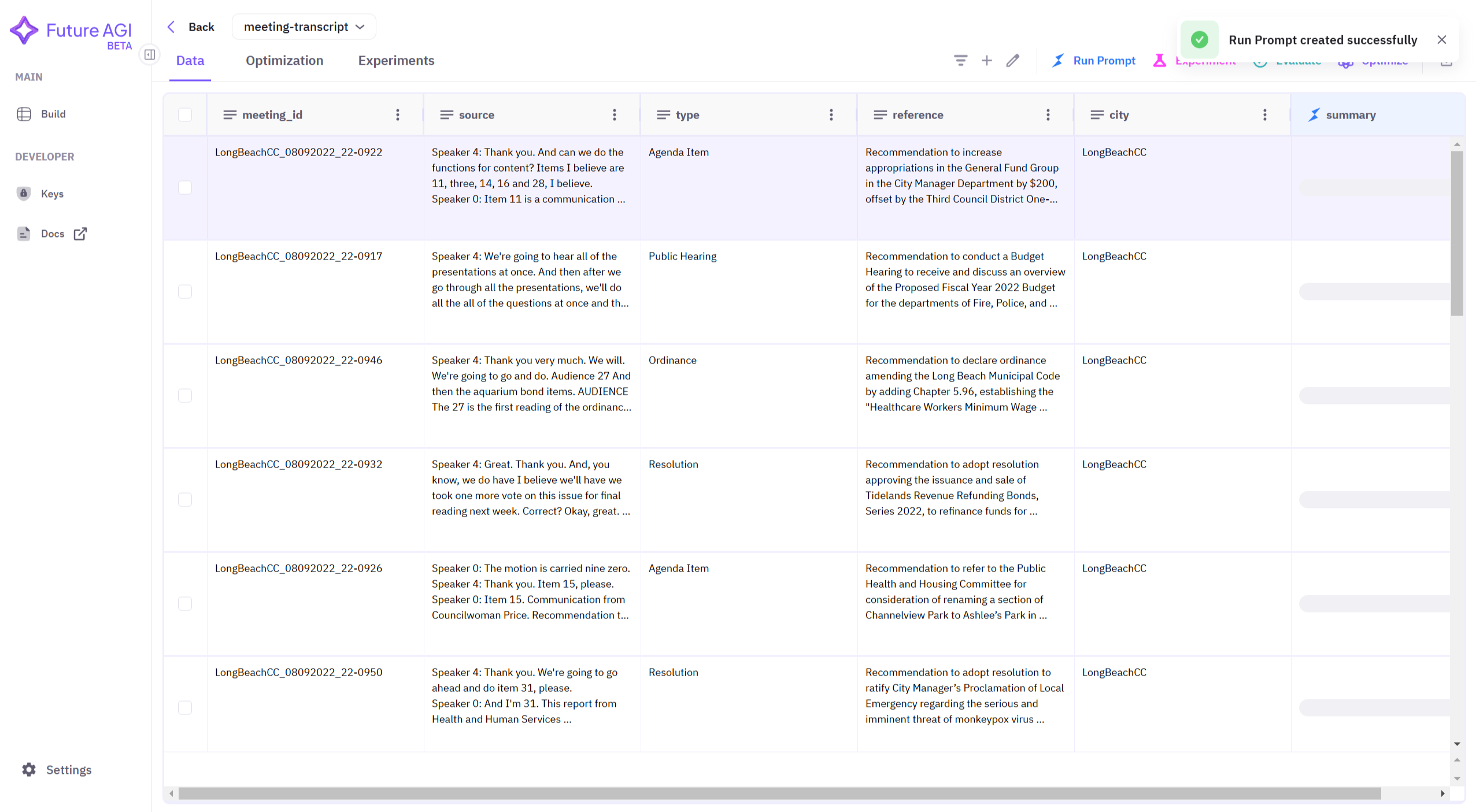
Right after a run starts: a “Run Prompt created successfully” toast and a summary column still filling in
Download the dataset once every model has a summary column
Once every row has a summary for each model, download the dataset from the top-right corner as meeting-summary.csv.
Initialize the Evaluator
import os
from fi.evals import Evaluator

evaluator = Evaluator(
    fi_api_key=os.environ["FI_API_KEY"],
    fi_secret_key=os.environ["FI_SECRET_KEY"],
)
You should see no output. Evaluator() only validates the keys against the Future AGI API on first call.
Load the exported dataset
import pandas as pd

dataset = pd.read_csv("meeting-summary.csv", encoding="utf-8", on_bad_lines="skip")
print(f"Loaded {len(dataset)} rows")
Expected output:
Loaded 1366 rowsCompare this count against the row count in the dashboard. on_bad_lines="skip" drops malformed rows silently, and a mismatch means transcripts were lost on export.
Score summaries with Summary Quality
summary_quality checks whether a summary captures the source content’s main points at an appropriate length.
combined_results = []

def evaluate_summary_quality(dataset, summary_column_name):
    scores = []

    for _, row in dataset.iterrows():
        result = evaluator.evaluate(
            eval_templates="summary_quality",
            inputs={
                "output": row[summary_column_name],
                "input": row["source"],
            },
            model_name="turing_flash",
        )

        score = result.eval_results[0].output
        scores.append(score)

    average_score = sum(scores) / len(scores) if scores else 0

    combined_results.append({
        "Summary Column": summary_column_name,
        "Avg. Summary Quality": average_score,
    })
result.eval_results[0] is an EvalResult, and its score lives on .output, not on a .metrics list.
Smoke-test it on one row before running the full dataset:
evaluate_summary_quality(dataset.head(1), "summary-gpt-4o")
print(combined_results[-1])
Expected output:
{'Summary Column': 'summary-gpt-4o', 'Avg. Summary Quality': 0.71}Cross-check with BERTScore
BERTScore compares a summary against a reference using contextual embeddings instead of exact word overlap. It reports precision, recall, and F1 from cosine similarity between token embeddings.
from bert_score import score

def evaluate_bertscore(dataset, summary_column_name):
    temp_results = []

    for _, row in dataset.iterrows():
        reference = row["reference"]
        summary = row[summary_column_name]

        P, R, F1 = score([summary], [reference], model_type="bert-base-uncased", lang="en", verbose=False)

        temp_results.append({
            "bert_precision": P.mean().item(),
            "bert_recall": R.mean().item(),
            "bert_f1": F1.mean().item(),
        })

    results_df = pd.DataFrame(temp_results)

    return {
        "Avg. Precision": results_df["bert_precision"].mean(),
        "Avg. Recall": results_df["bert_recall"].mean(),
        "Avg. F1": results_df["bert_f1"].mean(),
    }
The first call downloads bert-base-uncased weights from Hugging Face, so run it once with network access before scoring offline.
Smoke-test it on a single summary against its human-written reference:
P, R, F1 = score(
    [dataset.loc[0, "summary-gpt-4o"]],
    [dataset.loc[0, "reference"]],
    model_type="bert-base-uncased", lang="en", verbose=False,
)
print(f"P={P.mean().item():.2f} R={R.mean().item():.2f} F1={F1.mean().item():.2f}")
Expected output:
P=0.91 R=0.89 F1=0.90Compare summaries across models
summary_columns = ["summary-gpt-4o", "summary-gpt-4o-mini", "summary-claude3.5-sonnet"]
sample = dataset.head(100)  # full evaluation over 1,366 rows costs more time and API spend

for column in summary_columns:
    print(f"Evaluating Summary Quality for {column}...")
    evaluate_summary_quality(sample, column)

    print(f"Evaluating BERTScore for {column}...")
    bertscore_results = evaluate_bertscore(sample, column)
    combined_results[-1].update(bertscore_results)

from tabulate import tabulate

combined_results_df = pd.DataFrame(combined_results)
for col in ["Avg. Summary Quality", "Avg. Precision", "Avg. Recall", "Avg. F1"]:
    combined_results_df[col] = combined_results_df[col].apply(lambda x: f"{x:.2f}")

print(tabulate(combined_results_df, headers="keys", tablefmt="fancy_grid", showindex=False))
Illustrative output, run against a 100-row sample of the MeetingBank dataset:
| Summary Column | Avg. Summary Quality | Avg. Precision | Avg. Recall | Avg. F1 |
|---|---|---|---|---|
| summary-gpt-4o | 0.64 | 0.90 | 0.88 | 0.89 |
| summary-gpt-4o-mini | 0.56 | 0.89 | 0.86 | 0.87 |
| summary-claude3.5-sonnet | 0.68 | 0.91 | 0.89 | 0.90 |
Summary Quality and BERTScore F1 rank the models the same way here, claude-3.5-sonnet ahead of gpt-4o ahead of gpt-4o-mini. BERTScore here compares each summary against the human-written summary in the reference column.
Troubleshooting
| Symptom | Cause | Fix |
|---|---|---|
AttributeError: 'EvalResult' object has no attribute 'metrics' | Code reads result.eval_results[0].metrics[0].value, but EvalResult has no metrics field | Read result.eval_results[0].output instead |
KeyError: 'reference' or 'source' | The exported CSV uses different column names than the code expects | Rename the columns after export, or update the inputs mapping to match your dataset |
pd.read_csv loads fewer rows than the dashboard shows | on_bad_lines="skip" silently drops malformed rows | Compare len(dataset) against the dashboard row count before evaluating |
First bert_score.score() call hangs or fails | bert-base-uncased weights download from Hugging Face on first use | Run one scoring call with network access first, or pre-download the model into a writable HF_HOME cache |
401 or 403 from evaluator.evaluate() | FI_API_KEY or FI_SECRET_KEY isn’t exported in the shell running the script | Re-export both keys and confirm no quotes or trailing whitespace crept in |
Once you know which model summarizes best, optimize the prompt itself with Prompt Optimization.
Questions & Discussion