Use Custom Models for AI Evaluation in Future AGI
Use your own or third-party models for evaluations in Future AGI via supported providers or a custom API endpoint with full configuration control.
About
Evaluations need a model to act as the judge: to read each response and decide whether it passes, fails, or scores within a range. Custom models let you bring your own judge instead of using Future AGI’s built-in models.
This matters when you have a model that knows your domain better, when you need inference to stay within a specific cloud provider or region, or when you want to track evaluation costs against a model you already pay for.
Once you add a custom model, it appears in the model dropdown everywhere evaluations are configured : datasets, simulations, custom evals, and eval groups.
Two ways to connect:
- From a provider: Direct integration with OpenAI, AWS Bedrock, AWS SageMaker, Vertex AI, or Azure. Recommended for reliability and simpler credential management.
- Custom endpoint: Connect any model behind an HTTP API, including self-hosted, fine-tuned, or proxy deployments.
Tip
Learn how to define eval rules that use your model: Create custom evals.
When to use
- Control cost and compliance: Bring your own model and set token costs so evaluation spend is tracked. Keep inference in your chosen region or provider for compliance.
- Evaluate with a fine-tuned or internal model: Run evals with a model tuned on your domain or hosted in-house by connecting it via the custom endpoint option.
- Unify evals across providers: Add multiple models and use the same eval templates against each to compare quality or cost.
- Proxy or third-party APIs: Connect any API-compatible endpoint when it is not one of the built-in providers.
How to
Choose how you want to connect your model:
Direct integration with OpenAI, AWS Bedrock, AWS SageMaker, Vertex AI, or Azure. Follow the steps below.
Open model configuration and choose provider
In your project, go to model configuration (e.g. Settings or Models) and choose to add a model from a provider. Select your provider; each has its own form (see tabs below).
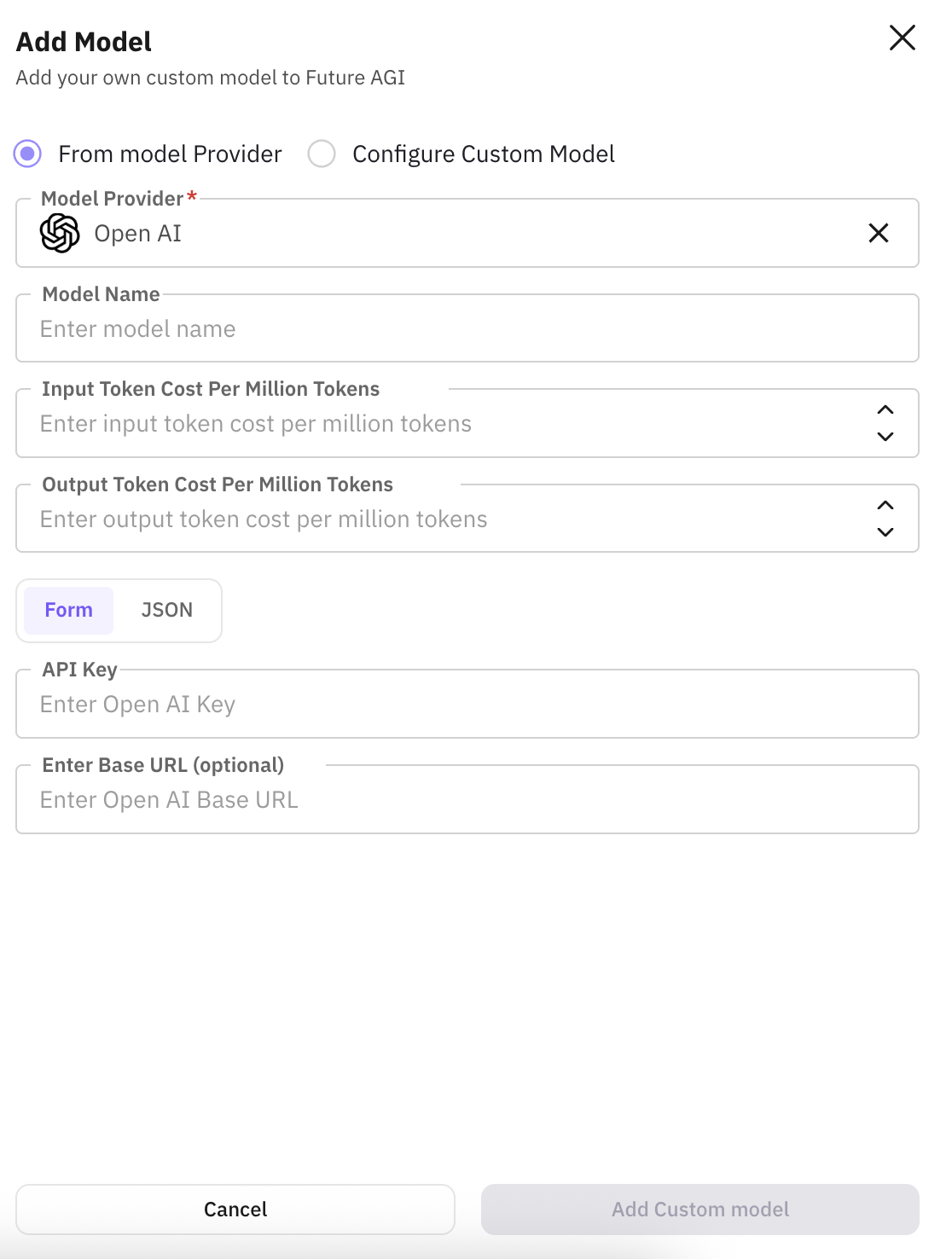
Configure your OpenAI API key and model; set a custom name and token costs for cost tracking.
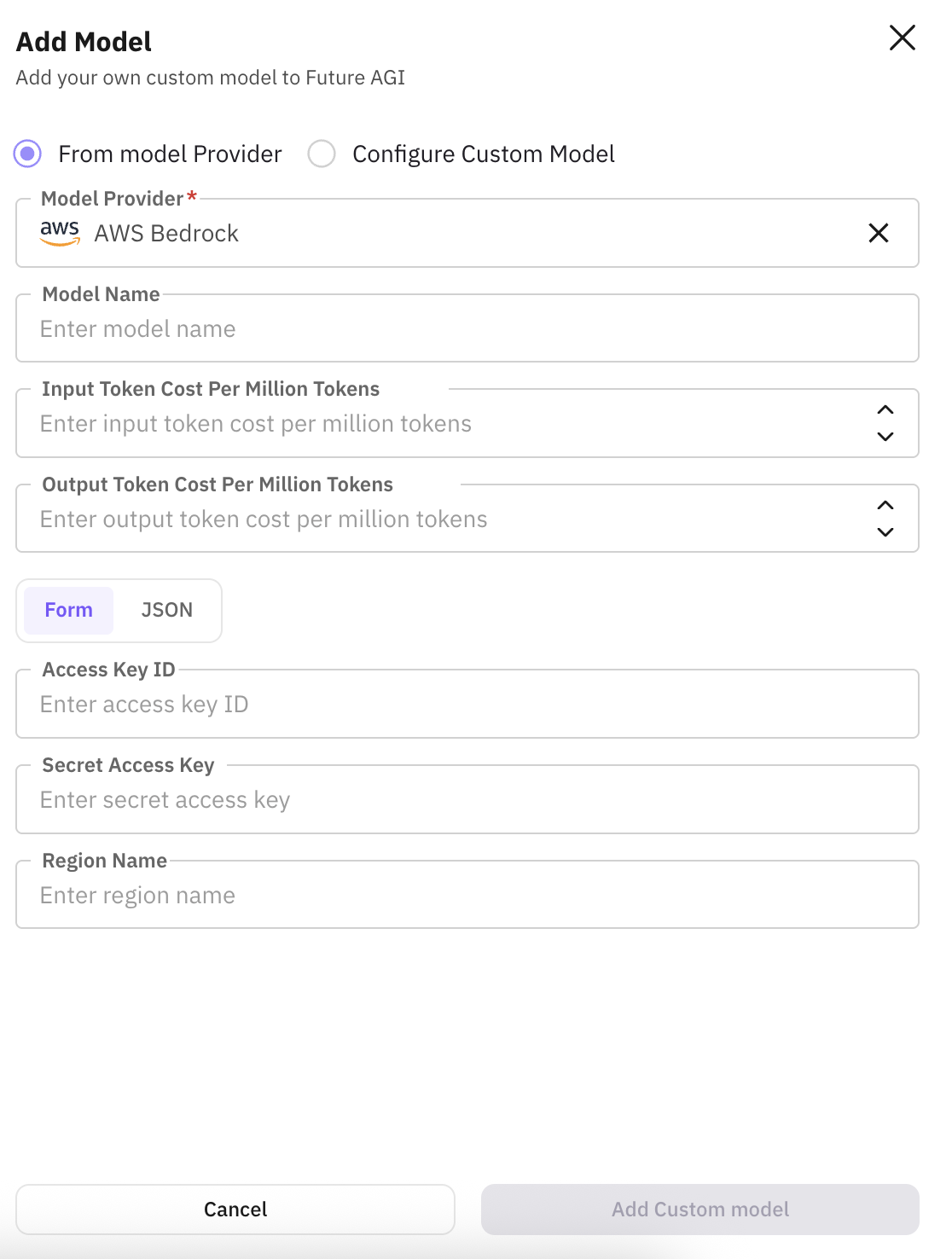
Connect via AWS credentials; choose a Bedrock model, set name and token costs.
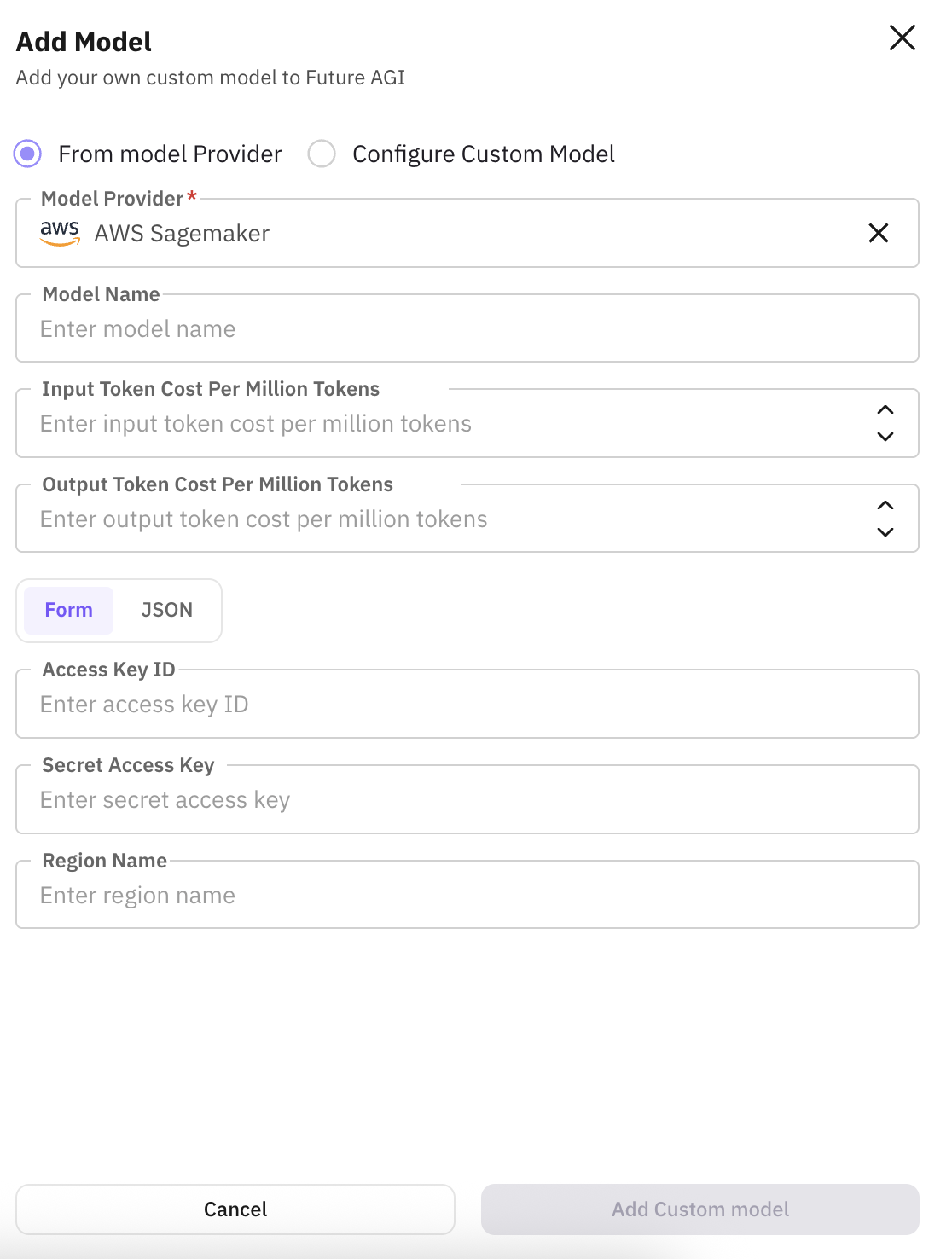
Use your SageMaker endpoint; add name and token costs for evaluations.
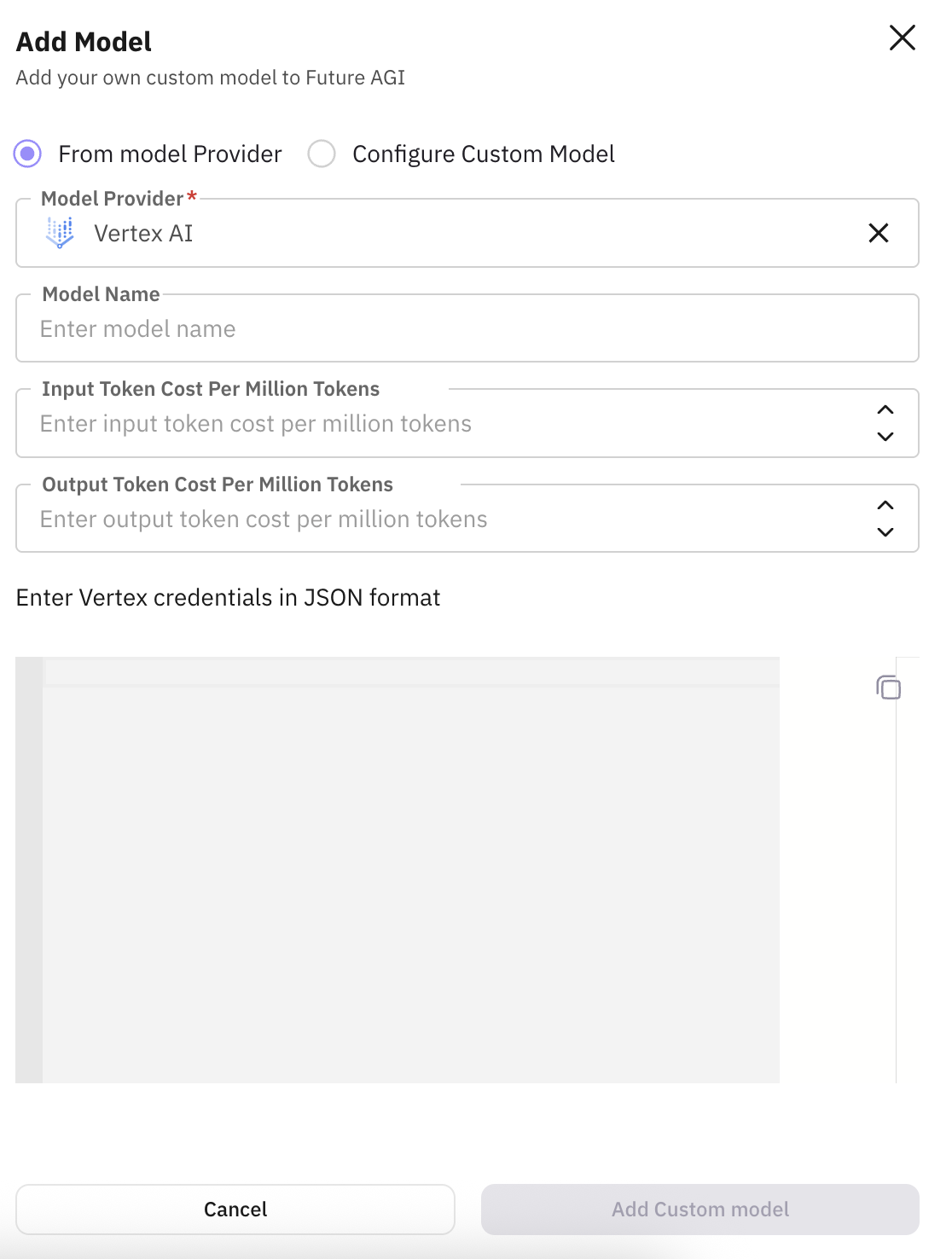
Integrate with Google Cloud Vertex AI; configure model, name, and token costs.
Connect your Azure OpenAI or other Azure model; set name and token costs.
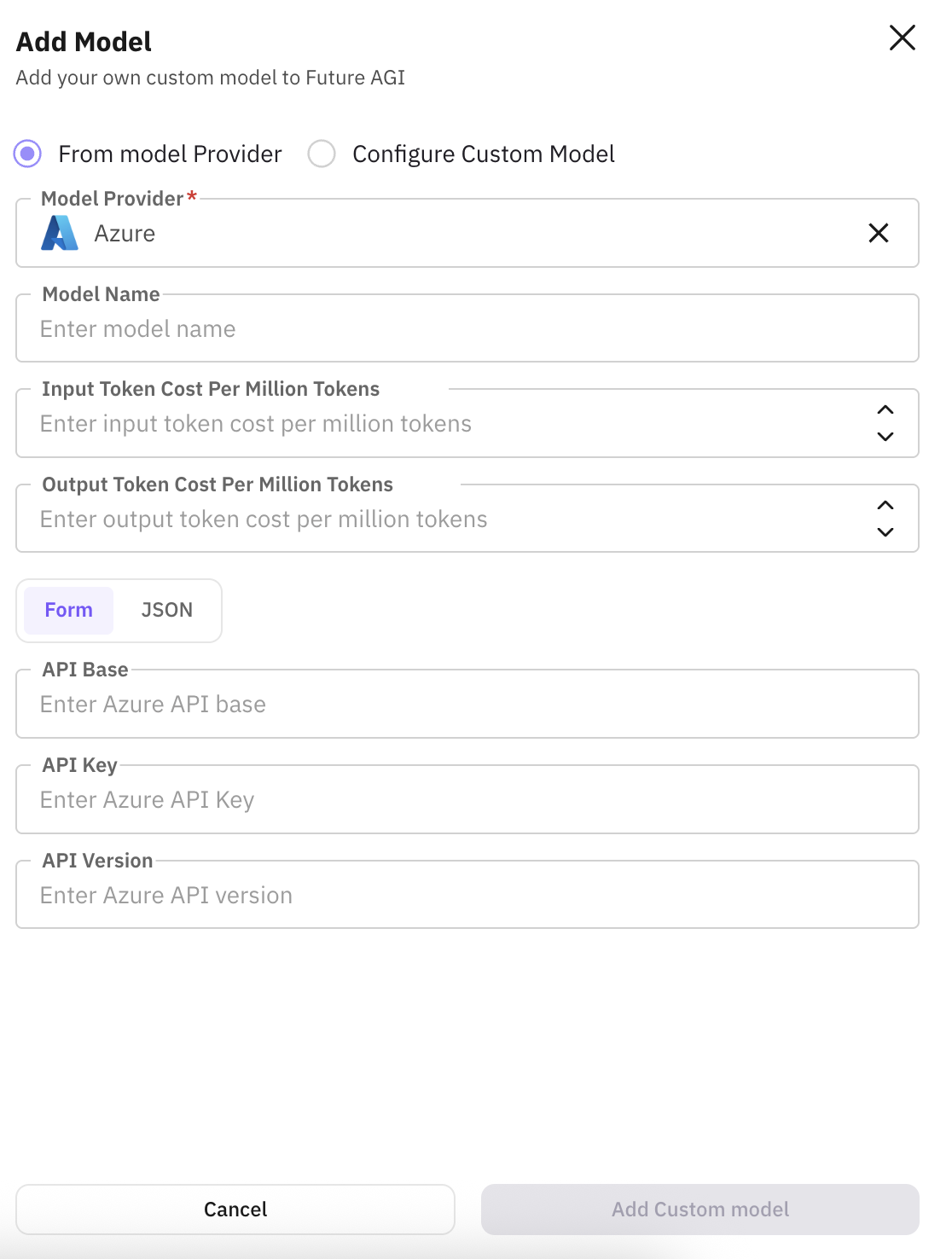
Enter provider credentials and settings
Fill in the provider-specific authentication and options (e.g. API key, region, endpoint) in the form for your provider.
Set custom name and token costs
Give the model a custom name so you can recognise it in the model dropdown. Enter input and output token cost per million tokens so Future AGI can compute cost when running evaluations.
Save
Save the model; it will appear in the model dropdown when you add or run custom evaluations.
Connect any model behind an API endpoint: self-hosted, fine-tuned, or third-party. Use this when integrating endpoints that are not one of the supported providers.
Open custom model configuration
In your project, go to model configuration (e.g. Settings or Models) and choose Configure custom model (or Add custom model) to open the form.
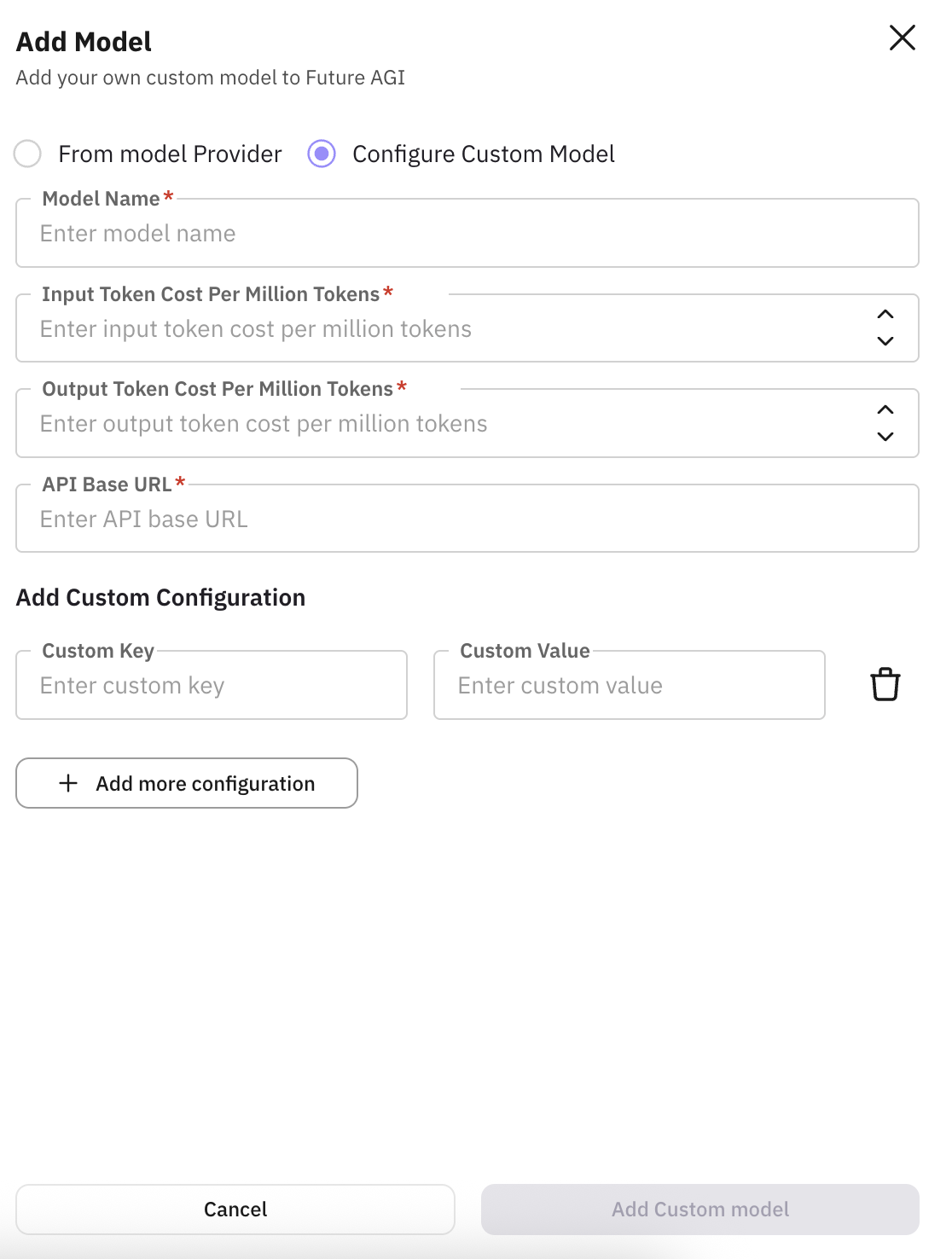
Enter model name and API base URL
Model name: a friendly identifier (e.g. mistral-rag-prod) so you can recognise it in selectors and reports. API base URL: the endpoint Future AGI will call (e.g. https://api.my-model-server.com/v1). Required for evaluations, RAG, and agent calls.
Set token costs
Enter input token cost per million tokens and output token cost per million tokens so Future AGI can compute cost and show usage analytics (e.g. 1.50 for input, 2.00 for output).
Add custom configuration (optional)
If your API needs extra headers or parameters (e.g. Authorization: Bearer ...), use Add custom configuration and add Custom key and Custom value pairs. Use this for auth, multi-tenant routing, or provider-specific options.
Save
Save the model; it will appear in the model dropdown when you add or run custom evaluations.
Field reference
Fields you may see when adding a model (from a provider or custom). Applies to indicates which flow uses the field.
| Field | Applies to | About | Example |
|---|---|---|---|
| Model name / Custom name | Both | Friendly name for the model in Future AGI; shown in selectors and reports. | mistral-rag-prod, my-openai-gpt4 |
| Input token cost per million tokens | Both | Cost of input tokens per 1M tokens; used for cost tracking and analytics. | 1.50 |
| Output token cost per million tokens | Both | Cost of output tokens per 1M tokens; used with input cost for total cost. | 2.00 |
| Provider-specific fields (auth, region, model ID, etc.) | From providers | Vary by provider (e.g. API key, region). See provider tabs in Step 1. | |
| API base URL | Custom model | Endpoint Future AGI calls for your model (evaluations, RAG, agent calls). | https://api.my-model-server.com/v1 |
| Add custom configuration (Custom key & value) | Custom model | Custom headers or params (e.g. auth). Key/value pairs. | Key: Authorization Value: Bearer sk-... |
Next Steps
Evaluate via Platform & SDK
Run a single eval from the UI or SDK.
Create custom evals
Define eval rules and select your custom model.
Eval groups
Run multiple evals together as a group.
Future AGI models
Built-in models available for evals.
CI/CD pipeline
Run evals automatically in your pipeline.
Evaluation overview
How evaluation fits into the platform.
Questions & Discussion