Dataset Optimization
Improve prompt templates stored in dataset columns using the same optimization algorithms, from the platform UI.
What it is
Dataset optimization is improving prompt templates stored in a dataset column (rather than an agent system prompt) using the same optimization algorithms—Random Search, Bayesian, Meta-Prompt, ProTeGi, GEPA, PromptWizard—from the Future AGI platform UI. Results are stored in the platform so you can review trials and apply the best prompt; runs can be paused and resumed.
Use cases
- Training and eval data — Improve prompts used in your dataset rows so model performance on that data gets better.
- Direct evaluation — Score prompt variations on input/output pairs (no conversational simulation), so optimization is faster and focused on the column content.
- No-code — Run from the UI; no SDK or script required.
- Reuse datasets — Optimize a column in a dataset you already use for experiments or evals.
- Pause and resume — Optimizer state is saved after each trial so you can resume if a run is interrupted.
How it differs from prompt optimization
| Prompt optimization (agent/SDK) | Dataset optimization | |
|---|---|---|
| Target | Agent system prompts | Dataset column prompts |
| Evaluation | Often simulation (conversational) | Direct (input/output) |
| Best for | Improving agent behavior | Improving training & eval data |
| Input | Agent config or in-code dataset | Dataset column + evaluation templates |
How to
Unlike prompt optimization (which targets agent prompts and often uses simulation), dataset optimization targets a dataset column and uses direct (input/output) evaluation on your rows. Follow these steps to run it from the platform.
Open the Run Optimization panel
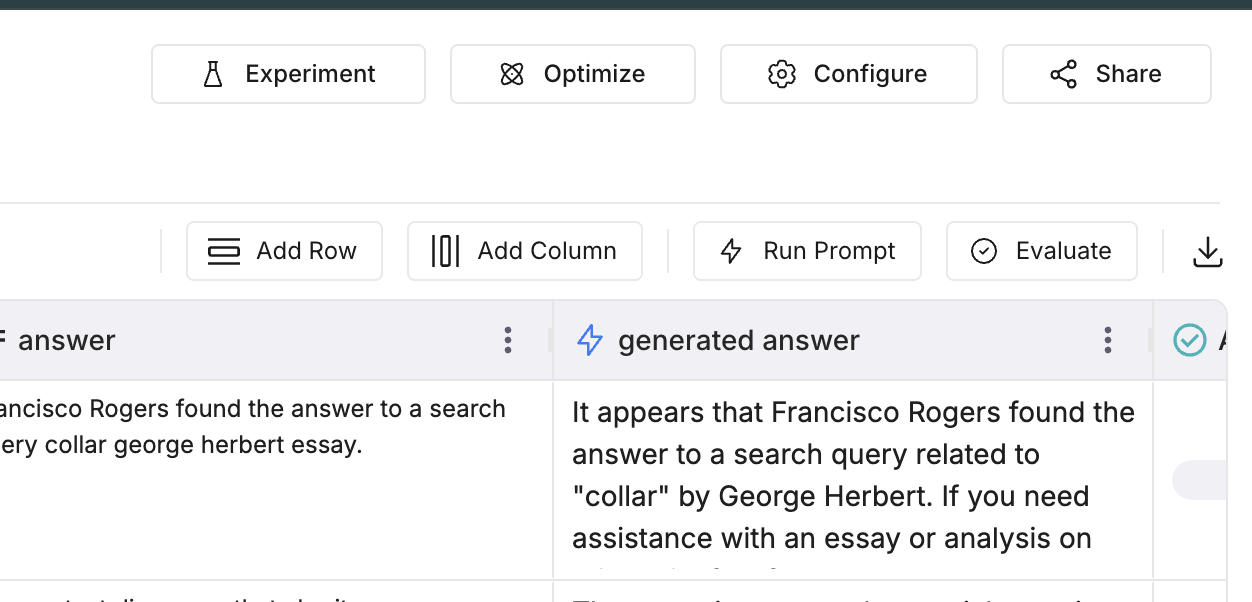
In the Dataset view, open the dataset that contains the column you want to optimize. Click Optimize in the top bar. The Run Optimization panel opens.
Set run details
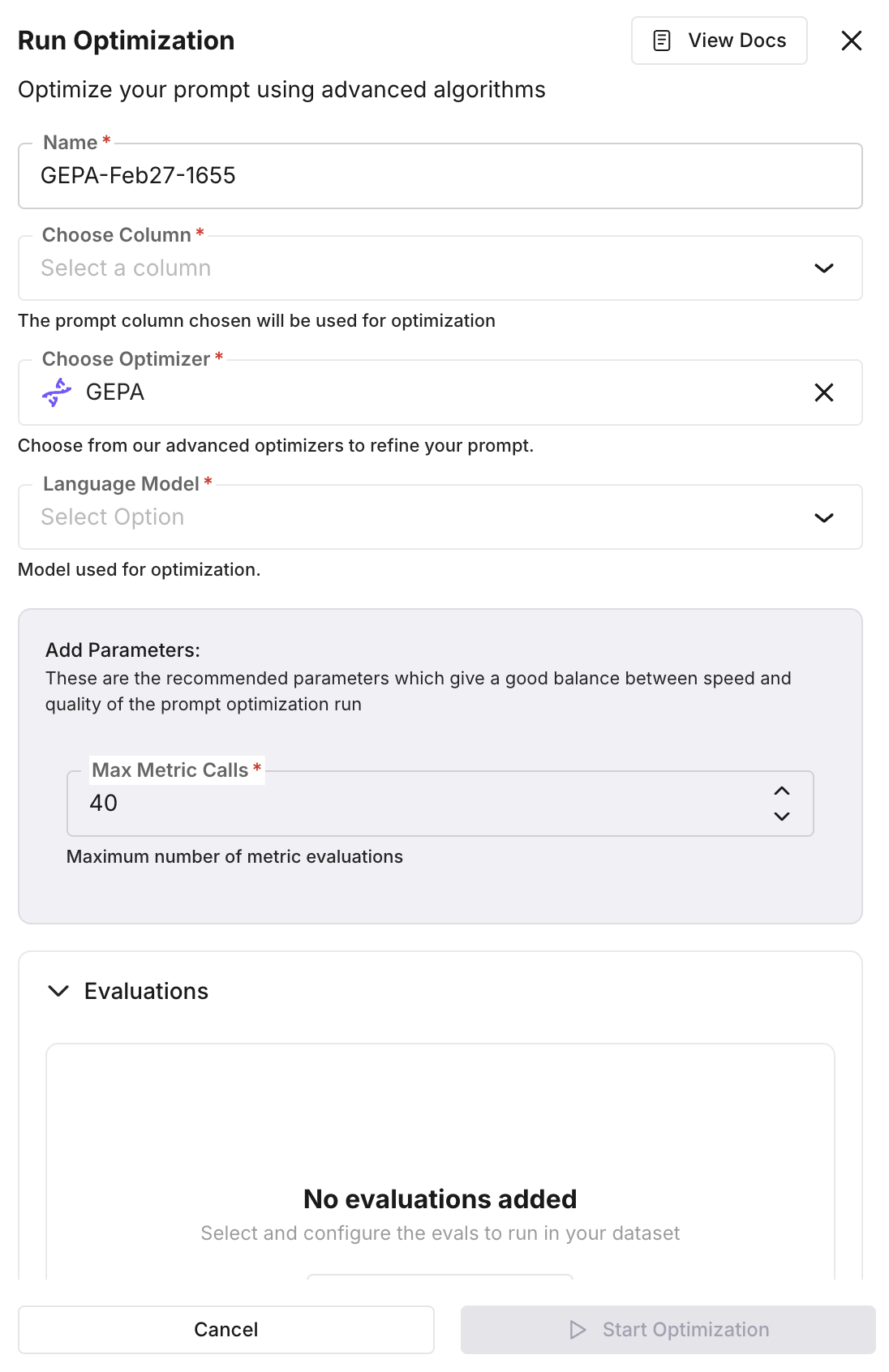
In the panel, set Name, Choose Column (the column that holds the prompt template to optimize), Choose Optimizer (e.g. GEPA, Bayesian Search, ProTeGi), and Language Model. The prompt in the chosen column is used as the baseline.
Add parameters and evaluations
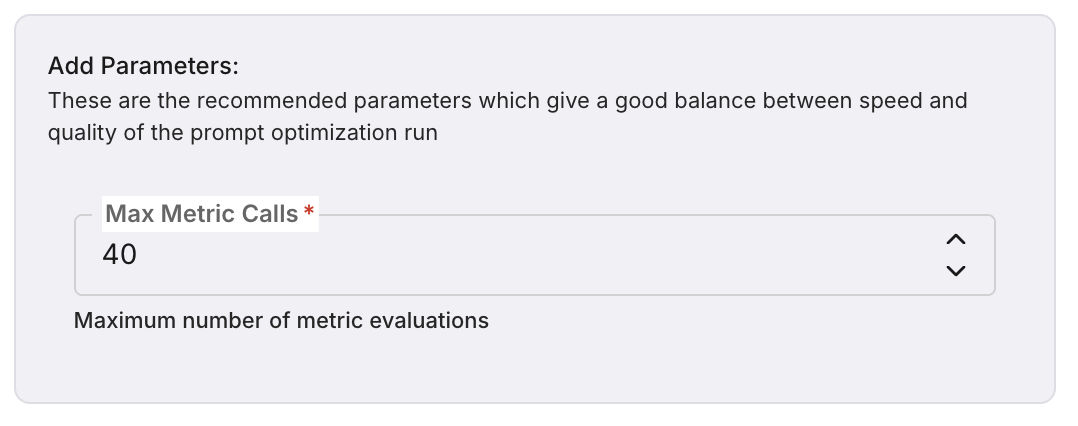
In Add Parameters, set optimizer-specific options (e.g. Max Metric Calls). In Evaluations, select and configure the evaluation templates that will score each prompt variation across dataset rows. You can use built-in templates (e.g. summary_quality, context_adherence, tone) or custom ones. Create or manage templates from the Evaluations section.
Start the optimization
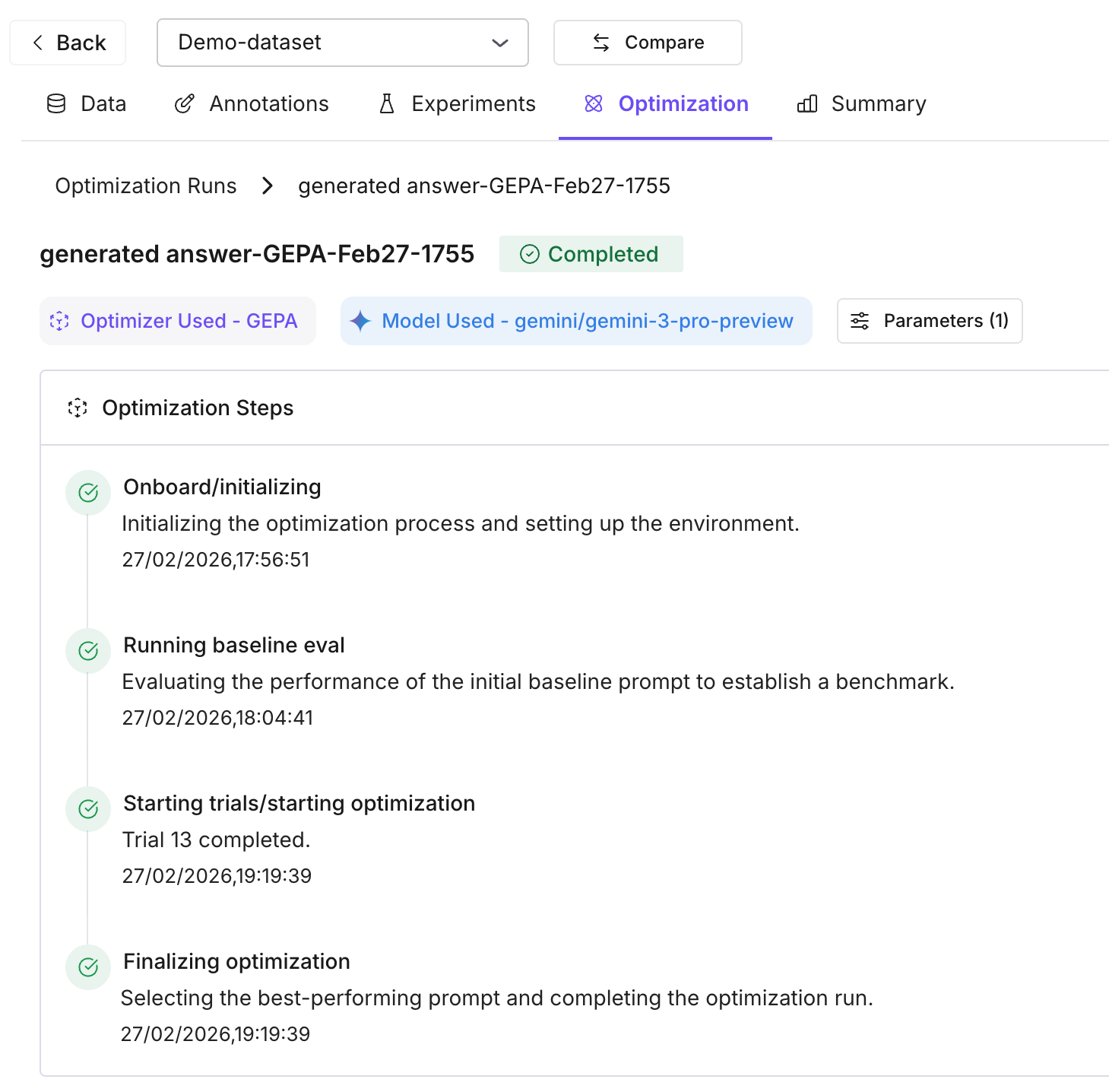
Click Start Optimization. The run executes on the backend: the system runs a baseline trial (your current prompt), then an optimization loop that generates new prompt variations, runs them on dataset rows (up to 50 per trial), and scores them with your evals. Each variation is stored as a trial with its average score.
Review results and apply
When the run completes, open the Optimization tab for the dataset or run. Compare the baseline score with all variation trials; the best-performing prompt is highlighted. Apply the best prompt to your dataset when ready. You can run another optimization to iterate further.
Note
Runs can be paused and resumed — optimizer state is persisted after each trial, so you don’t lose progress if a run is interrupted.
Key concepts
- Optimization run — One run = one column (prompt template) + optimizer algorithm + evaluation templates + teacher/inference model. The run produces multiple trials.
- Trials — Baseline trial = your original prompt scored on the dataset. Variation trials = new prompts generated by the optimizer, each with an average score from your evals.
- Evaluation templates — Define how each variation is scored (e.g. summary_quality, context_adherence). Use 1–3 that match your task; avoid conflicting criteria.
Supported optimizers
All six algorithms are available for dataset optimization:
| Optimizer | Speed | Quality | Best for |
|---|---|---|---|
| Random Search | ⚡⚡⚡ | ⭐⭐ | Quick baselines |
| Bayesian Search | ⚡⚡ | ⭐⭐⭐⭐ | Few-shot learning |
| Meta-Prompt | ⚡⚡ | ⭐⭐⭐⭐ | Complex reasoning |
| ProTeGi | ⚡ | ⭐⭐⭐⭐ | Fixing error patterns |
| PromptWizard | ⚡ | ⭐⭐⭐⭐ | Creative exploration |
| GEPA | ⚡ | ⭐⭐⭐⭐⭐ | Production deployments |
Note
Speed: ⚡ = slow, ⚡⚡ = medium, ⚡⚡⚡ = fast. Quality: ⭐ = basic → ⭐⭐⭐⭐⭐ = excellent. Start with Random Search for a baseline, then try ProTeGi or GEPA for higher quality.
Details: Optimization algorithms.