Generate Synthetic Data Quickstart with Future AGI Datasets
Generate synthetic datasets with Future AGI. Define schemas, column types, and constraints to create realistic data for training and evaluation.
About
Dataset is Future AGI’s data management product. The synthetic data generation feature lets you create realistic, structured datasets from scratch without collecting or exposing real user data. You define the schema, column types, and constraints. The platform generates rows that match your specification. Use it to build training sets, test edge cases, prototype AI pipelines, or create evaluation datasets when real data is unavailable or restricted.
Open the Tool
Navigate to the Dataset section in the sidebar. Click Add Dataset → Create Synthetic Data.
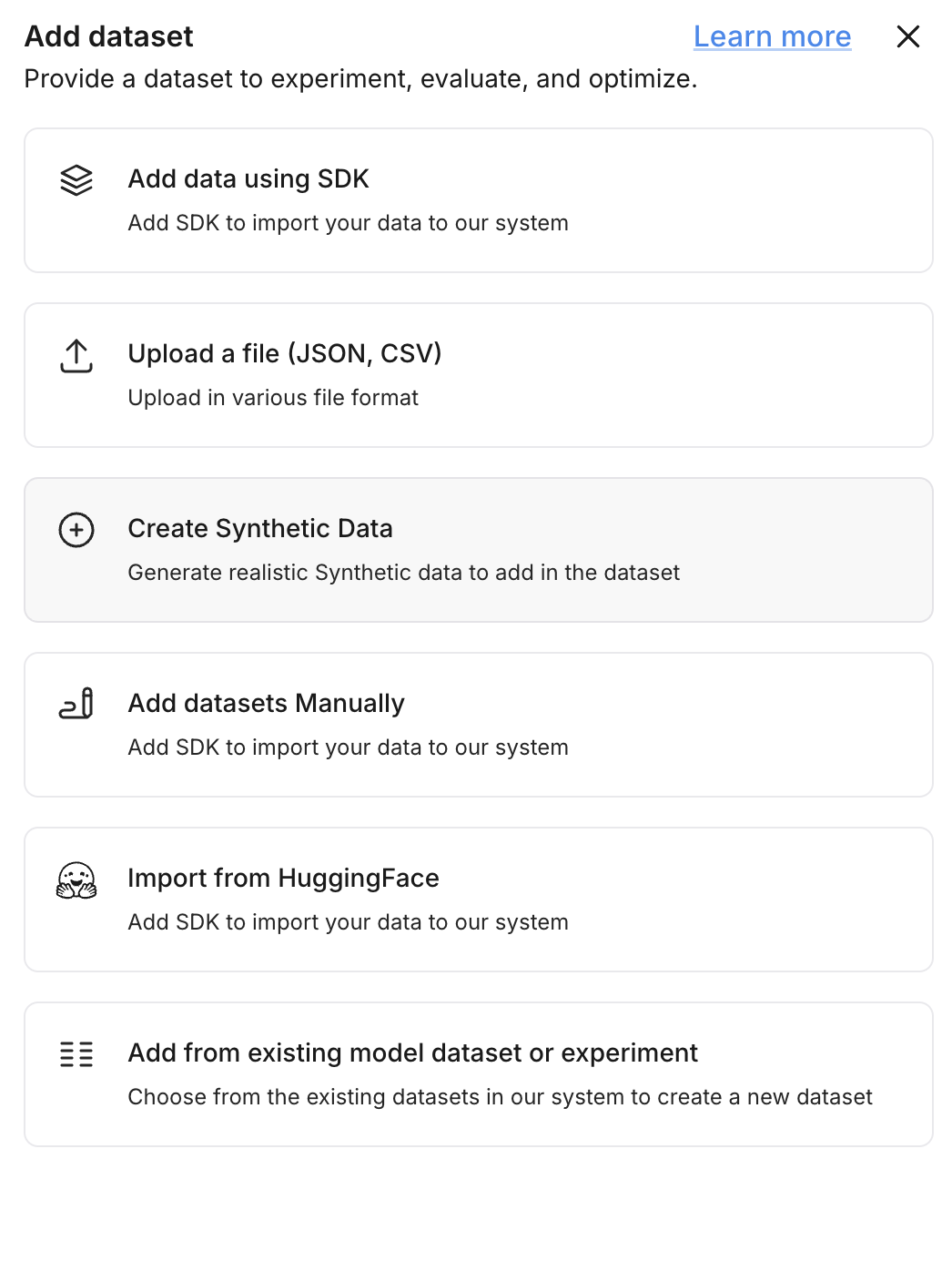
This opens the interface where you’ll define the structure and patterns for your synthetic dataset.
Set Dataset Details
Provide the basic metadata for your dataset:
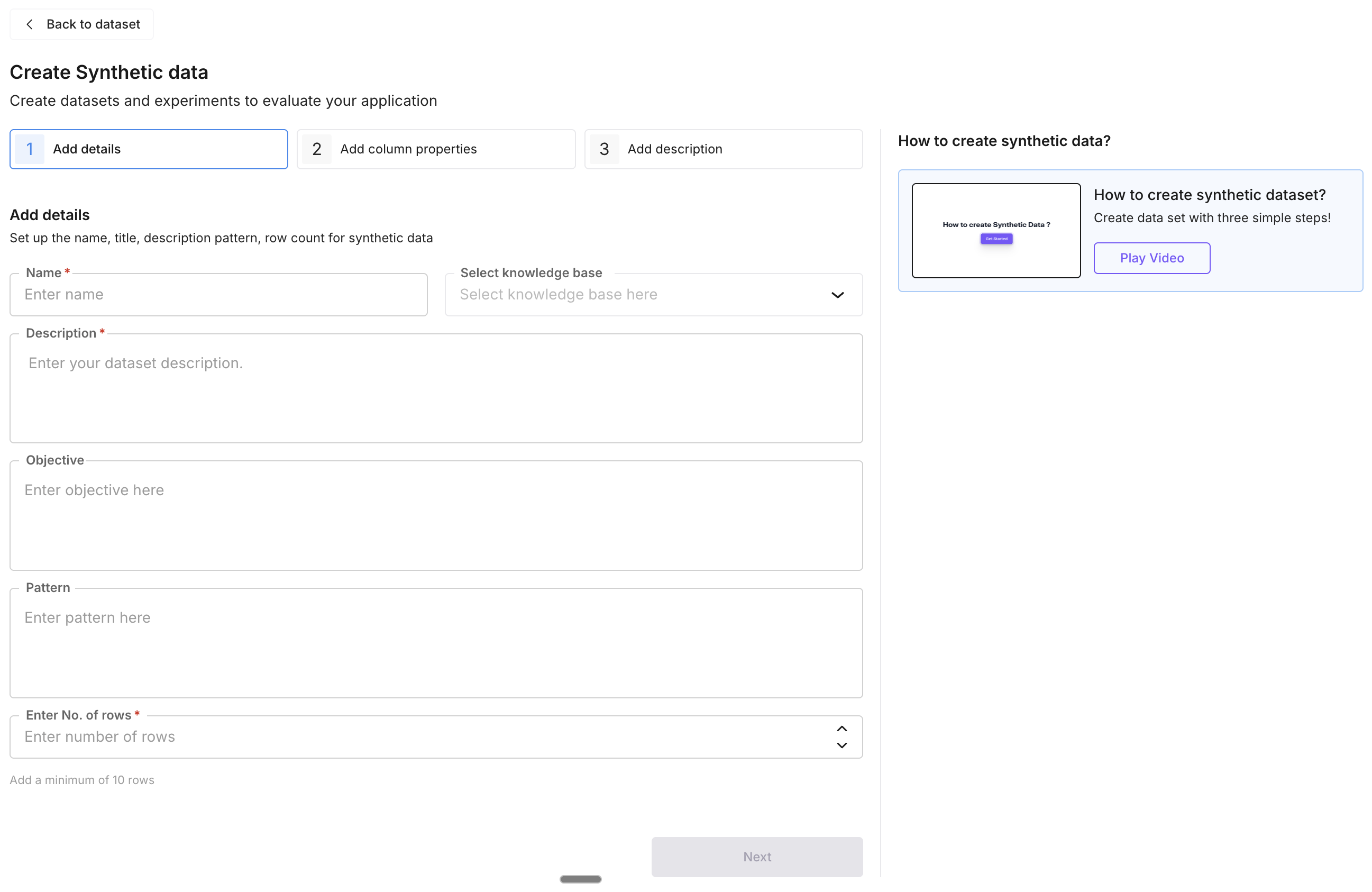
- Name (required): a clear, descriptive title for the dataset.
- Description (required): what the dataset is for and how it will be used.
- Use Case: the intended application, e.g. “Simulated customer support logs for LLM fine-tuning”.
- Pattern (optional): structural or stylistic rules, e.g. “Follow a conversational pattern” or “Keep tone formal”.
Define the Schema
Click Add Column to define the structure of each row. For every column:
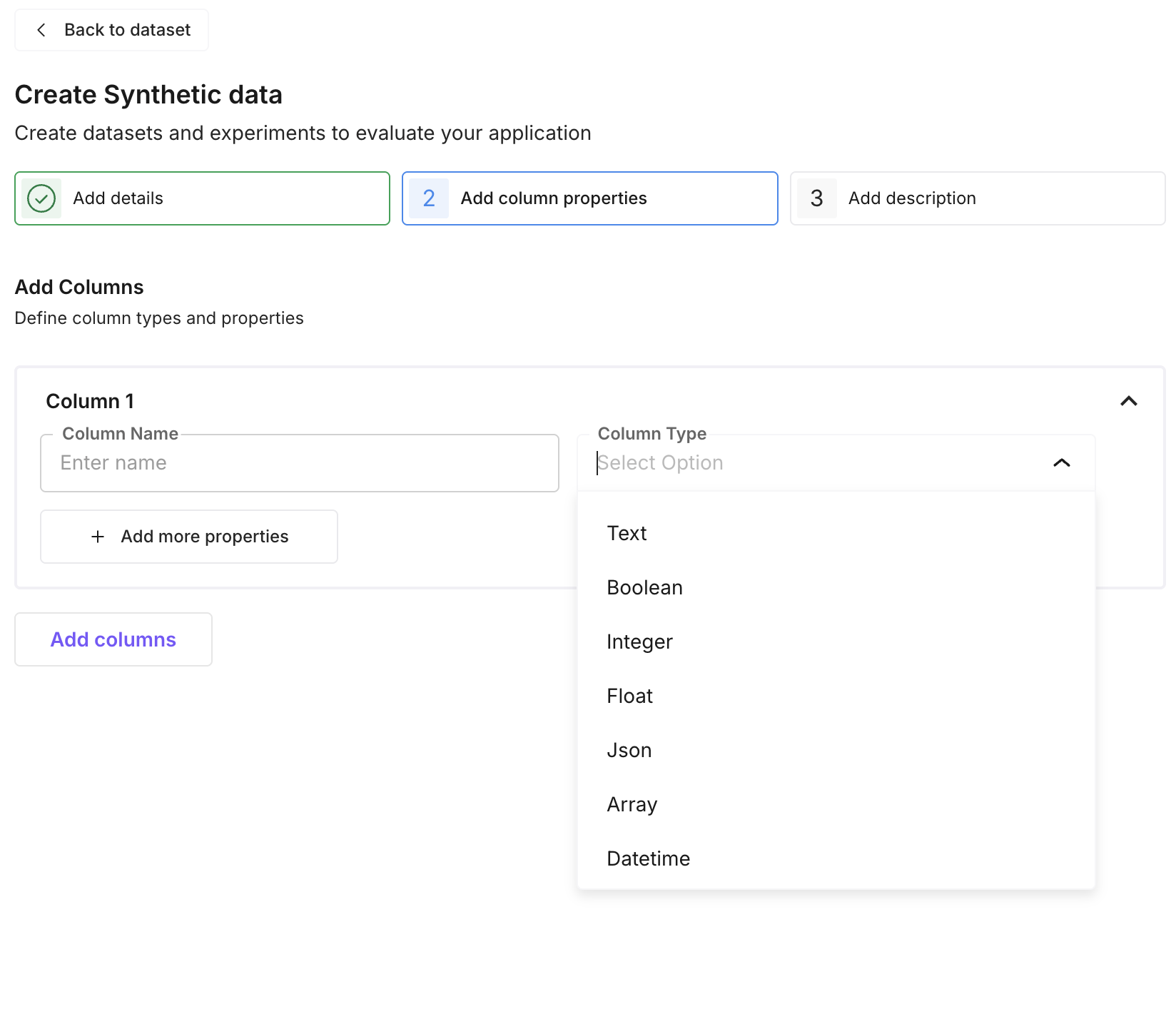
- Name: e.g.
message,label,transcript - Type:
text,float,integer,boolean,array,json, ordatetime - Properties: add constraints (min/max, string patterns) and specify categorical values or leave dynamic for the generator to decide.
Example schema for a product reviews dataset:
| Column | Type | Properties |
|---|---|---|
review_text | text | None — freeform content |
rating | integer | min: 1, max: 5 |
sentiment | text | Values: positive, negative, neutral |
Define Column Descriptions
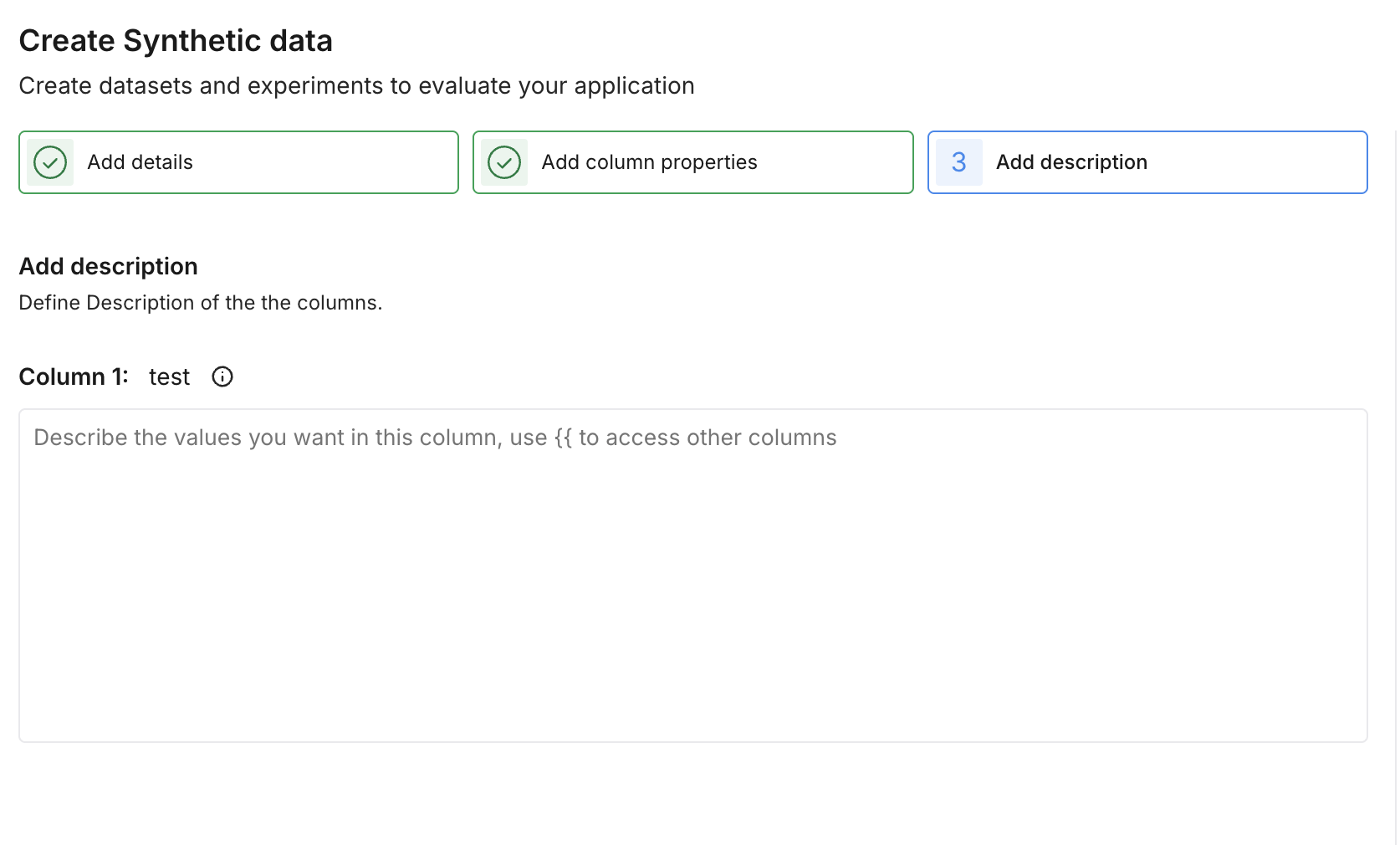
Add a description for each column you defined. This gives the generator the context it needs to produce rich, relevant data for each field.
Generate the Dataset
Review the schema and example values in the preview. Make any adjustments needed, then click Create to generate the full dataset.
Explore Your Dataset
Once generation is complete, the dataset is saved and available in your Dataset section. You can browse the generated rows, edit individual entries, add new columns, or use it directly in evaluations and experiments.
Next Steps
- Run evaluations on your dataset to test AI outputs against the generated data
- Use Knowledge Base to ground synthetic data generation with your own documents
- Run prompts on your dataset to add model-generated columns
- Set up experiments to compare different prompts or models against your dataset
Questions & Discussion