Run Evals on Traces in Future AGI Observe
Run automated quality checks on traced spans in Observe: filter spans, choose historic or continuous runs, set sampling, and attach preset or custom evals.
About
Evals run automated quality checks on your production traces, scoring every LLM response for hallucination, tone, bias, toxicity, and more. You configure which checks to run, filter which spans they apply to, and choose whether to evaluate historical data or new spans as they arrive. Results appear per span in the Observe dashboard and can trigger alerts when quality drops.
When to use
- Scoring production output quality: Run historic evals after a release to check for hallucinations, bias, or unsafe content across real traffic.
- Catching regressions in production: Set up a continuous eval task so new spans are scored automatically and you see quality drops before users report them.
- Spot-checking a specific time window: Filter by date range or session to evaluate only the spans from an incident or a specific user flow.
- Controlling eval cost: Use sampling rate and span limits to evaluate a representative subset instead of every span.
- Running multiple quality checks at once: Attach several evals to one task so each span gets scored for tone, safety, and accuracy in a single run.
How to
Set filters
Define filters so the task runs only on the spans you care about.
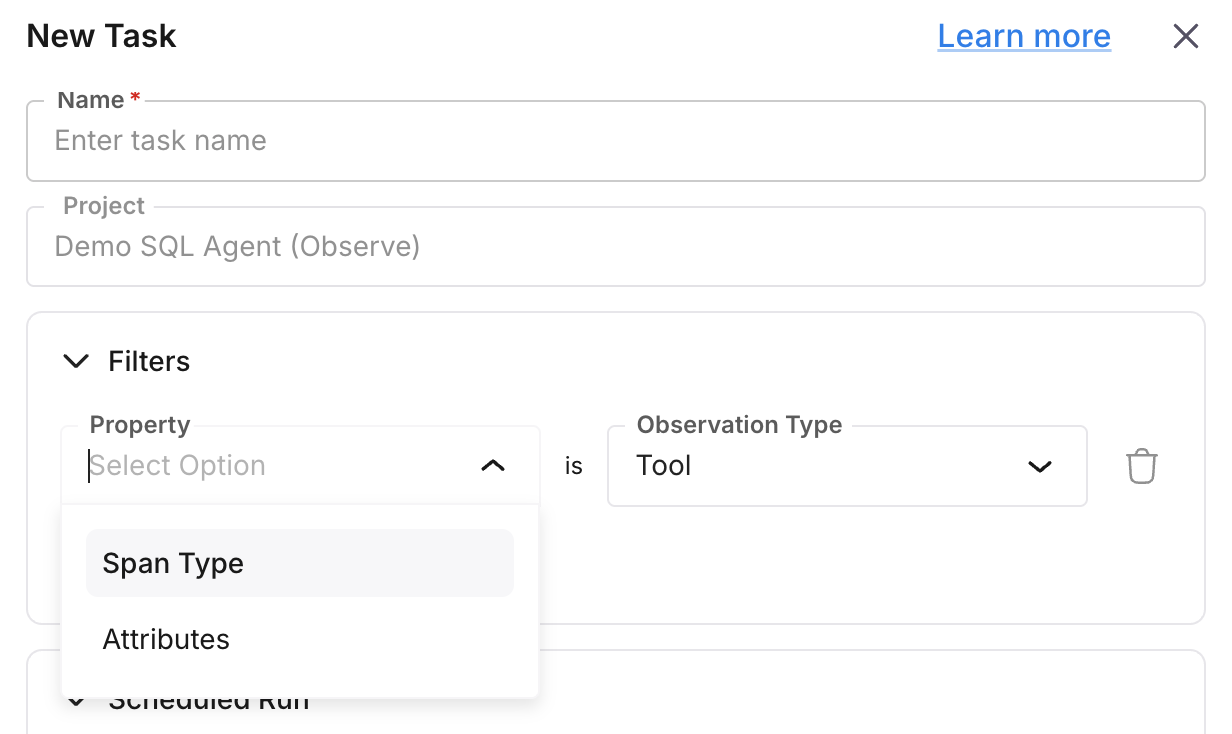
| Filter | Description |
|---|---|
observation_type | Node/span type (e.g. llm, chain, agent). |
date_range | Time range: [start_date, end_date] applied to created_at. |
created_at | Minimum creation time (spans at or after this value). |
project_id | Restrict to a specific Observe project. |
session_id | Restrict to traces in a given session. |
span_attributes_filters | List of span-attribute conditions. |
Filters are stored in the task’s filters field and applied when the task runs.
Choose run type
Set the run type:
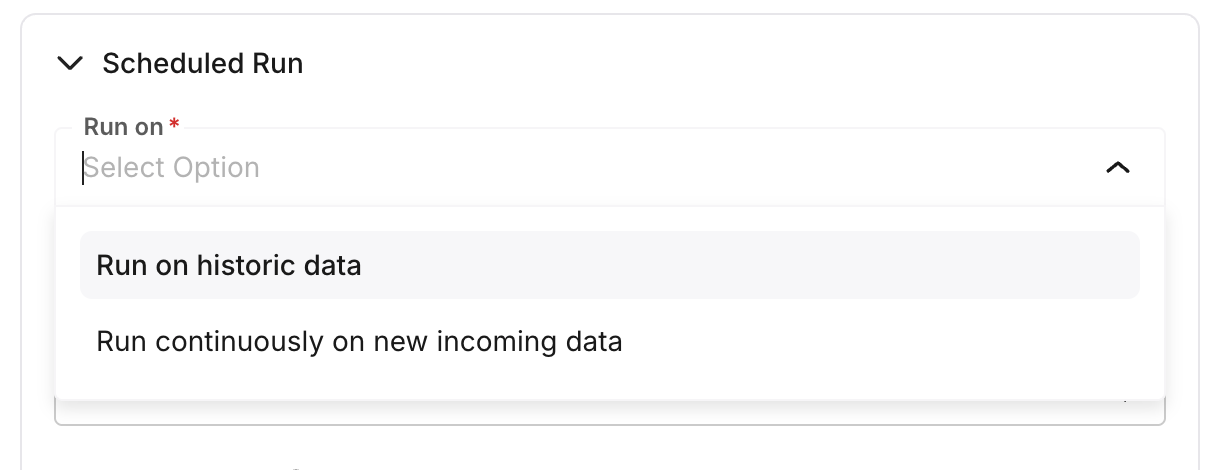
- Historical: Run on existing spans matching the filters, up to the sampling cap and span limit. The task completes after processing.
- Continuous: Run on new spans as they arrive. Each run only processes spans created after the last run; the task stays active for ongoing evaluation.
Set sampling rate and span limit
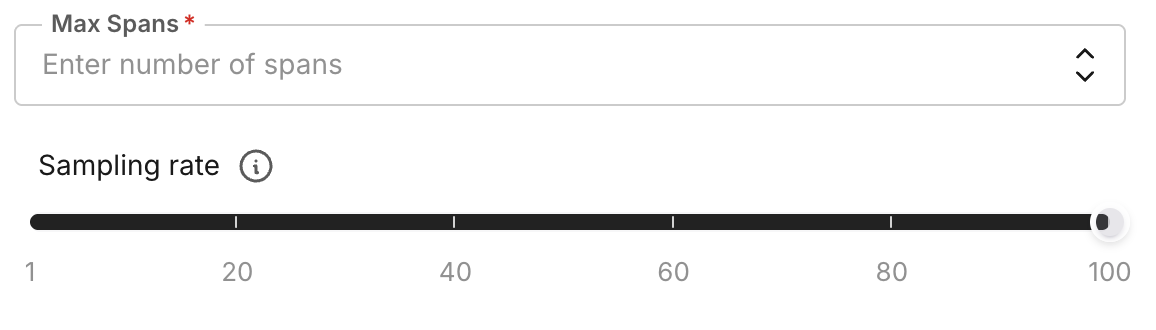
- sampling_rate: Percentage of matching spans to evaluate (0-100). For example,
50evaluates 50% of filtered spans per run. - spans_limit: Maximum number of spans to process per run (default 1000). The task stops when either the sampled count or this limit is reached.
Select evals to run
Attach one or more eval configs to the task. The task runs each selected eval on every span it processes. For evals that need an input (e.g. Bias Detection), set the input key to a span attribute path (e.g. gen_ai.output.messages.0.message.content) so the eval reads the right field from each span. See built-in evals for supported evaluations and their required inputs.
Run the task

Create or update the eval task via the API or UI, then run it. You can test the configuration before saving. Task status values: pending, running, completed, failed, paused, deleted. Results appear on the spans in the Observe dashboard and can be used for alerts.
Note
Eval tasks are processed asynchronously. Status and results update as runs complete. For continuous tasks, new spans are picked up on subsequent runs.
Next Steps
Questions & Discussion