Voice Observability: Call Logs as Traces in Observe
Connect Vapi, Retell or Bland.ai and get call logs as traces in Observe with no SDK instrumentation, or instrument a self-hosted agent yourself.
What voice observability does
Voice agents are hard to debug. Conversations happen in real time, across multiple turns, and when something goes wrong you usually find out from a user complaint, not a log. Voice observability fixes this by pulling call logs from your voice provider into Observe automatically. No SDK or code changes needed. Connect a provider (Vapi, Retell or Bland.ai) using its API key and assistant ID, and every call shows up as a trace with its transcript, recording URLs, cost, and duration. From there you can run evaluations, set alerts, search, filter, and export, the same way you would with any other trace.
When to use
- Visibility into voice agent calls: See all conversations for a voice agent in one project without adding SDK instrumentation.
- Evaluate voice conversations: Run evals (quality, bias, adherence) on conversation spans from voice calls.
- Alerts on voice metrics: Set monitors on voice project metrics and get notified when something degrades.
- Transcripts and recordings for debugging: Access transcript and recording URLs from the trace view.
- Multiple voice providers: Vapi, Retell and Bland.ai, so you can monitor agents regardless of provider.
How to
Get provider credentials
From your voice provider’s dashboard, obtain:
- API key
- Assistant ID (or agent ID)
These are required when observability is enabled. See Supported providers for the full list.
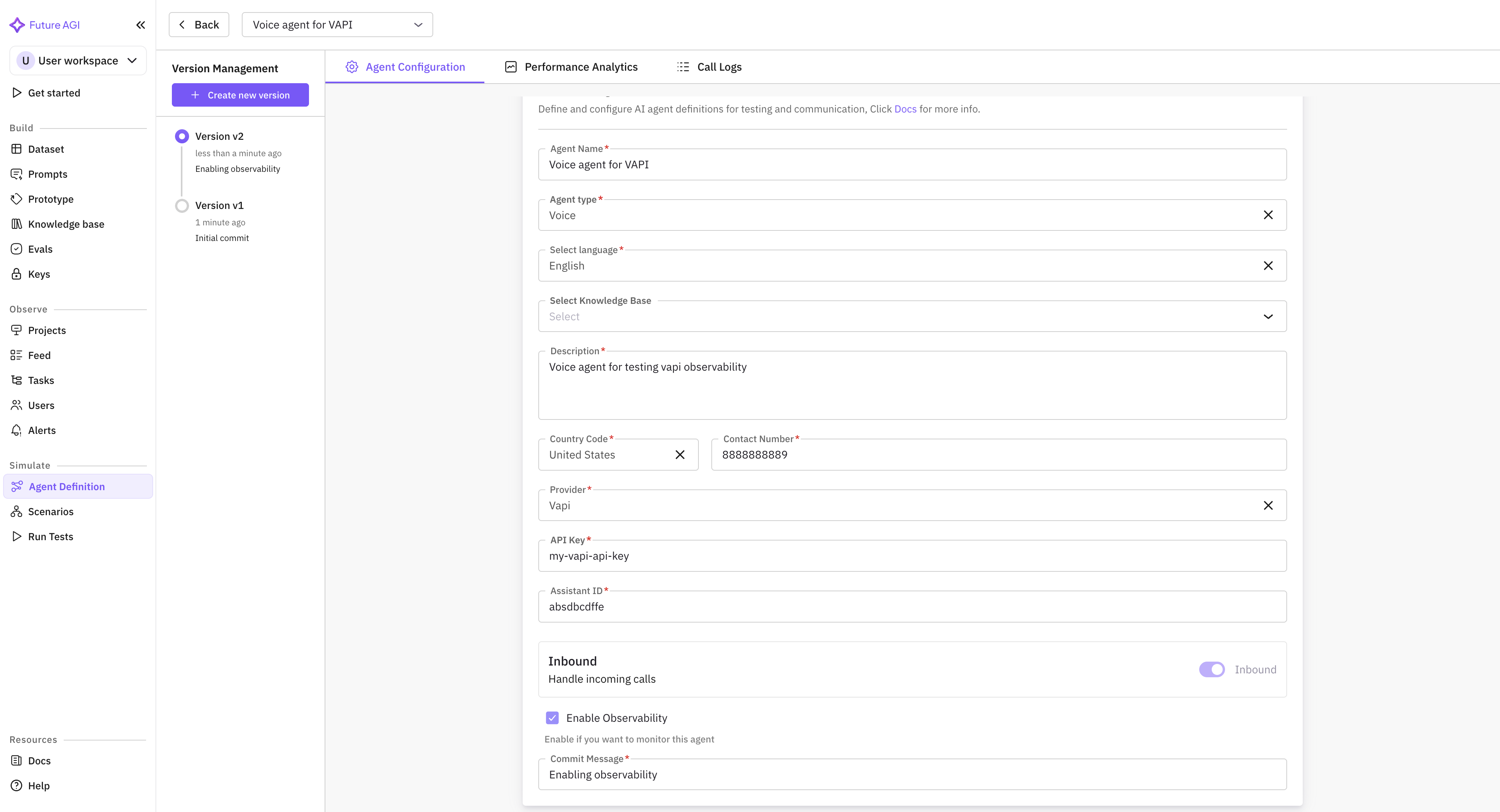
Create an agent definition with observability
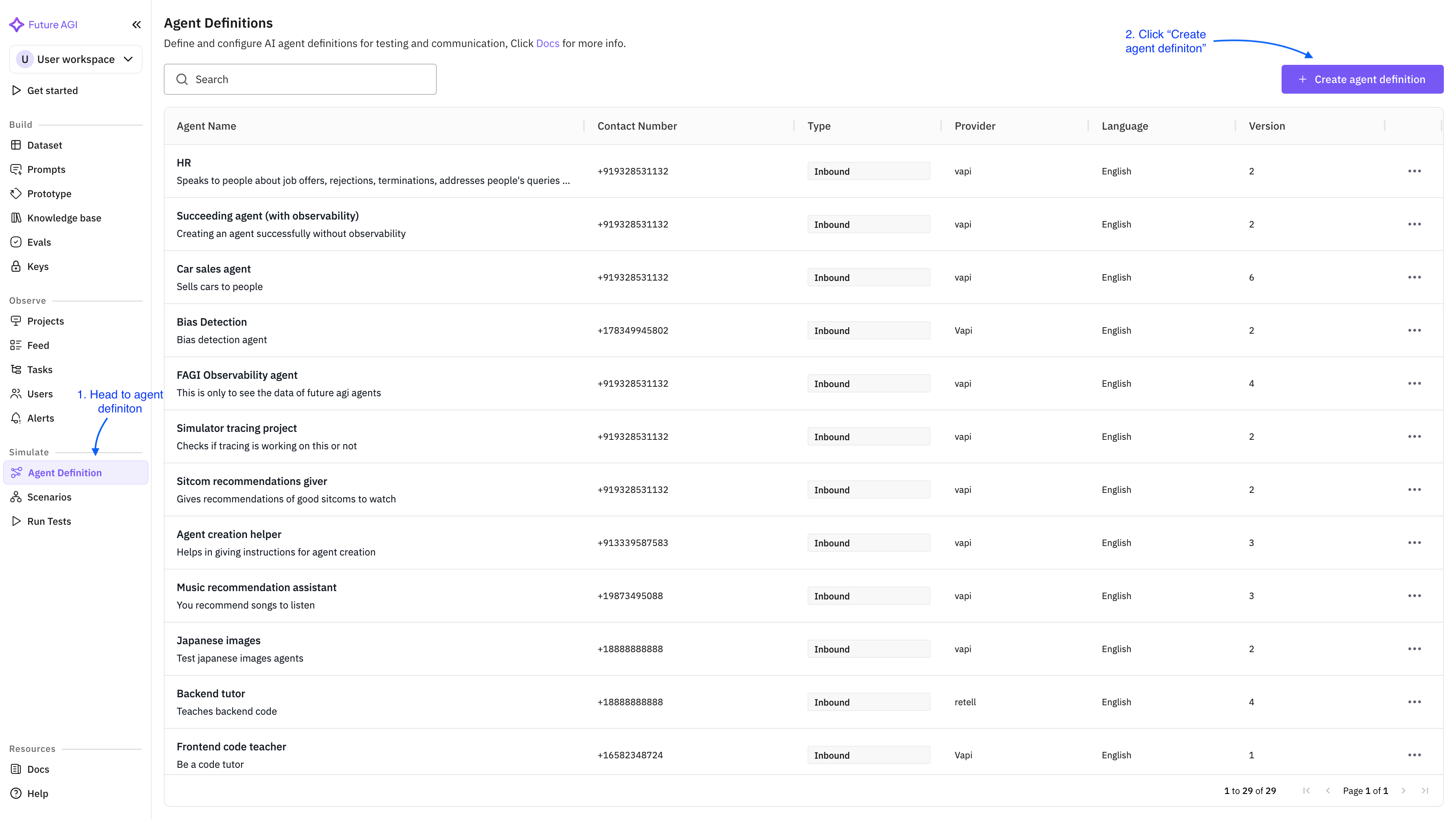
Go to the Agent definition section and click Create agent definition.
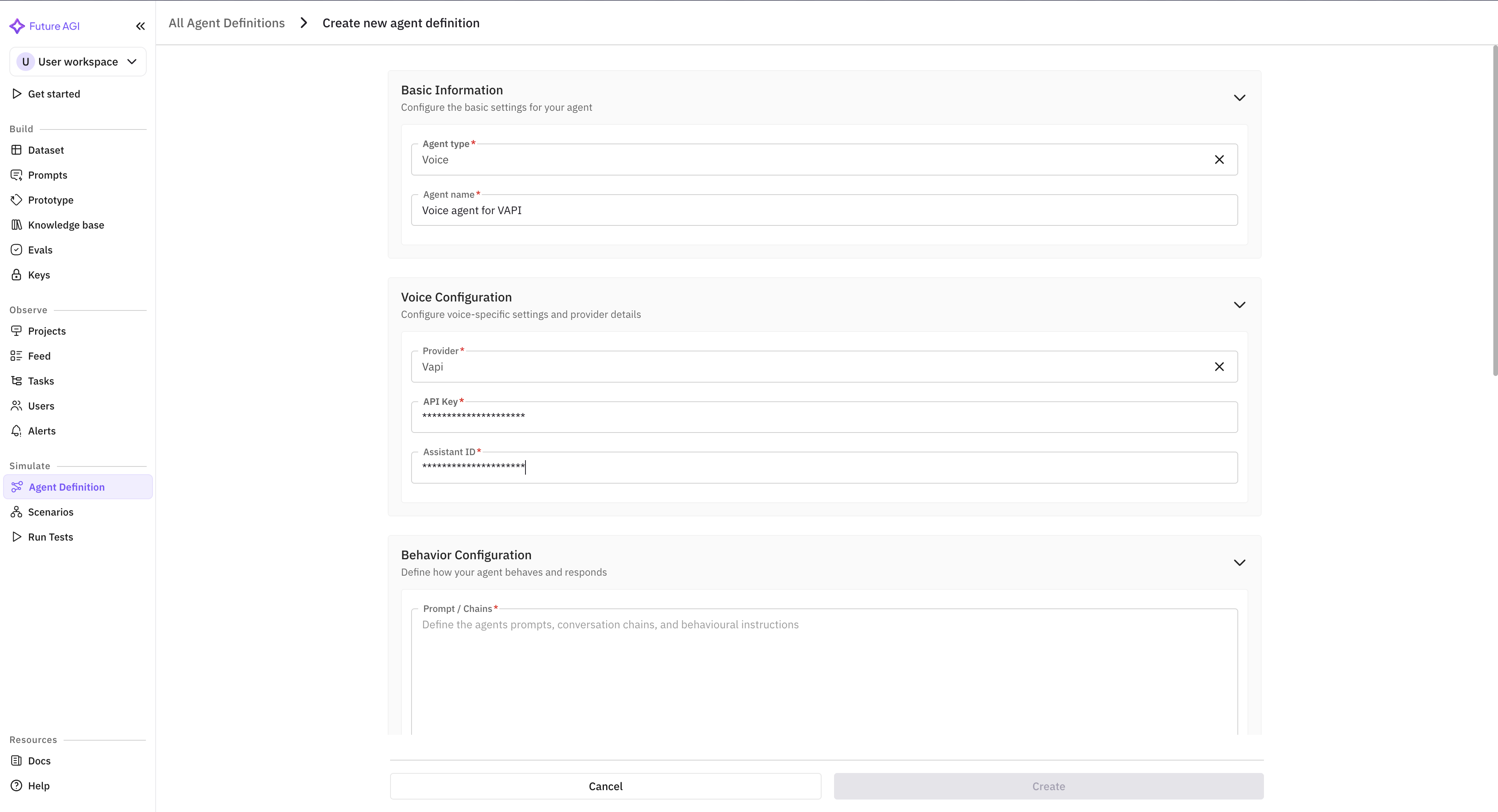
Fill in agent name, provider, and other required fields. The API key and Assistant ID are masked for security.
Check Enable Observability. The API key and Assistant ID are required only if observability is enabled.
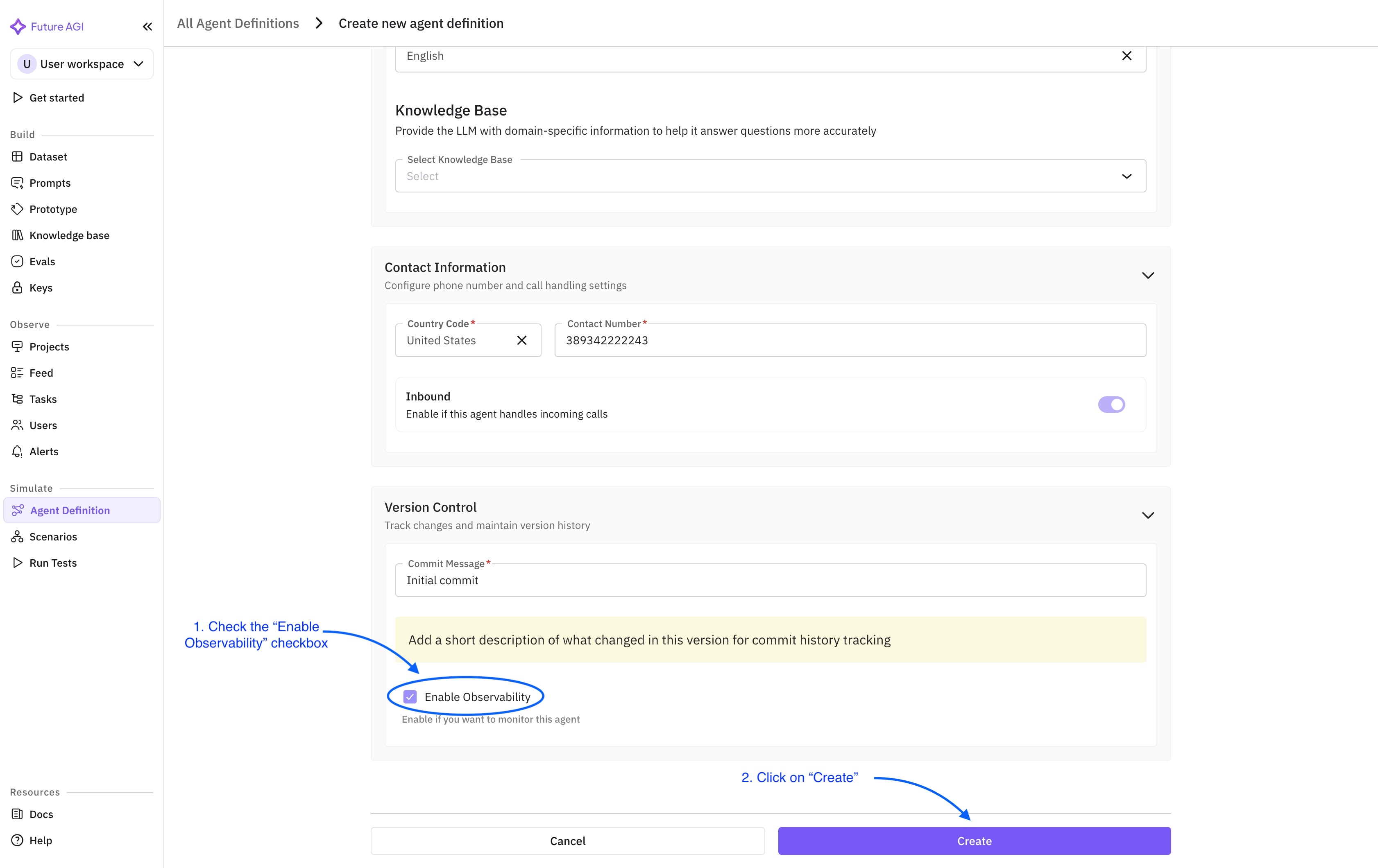
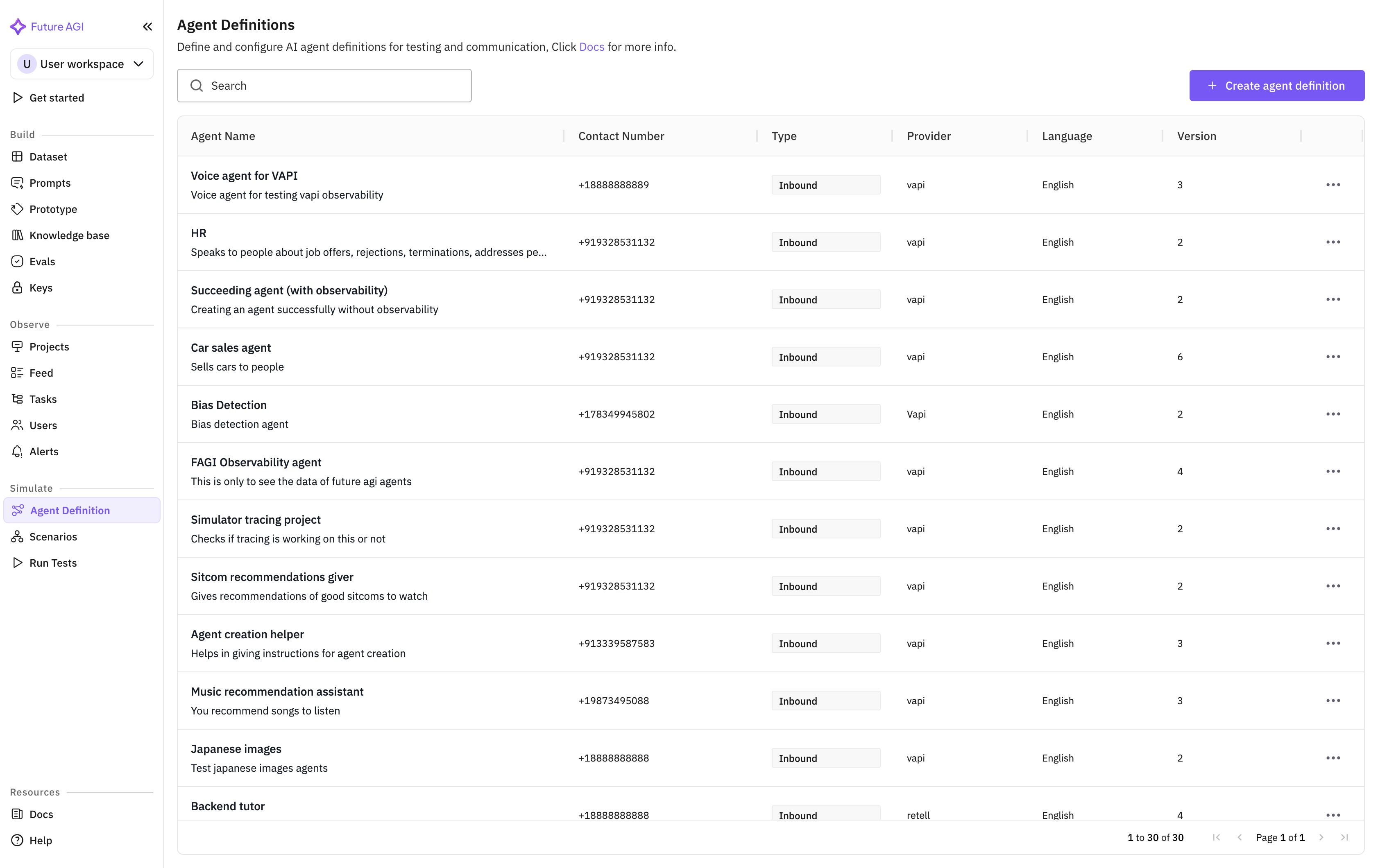
Click Create. You are redirected to the agent list where the new agent is now visible.
View call logs in Observe
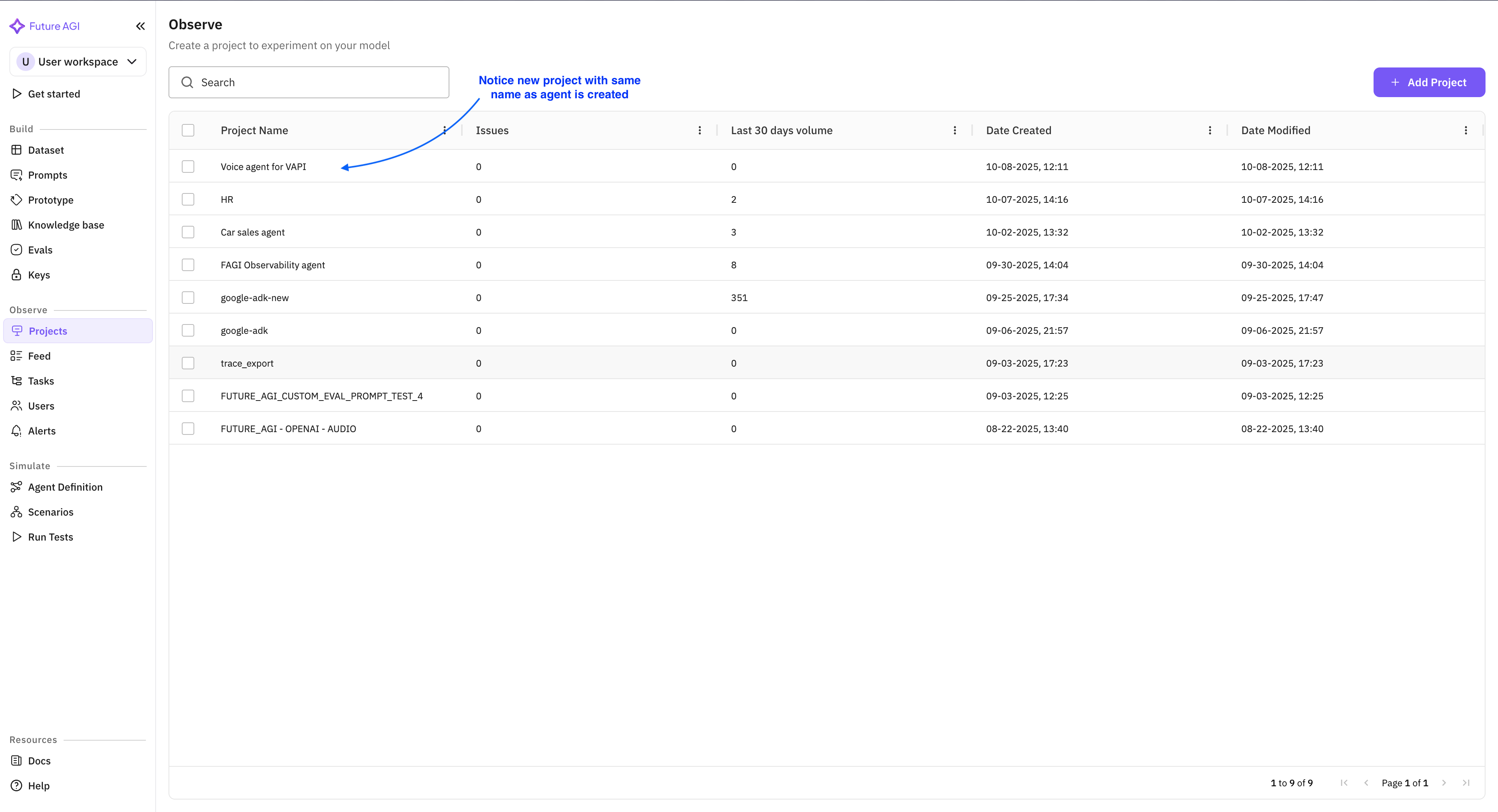
Open the Projects tab. A project with the same name as your agent lists all call logs.
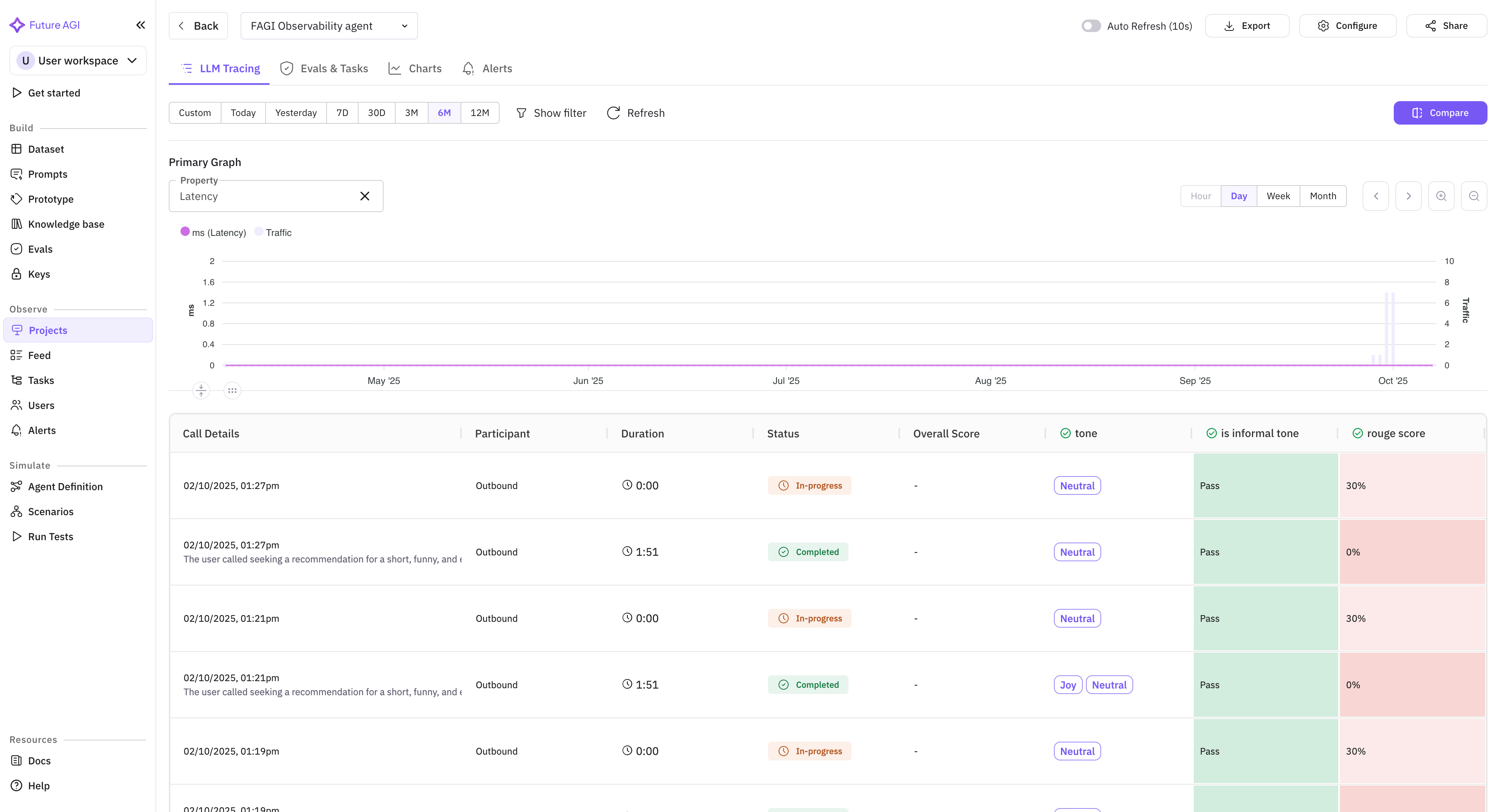
Open the project to see the voice observability table (calls with status, duration, cost).
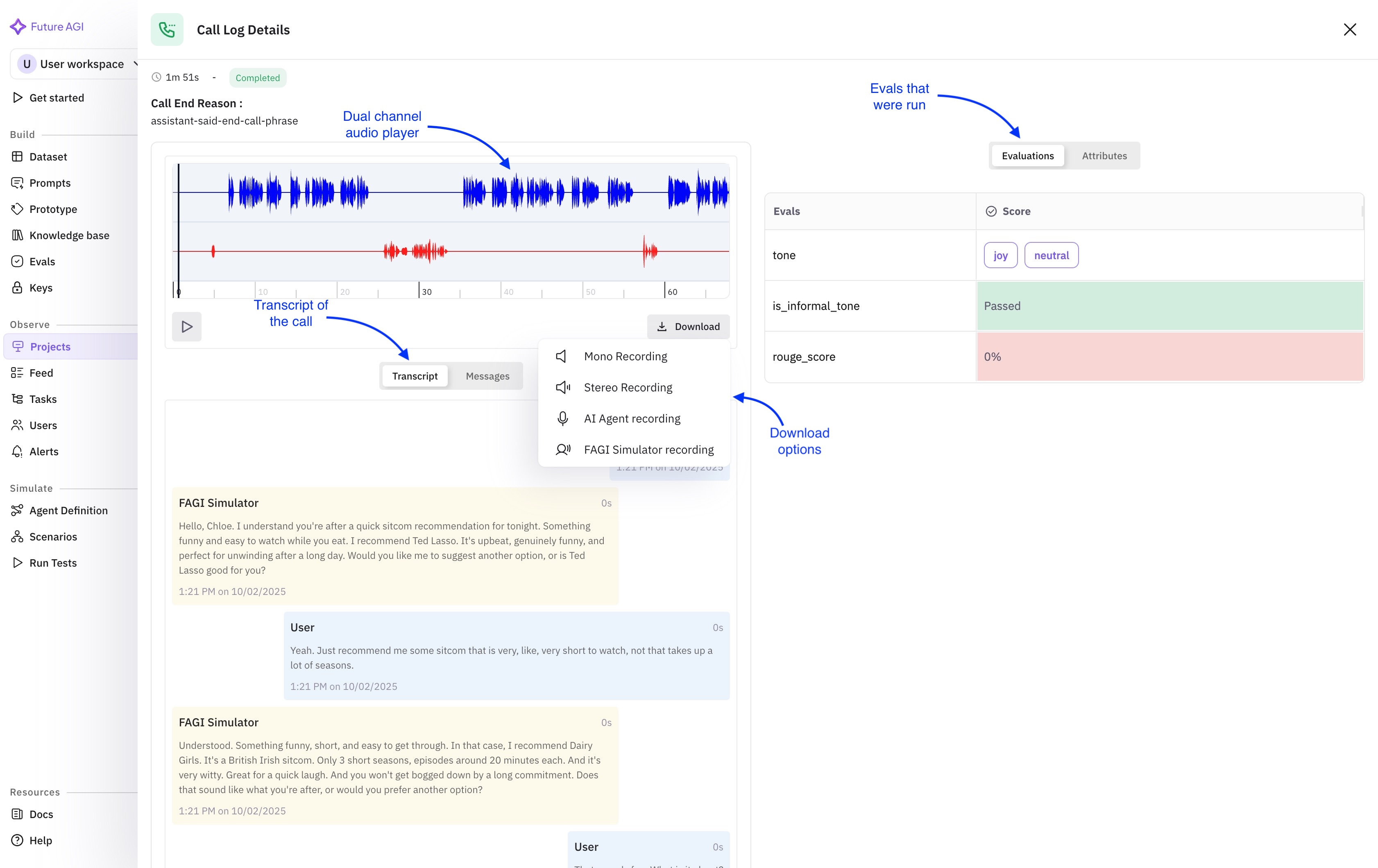
Click a call to open the detail drawer (transcript, recording URLs, call data).
Update or disable observability
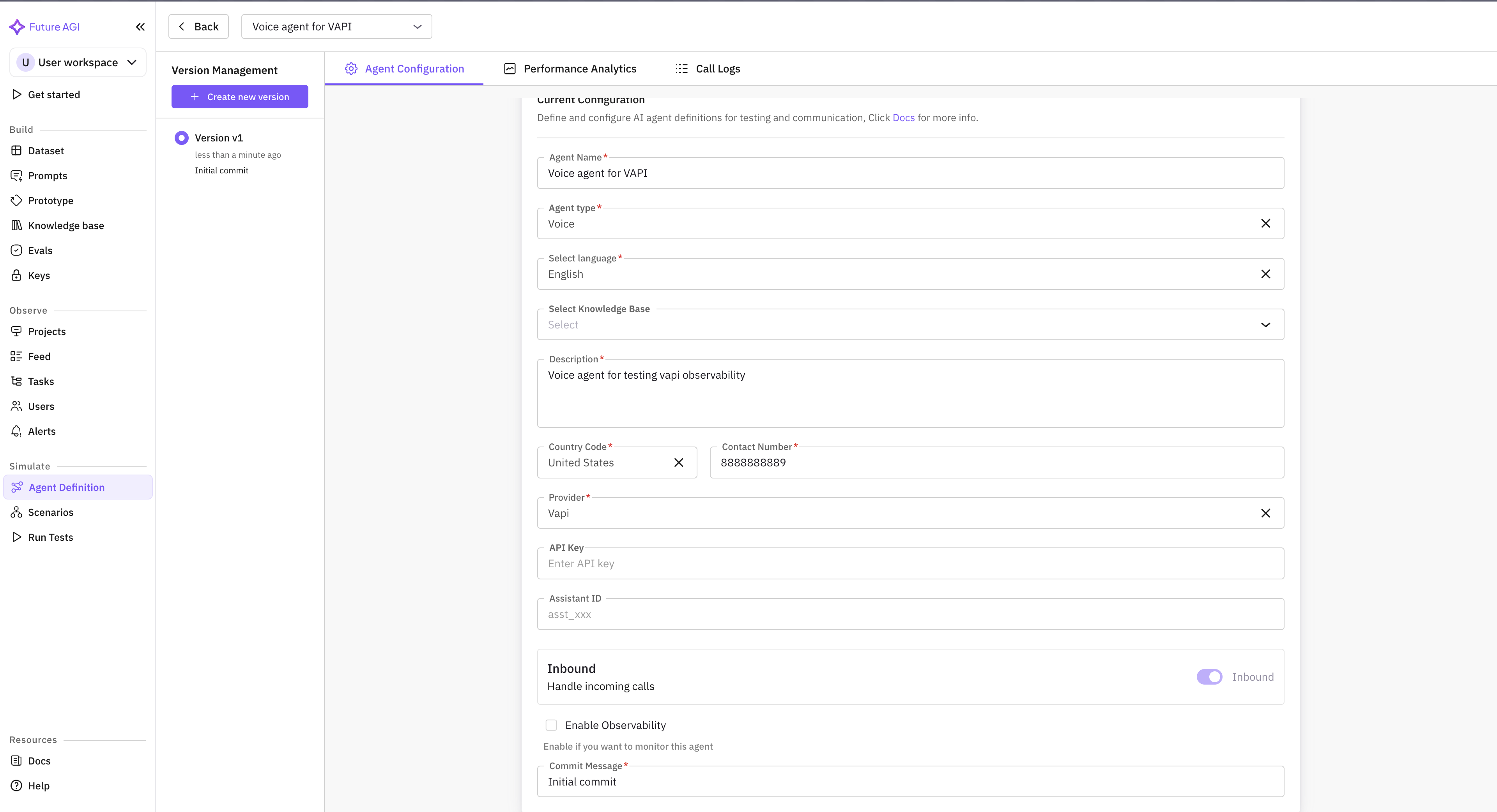
Click an agent definition to open the edit form. You can edit any field.
- If you disable observability, the API key and Assistant ID become optional.
- If you enable observability (or keep it on), API key and Assistant ID are required.
Supported providers
Each of these is pulled for you: Future AGI fetches the call log and writes the conversation span itself, already carrying the transcript, the recording URLs, the duration and the cost from the provider’s own payload.
| Provider | Console |
|---|---|
| Vapi | dashboard.vapi.ai |
| Retell | retellai.com |
| Bland.ai | bland.ai |
If you host the agent yourself
LiveKit, Pipecat and hand-rolled STT plus LLM plus TTS loops are not pulled, because there is no provider to pull from. Nothing arrives until your process sends it, and the call has to be shaped as a conversation span for the Voice tab to list it at all.
Instrument and Verify a Voice Agent is that path end to end, with a checker that runs twelve gates against the spans your agent really sent and tells you which column will be blank.
Next Steps
Questions & Discussion