Use Future AGI in n8n
Retrieve and compile Future AGI prompts in n8n, or configure Preview OpenTelemetry tracing for a self-hosted n8n instance.
Use the Future AGI community node to retrieve and compile prompts in an n8n workflow.
To send traces of your n8n executions to Future AGI instead, see Trace n8n executions with OpenTelemetry.
Install the prompt-management node
Install the Future AGI community node to retrieve prompts. This node is separate from native execution tracing below.
- Access Community Nodes: Navigate to the Community Nodes section in your n8n instance settings.
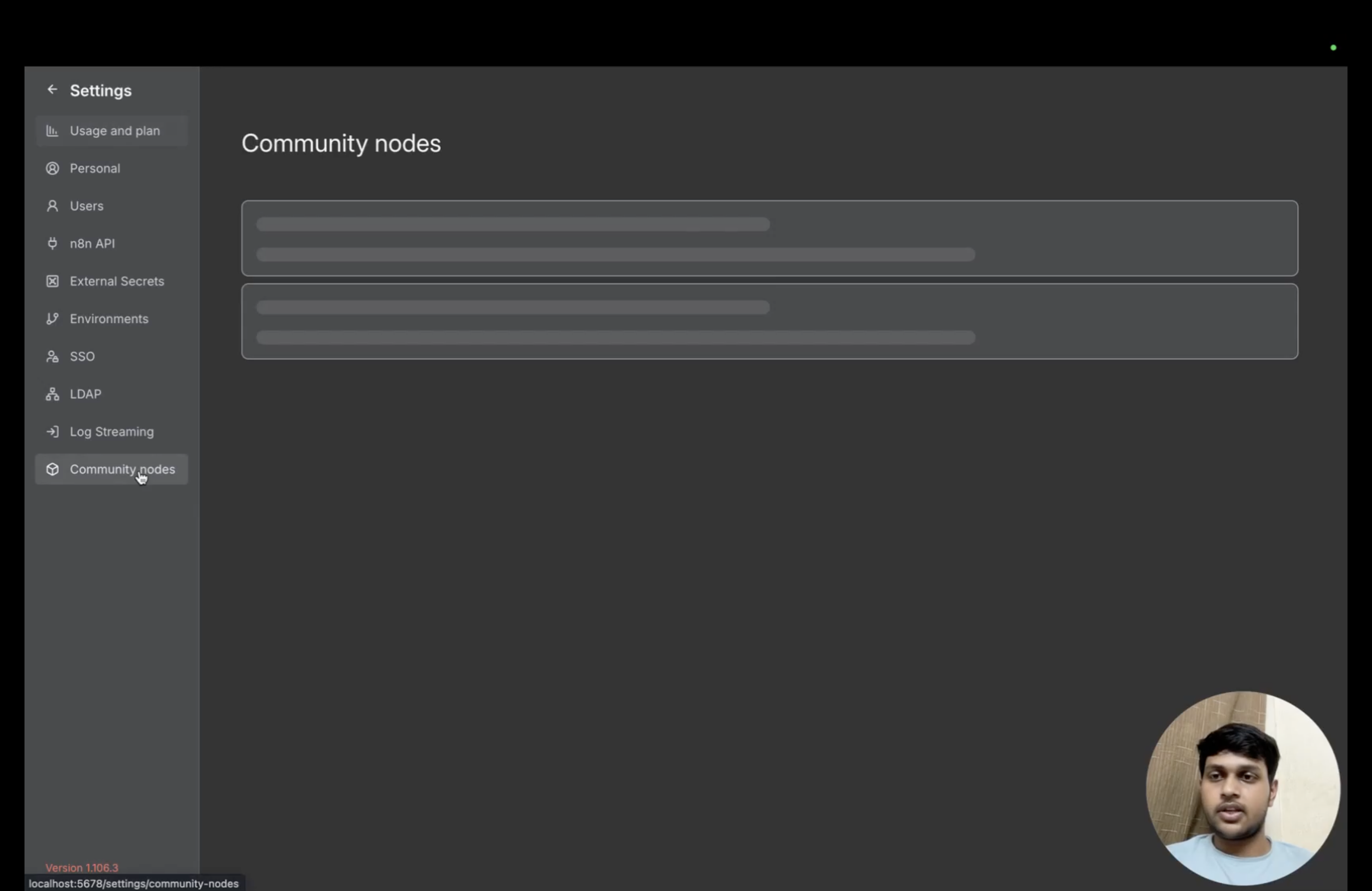
Open Community nodes in n8n Settings.
- Install Future AGI Node: Enter the Future AGI community node package name:
@future-agi/n8n-nodes-futureagi
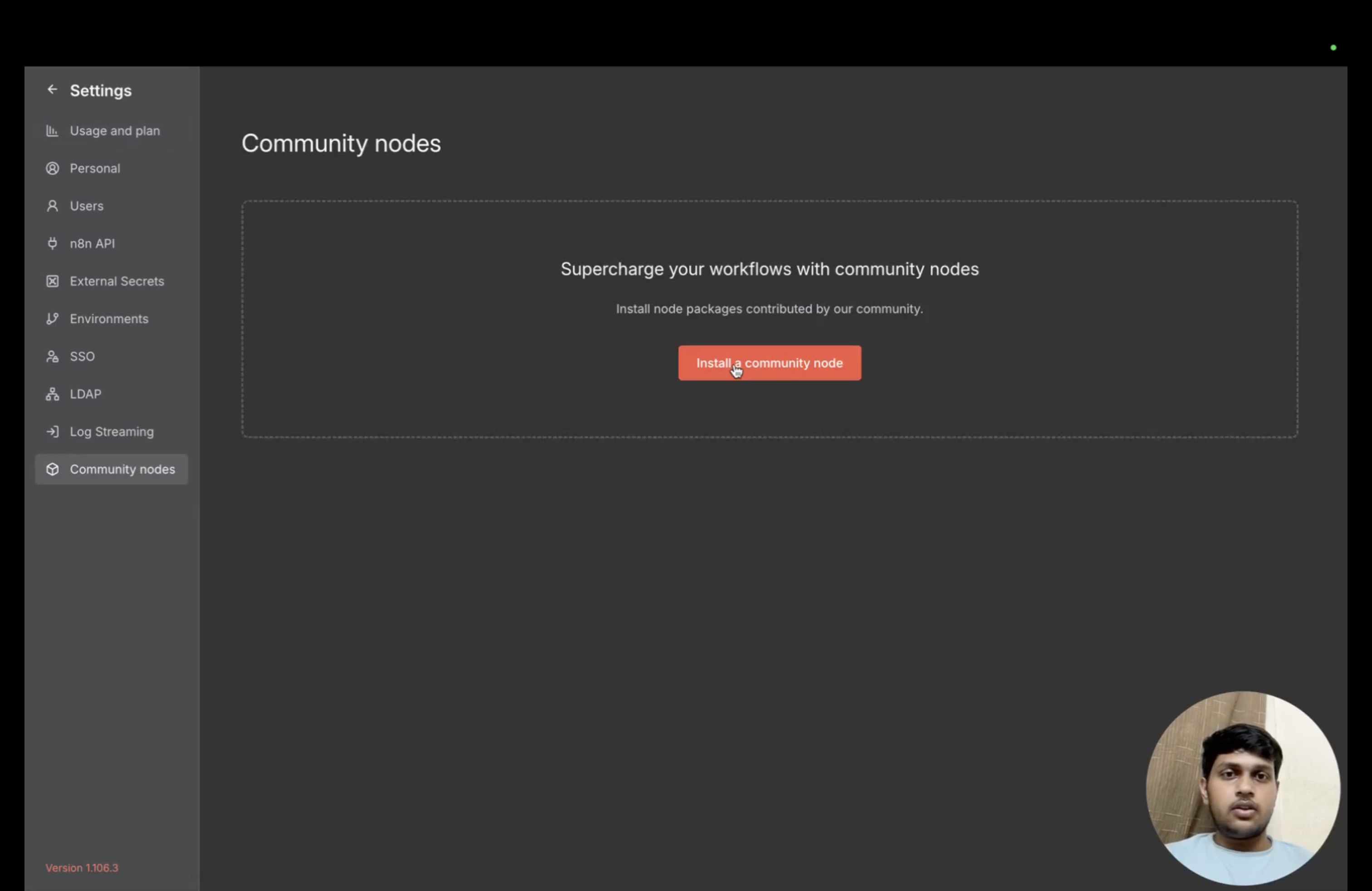
The Community nodes page provides the installation action.
- Verify Installation: Confirm the Future AGI node is successfully installed and available in your workflow editor.
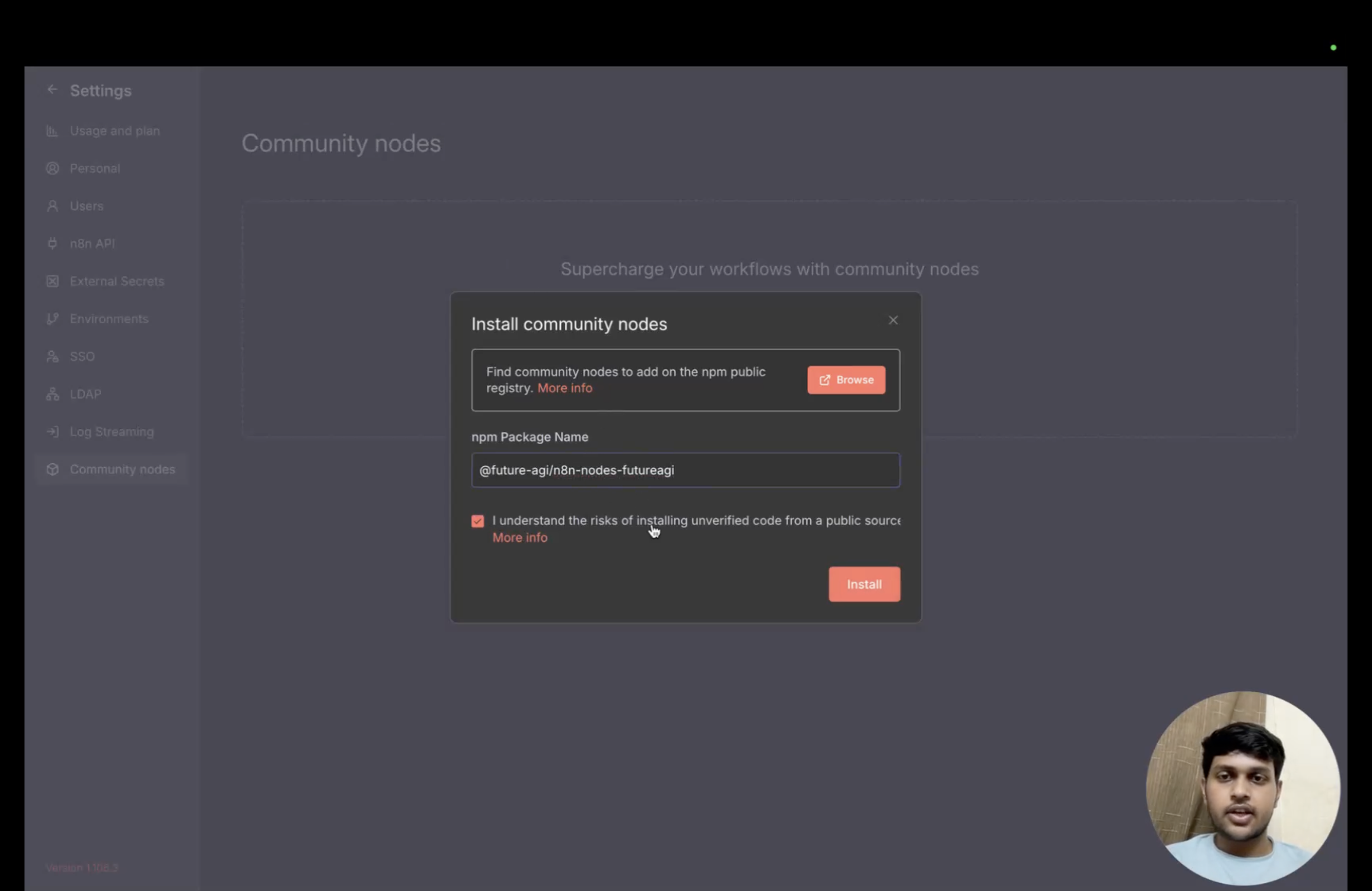
Enter @future-agi/n8n-nodes-futureagi in the install dialog.
Configure the node
Add the node to your workflow, then connect your Future AGI account.
Add the node to your workflow
Once you have installed the community node, you can start using it in your workflows:
- Search for Future AGI Node: In your n8n workflow editor, search for “Future AGI” in the list of available nodes.
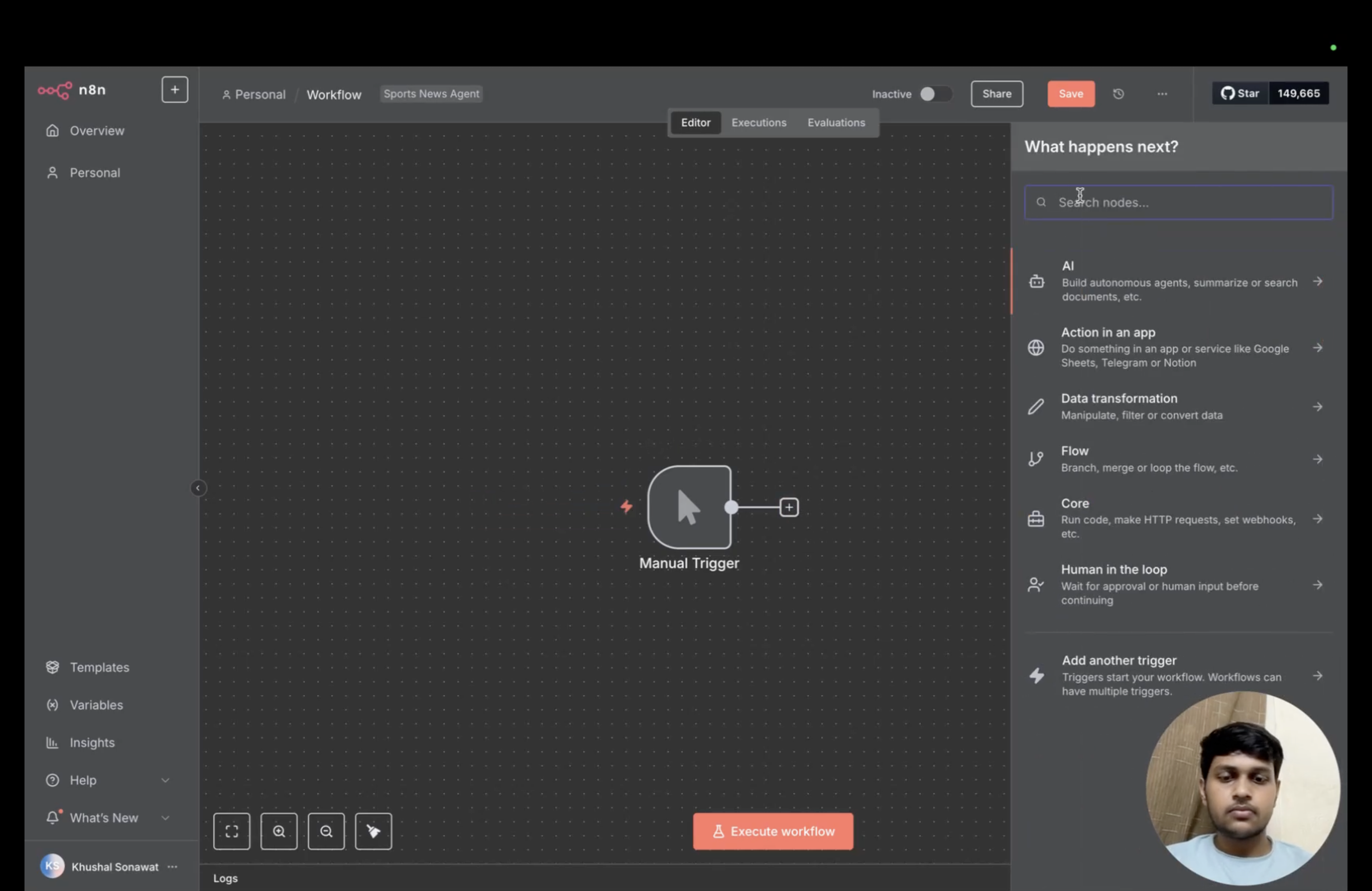
The workflow editor opens the node picker beside the canvas.
- Select the Node: Click on the Future AGI node to add it to your workflow.
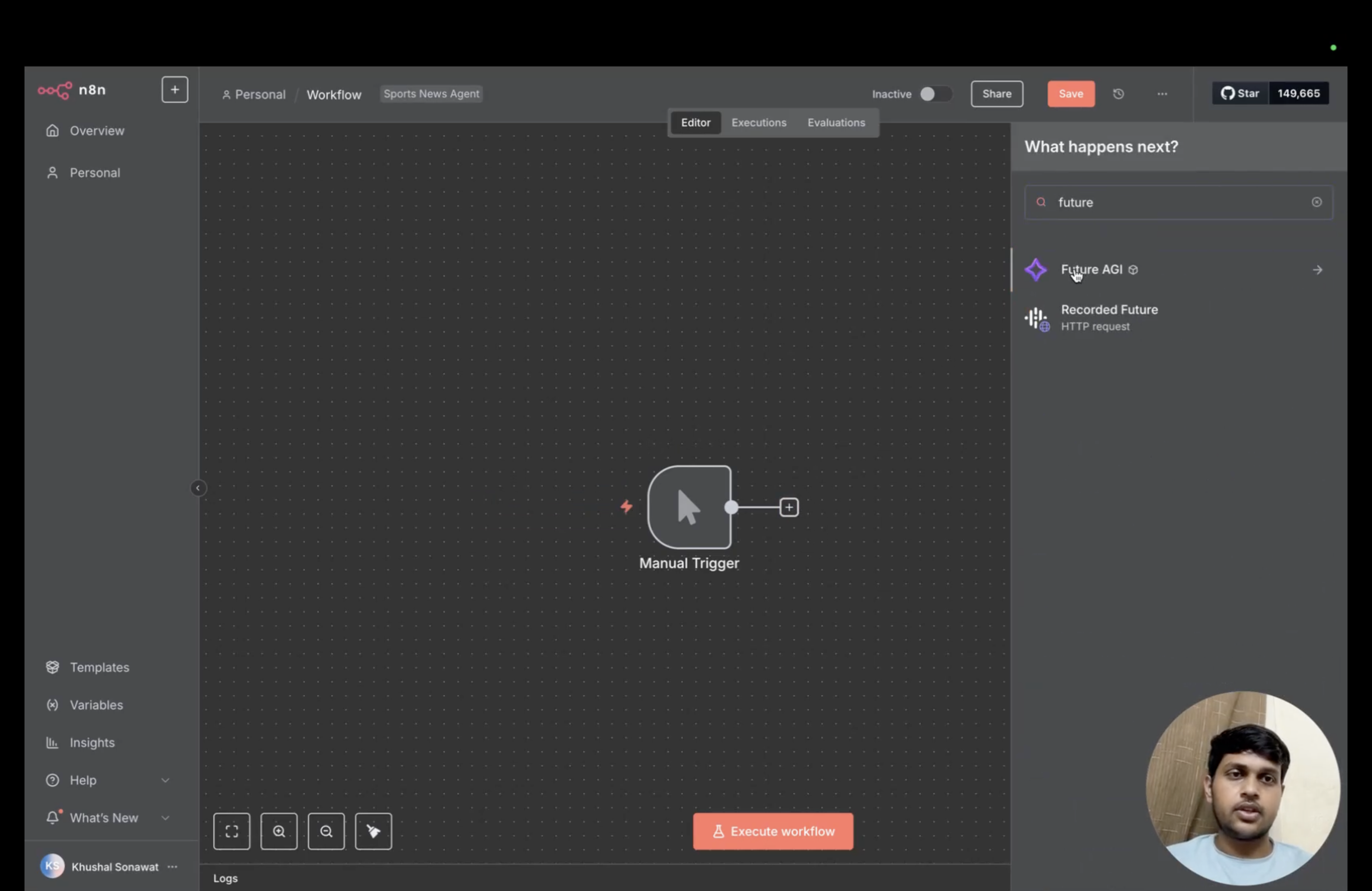
Search for Future AGI in the node picker.
- View Available Operations: Once added, click on the node to view the list of supported operations:
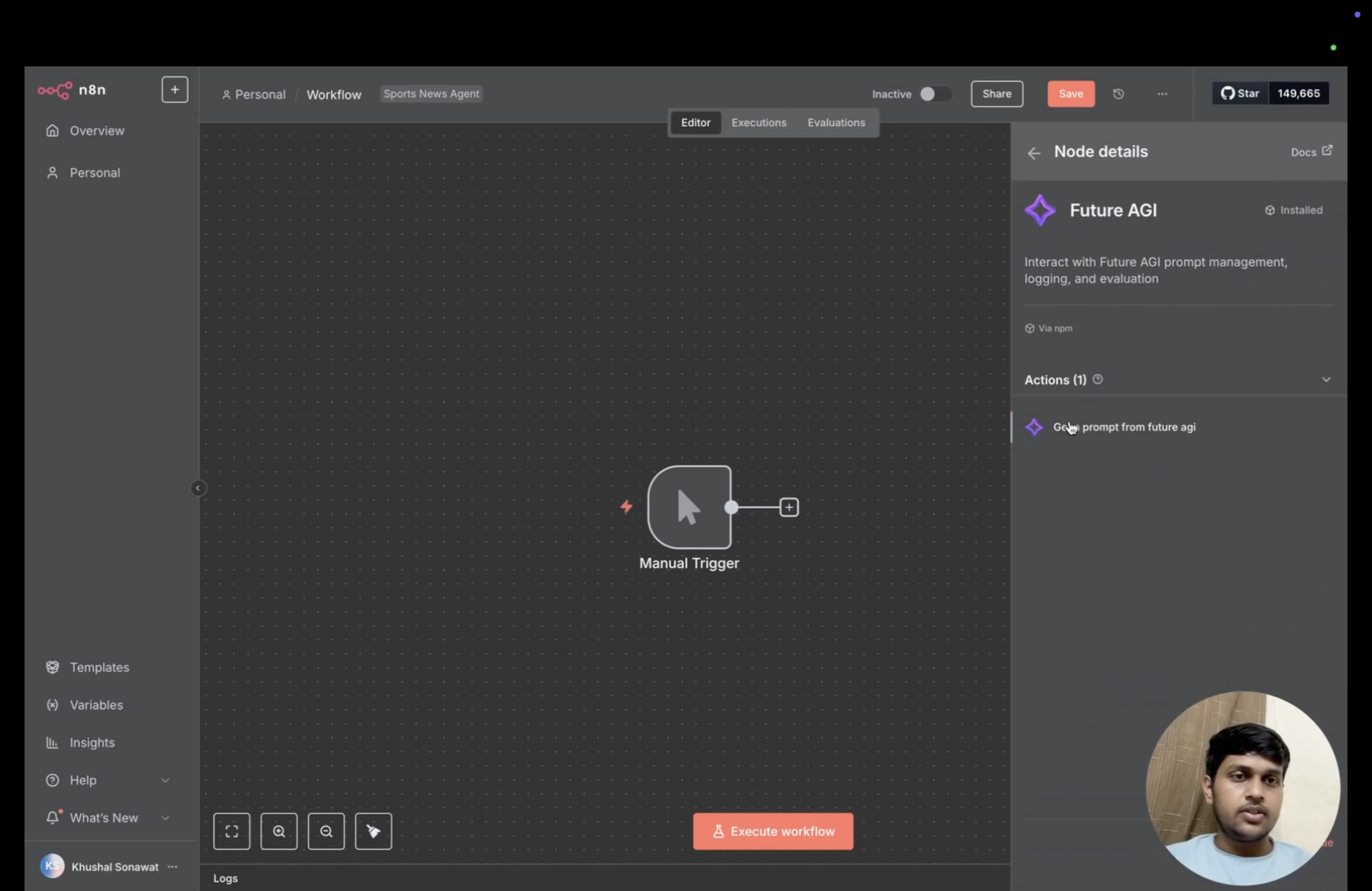
The Future AGI node offers a Get prompt action.
Supported Operations:
- Get a prompt
- Select Operation: Click on your desired operation to proceed to the configuration screen.
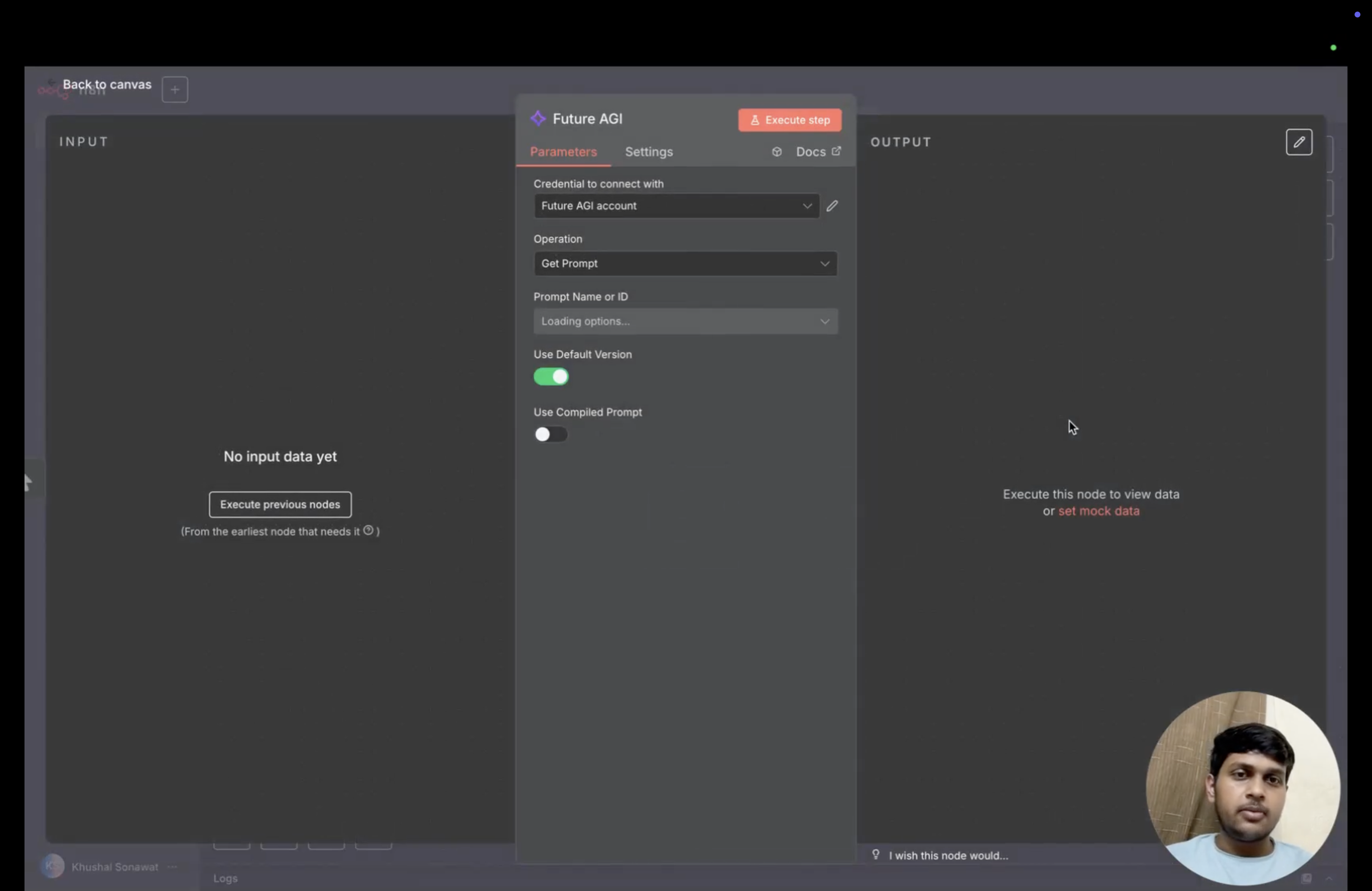
The Get Prompt operation includes version and compilation controls.
Set up credentials
Once you’re on the operation screen, you’ll need to configure your Future AGI credentials:
- Access Settings Window: Navigate to the settings window to add your API credentials.
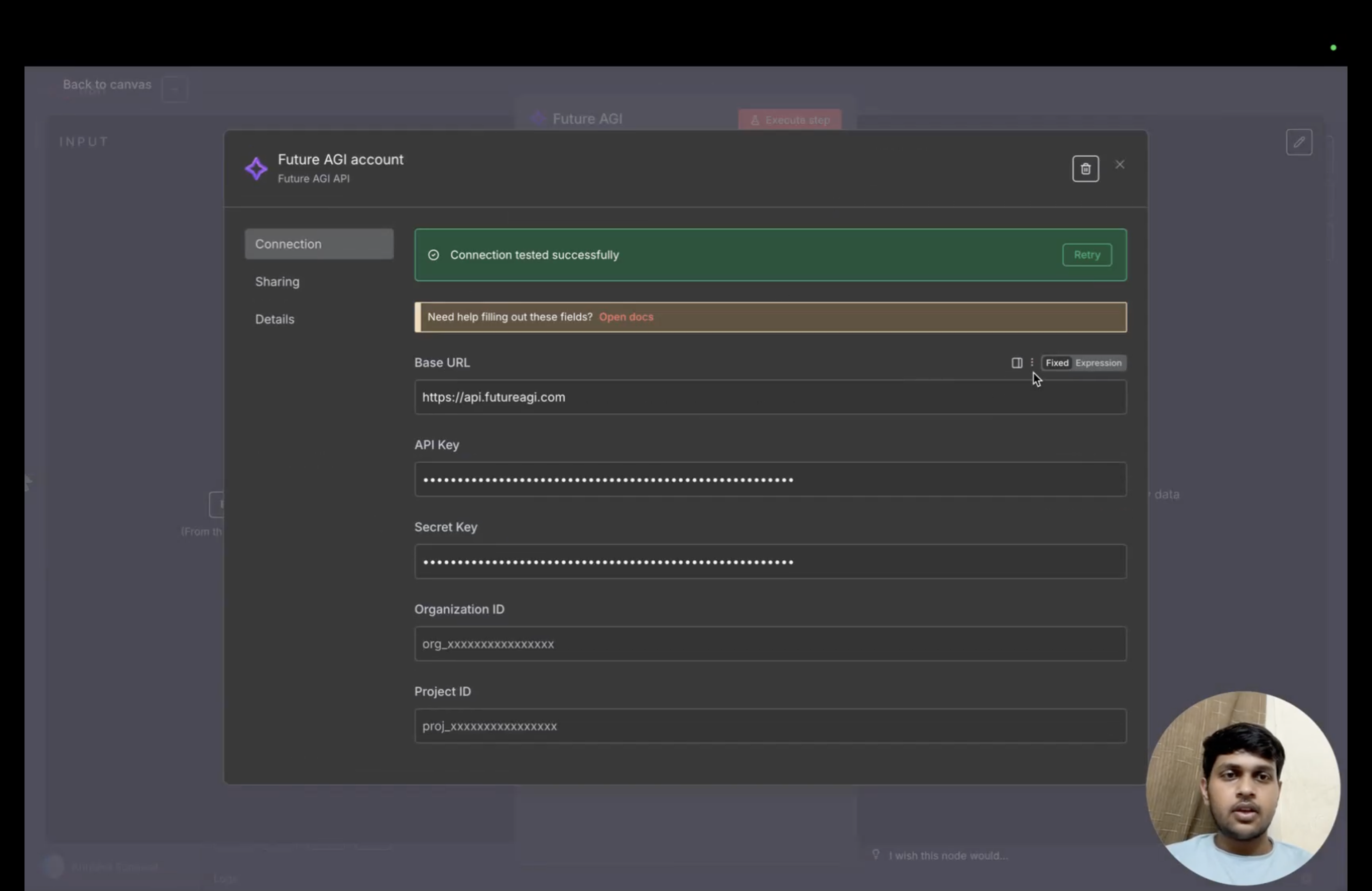
The credential form contains the base URL and masked key fields.
- Configure API Credentials: Enter your Future AGI credentials:
- Base URL:
https://api.futureagi.com - API Key: Your Future AGI API key
- Secret Key: Your Future AGI secret key
- Base URL:
Get your API key and secret key from API keys.
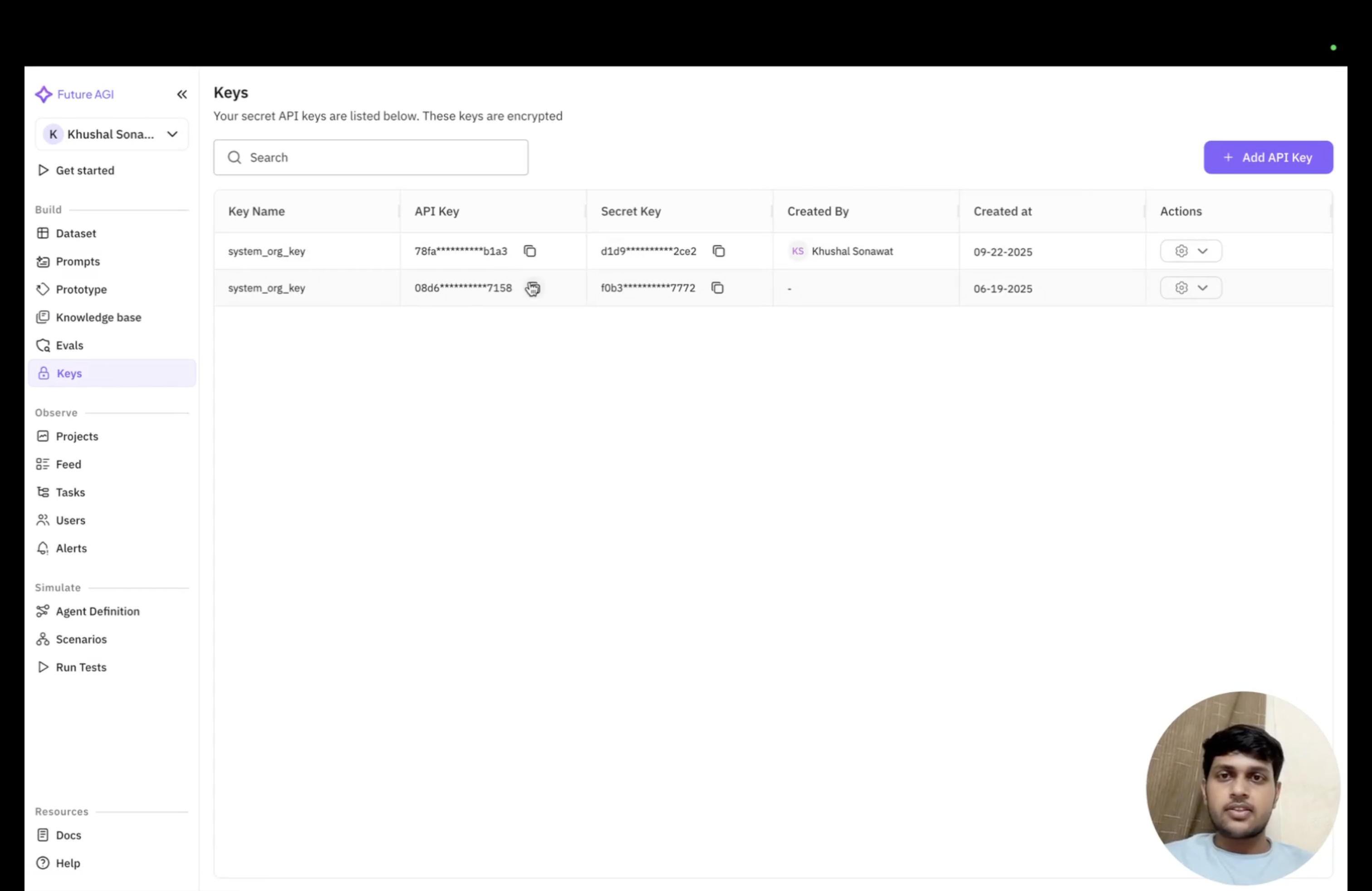
Future AGI’s API keys page masks key values.
- Test the connection before saving the credentials.
Retrieve a prompt
Select a prompt in the node to retrieve it in your workflow.
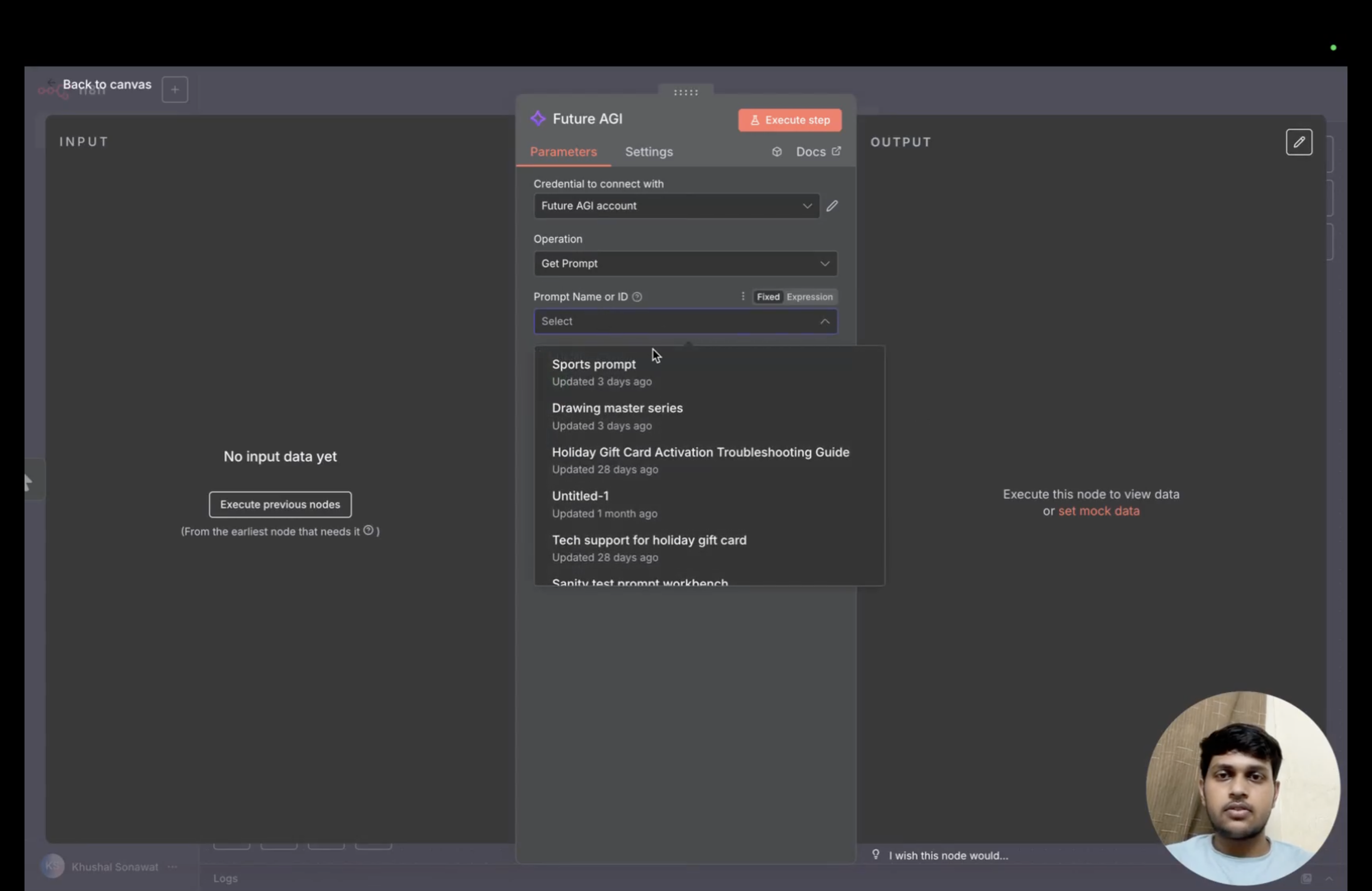
Choose an available prompt from the node dropdown.
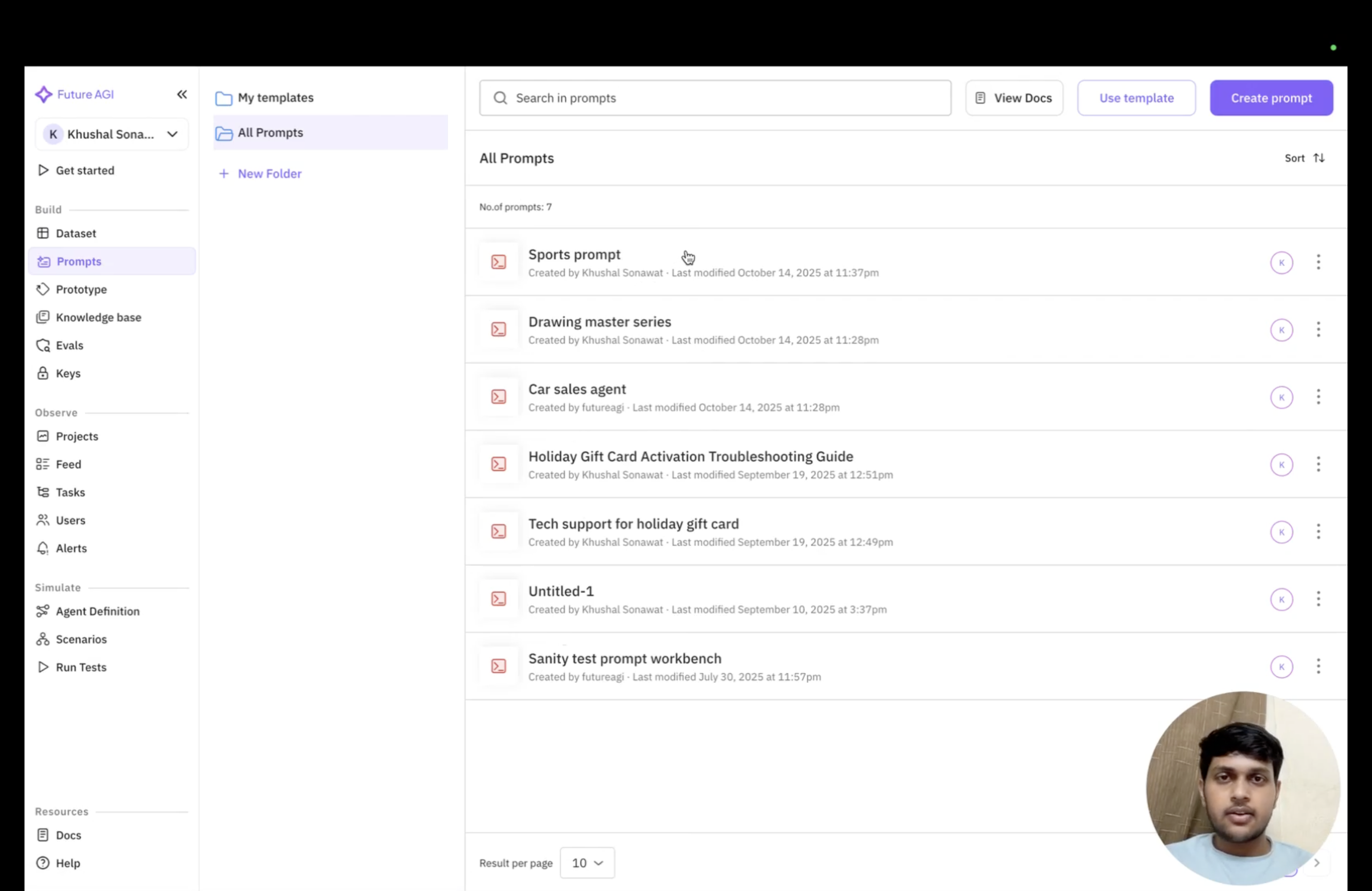
The Future AGI Prompts page lists saved prompts.
Choose a prompt version
You can use this node to fetch whatever version of the prompt you have selected. By default, the node will retrieve the default version of your chosen prompt.
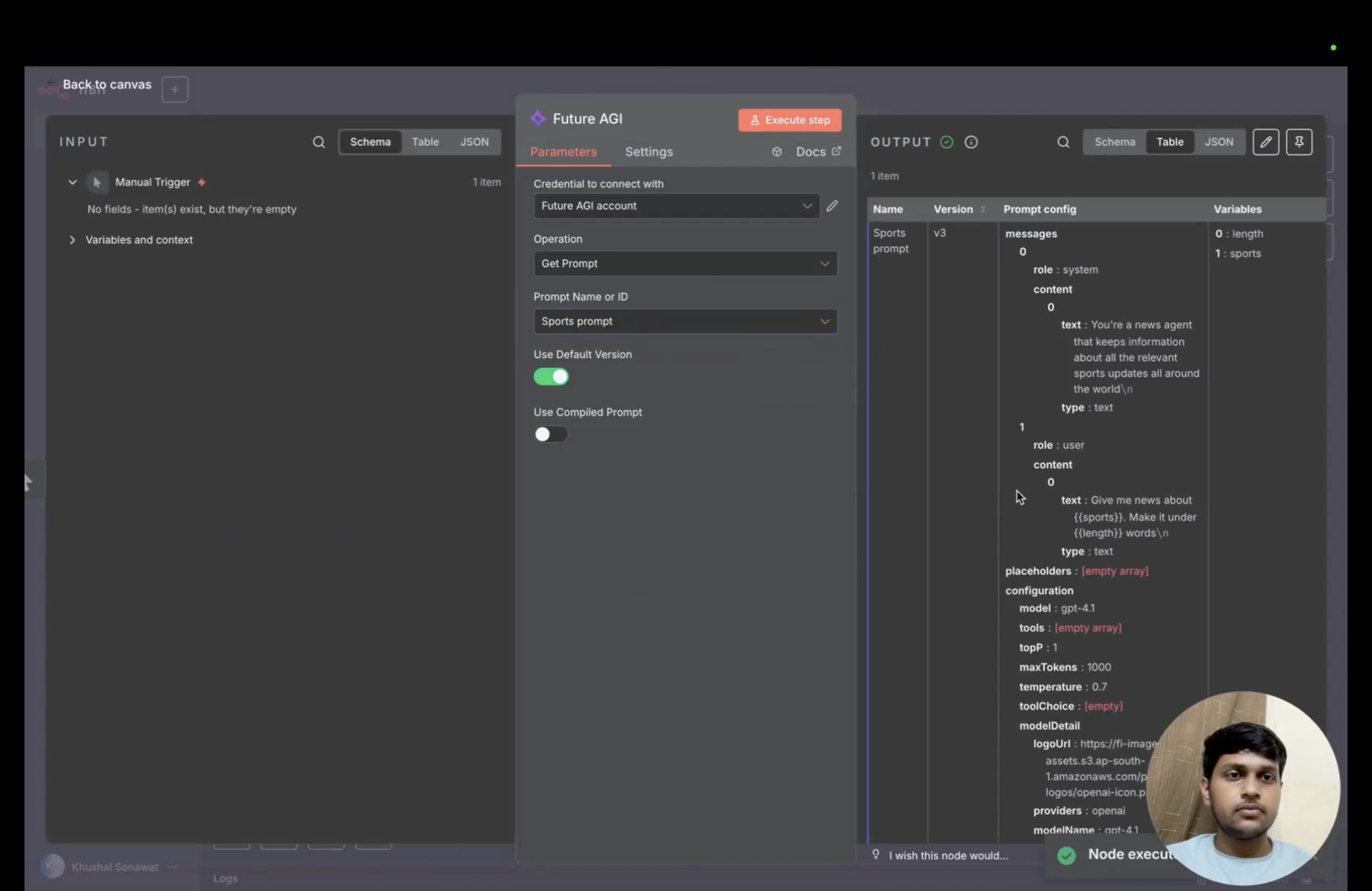
Use Default Version is enabled and the node output contains the selected prompt.
If you want to select a specific version of the prompt instead of using the default, you can do so by switching off the “Use Default Prompt” toggle. This gives you full control over which version of your prompt to use in your workflow, allowing you to test different iterations or use specific versions for different use cases.
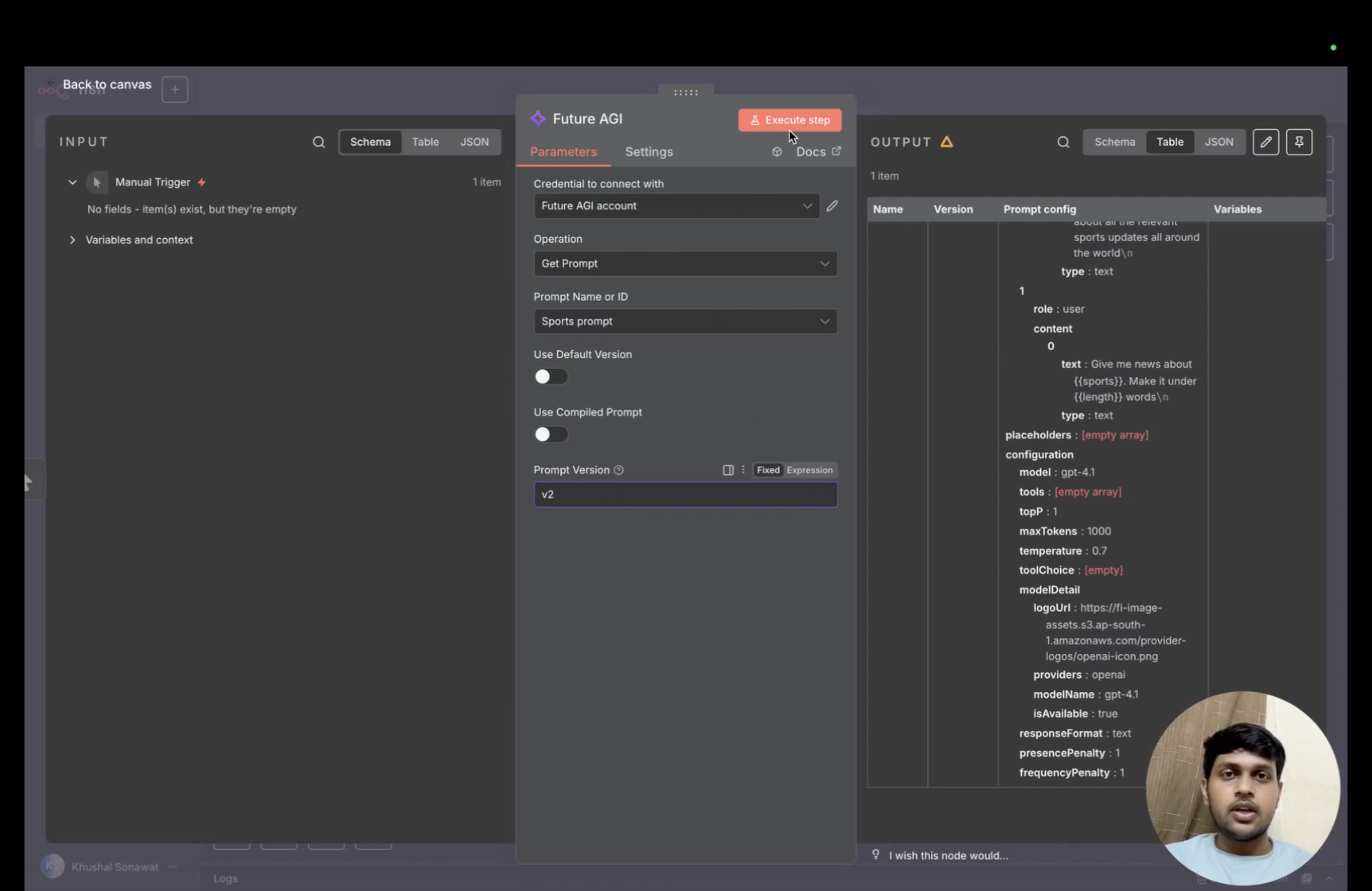
Turning off Use Default Version exposes the Prompt Version field.
Compile prompt variables
Future AGI follows the convention of using words inside double curly brackets (i.e., words in {{}}) as variables in prompts. To replace these variables with actual values, users can use the Use compiled prompt option of the node.
When you toggle this switch on, a code editor will appear where you need to write a JSON object that maps the variables to their values like key-value pairs.
Important Note: The keys must be exactly the same as the variables in your prompt, as it is case sensitive.
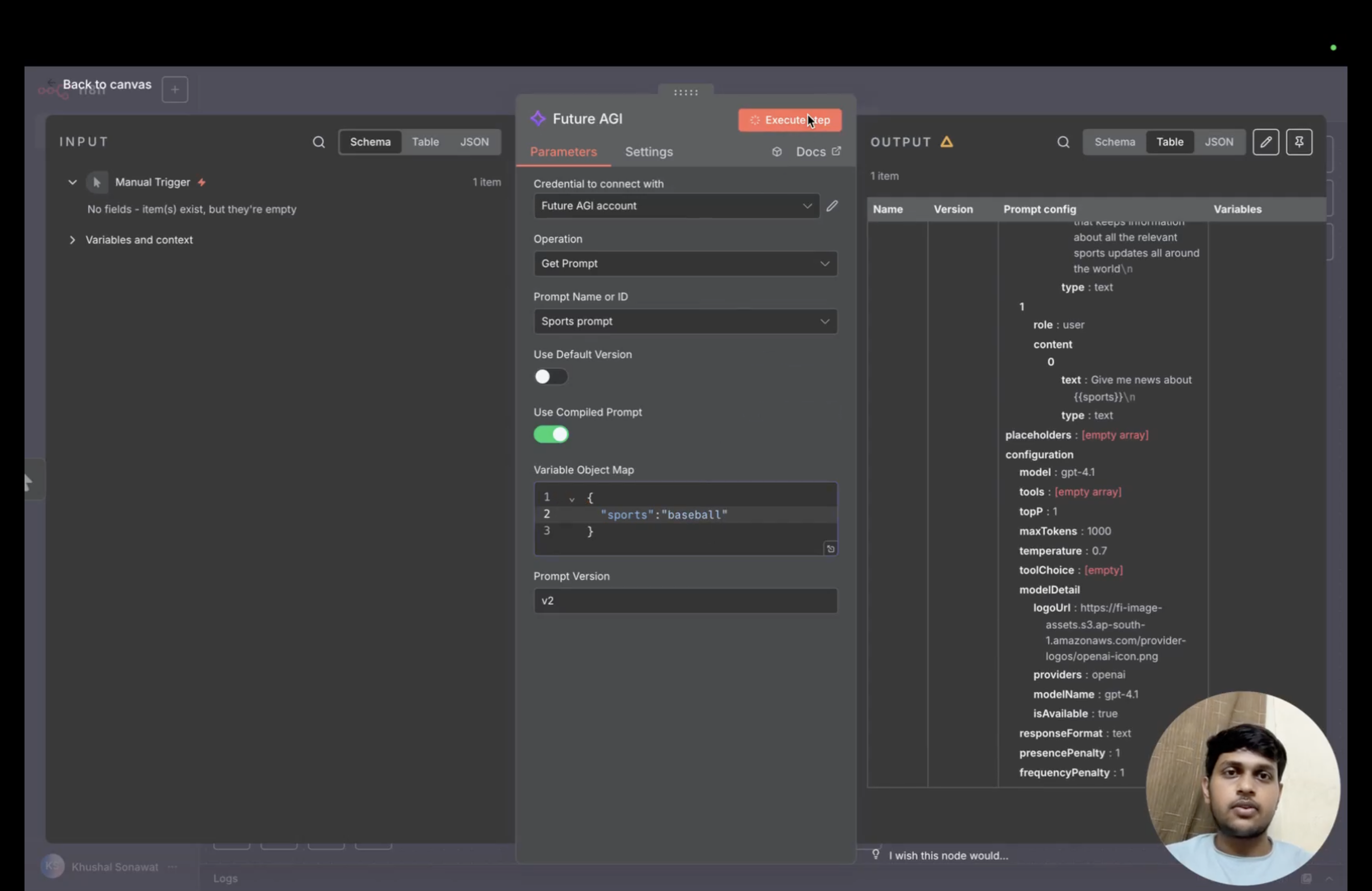
Use Compiled Prompt exposes a JSON variable map.
Trace n8n executions with OpenTelemetry (self-hosted)
Self-hosted n8n can export workflow and node execution traces to Future AGI using its built-in OpenTelemetry exporter. This path does not use the prompt-management community node.
Warning
n8n labels OpenTelemetry tracing Preview and advises against relying on it in production workflows because it may change between releases.
| n8n version | 2.19.0 or later for workflow and node spans; 2.33.0 or later for agent spans. n8n labels its OpenTelemetry tracing Preview. |
| n8n edition | Self-hosted. The setup needs environment variables, which n8n Cloud doesn’t let you set. |
| Transport | OTLP/HTTP with protobuf (n8n’s default) to https://api.futureagi.com/tracer/v1/traces, uncompressed |
| Project | The project_name resource attribute, set with OTEL_RESOURCE_ATTRIBUTES |
| Reference | n8n OpenTelemetry tracing guide |
1. Set the environment variables
Set these on every n8n process: the main instance and, in queue mode, every worker and webhook processor. Then restart n8n.
export N8N_OTEL_ENABLED=true
export N8N_OTEL_EXPORTER_OTLP_ENDPOINT=https://api.futureagi.com
export N8N_OTEL_EXPORTER_OTLP_TRACING_PATH=/tracer/v1/traces
export N8N_OTEL_EXPORTER_OTLP_HEADERS="X-Api-Key=<your-api-key>,X-Secret-Key=<your-secret-key>"
export OTEL_RESOURCE_ATTRIBUTES="project_name=n8n,project_type=observe"N8N_OTEL_EXPORTER_OTLP_ENDPOINTis the base URL. n8n appendsN8N_OTEL_EXPORTER_OTLP_TRACING_PATH, which defaults to/v1/traces, so set it to Future AGI’s path. For a self-hosted Future AGI, use its base URL instead.- Get the keys from API keys. To keep them out of the environment, put the header string in a file and point
N8N_OTEL_EXPORTER_OTLP_HEADERS_FILEat it. - Future AGI files every trace under the project that the
project_nameresource attribute names, and creates the project on the first export if it doesn’t exist. A batch withoutproject_nameis rejected with HTTP 400. n8n has no setting of its own for resource attributes, but it reads the standardOTEL_RESOURCE_ATTRIBUTESvariable. Setproject_type=observewith it, as for any Future AGI tracing project. - Leave
N8N_OTEL_EXPORTER_OTLP_PROTOCOLat its default,http/protobuf.
2. Run a production execution
By default n8n only exports production executions: runs of a published workflow started by its trigger, such as a webhook call, a schedule or a chat message. Runs you start from the editor are not exported. To export them while you test, also set:
export N8N_OTEL_TRACES_PRODUCTION_ONLY=falseTrigger the workflow, wait a few seconds for the batch to flush, then open your project in Observe.
Warning
Don’t use Send test trace in Settings > OpenTelemetry to check the setup. The test span doesn’t carry the attributes from OTEL_RESOURCE_ATTRIBUTES, so it has no project_name. Future AGI rejects it with HTTP 400 and n8n reports the test as failed (“Bad Request”), even when real executions export fine.
What you get
| Span | One per | Attributes |
|---|---|---|
workflow.execute | Execution | Workflow ID, name and version, execution ID, mode and status, error type, n8n project ID |
node.execute | Node run, nested under its workflow span | Node name, type and version, input and output item counts |
<agent name>.generate or <agent name>.stream | Agent run (the Agents feature, n8n 2.33.0 or later) | gen_ai.operation.name=invoke_agent, agent name, model, thread ID, the prompt (gen_ai.prompt) |
execute_tool <tool name> | Tool call an agent makes | Tool name and call ID, arguments, result |
Every span shares a resource with project_name, project_type, service.name=n8n, the n8n version and instance ID, and the host and process details that n8n’s resource detectors add. Those include the host name, the OS user running n8n and its command line.
- Workflow and node spans carry metadata only: names, IDs, item counts and status. The items themselves are not exported. They appear as generic spans in Observe, not LLM or tool spans; the native exporter does not assign Future AGI span kinds.
- The older AI Agent (LangChain) node produces only a
node.executespan, like any other node. Its prompts, model calls and tool calls are not traced. Agent spans come only from n8n’s newer Agents feature. - n8n’s agent spans carry no token counts, so Observe shows no token usage or cost for them.
Turn off prompt and tool content
Agent tracing records prompts, tool arguments and tool results by default. To keep the spans but drop the content:
export N8N_AGENTS_TRACING_RECORD_INPUTS=false   # prompts and tool arguments
export N8N_AGENTS_TRACING_RECORD_OUTPUTS=false  # tool results
N8N_AGENTS_TRACING_ENABLED=false drops agent spans and keeps workflow and node spans.
Using Settings > OpenTelemetry instead
From n8n 2.27.0, an owner or admin can set the endpoint, trace path and headers in Settings > OpenTelemetry instead of environment variables. That form has no field for resource attributes, so you still set OTEL_RESOURCE_ATTRIBUTES in n8n’s environment and restart. Environment variables take precedence: a field whose variable is set is disabled in the form.
Questions & Discussion