Import from Langfuse: Pull Traces and Scores into Future AGI
Pull existing Langfuse traces, spans, and scores into Future AGI automatically to continue evaluation and analysis without re-instrumentation.
Connect your Langfuse account to Future AGI and import your existing traces without changing any code. Backfill your full history or sync only new traces going forward.
What this does
If you already have traces in Langfuse, this integration pulls them into Future AGI so you can run evals on them or add them to datasets. No re-instrumentation required. Your Langfuse setup keeps working as-is.
The sync runs on an interval you choose (1 to 30 minutes). Each cycle fetches new and updated traces, maps them to Future AGI’s data model, and imports spans, token counts, costs, and evaluation scores.
Before you start
You’ll need:
- A Langfuse account with at least one project containing traces
- Your Langfuse Public Key (
pk-lf-...) and Secret Key (sk-lf-...), found in Langfuse > Settings > API Keys - Admin or Owner role in your Future AGI workspace
Note
For self-hosted Langfuse instances, you’ll also need the host URL and optionally a CA certificate (PEM format) if your instance uses a private certificate authority.
Connect Langfuse
Open Integrations
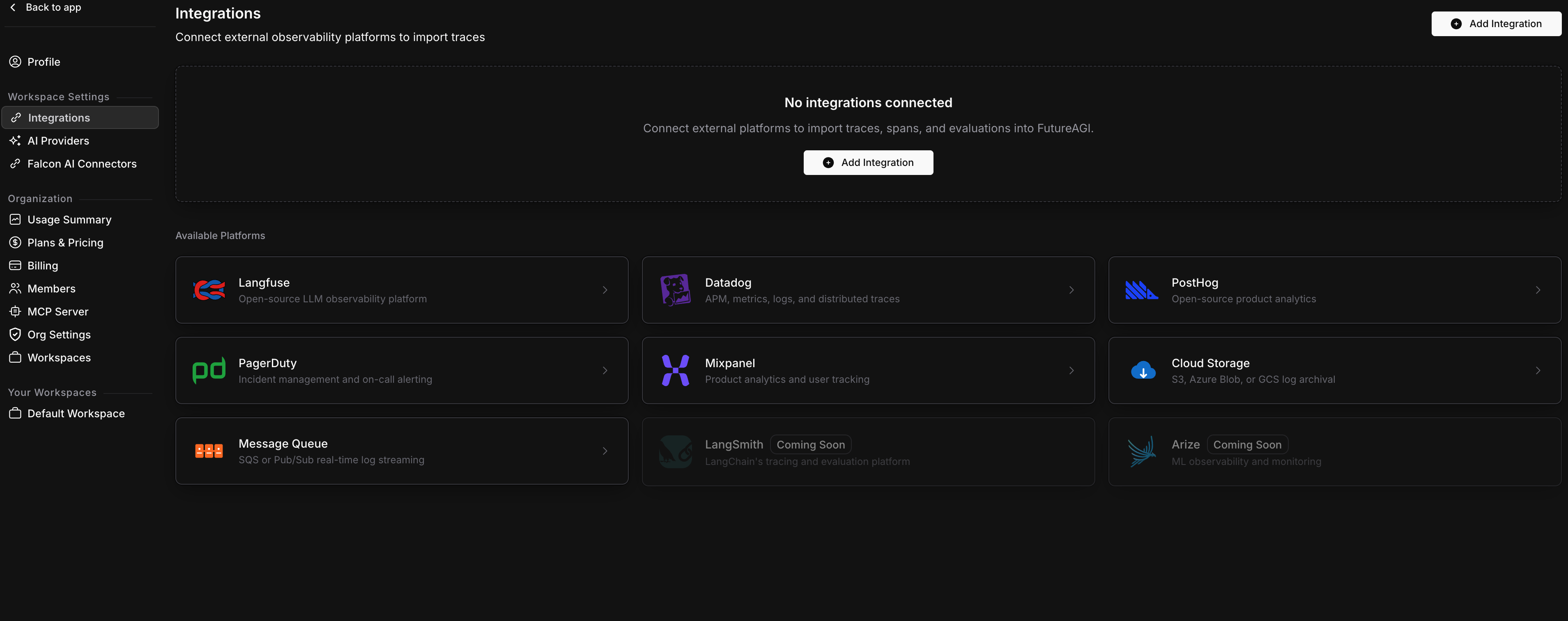
Go to Settings > Integrations in your Future AGI workspace. You’ll see the Available Platforms grid with all supported integrations.
Click Add Integration or click the Langfuse card directly.
Enter your API credentials
The wizard opens as a side panel. On the Credentials step, fill in:
| Field | Description |
|---|---|
| Host URL | https://cloud.langfuse.com for Langfuse Cloud, or your self-hosted URL |
| Public Key | Your Langfuse public key (pk-lf-...) |
| Secret Key | Your Langfuse secret key (sk-lf-...) |
Expand Advanced Settings if you need to paste a CA certificate for self-hosted instances.
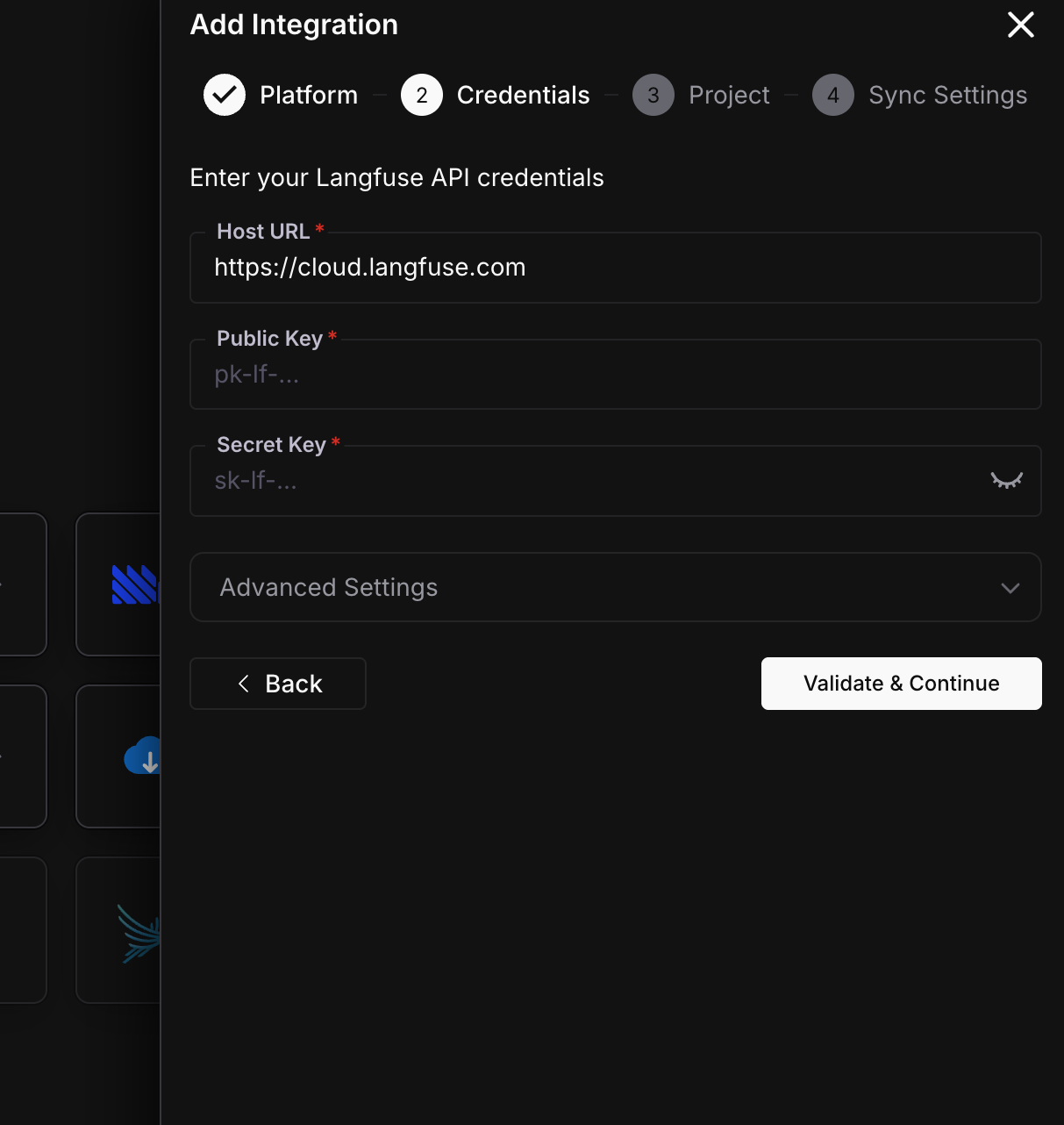
Click Validate & Continue. Future AGI verifies your credentials and fetches the list of available Langfuse projects.
Map projects
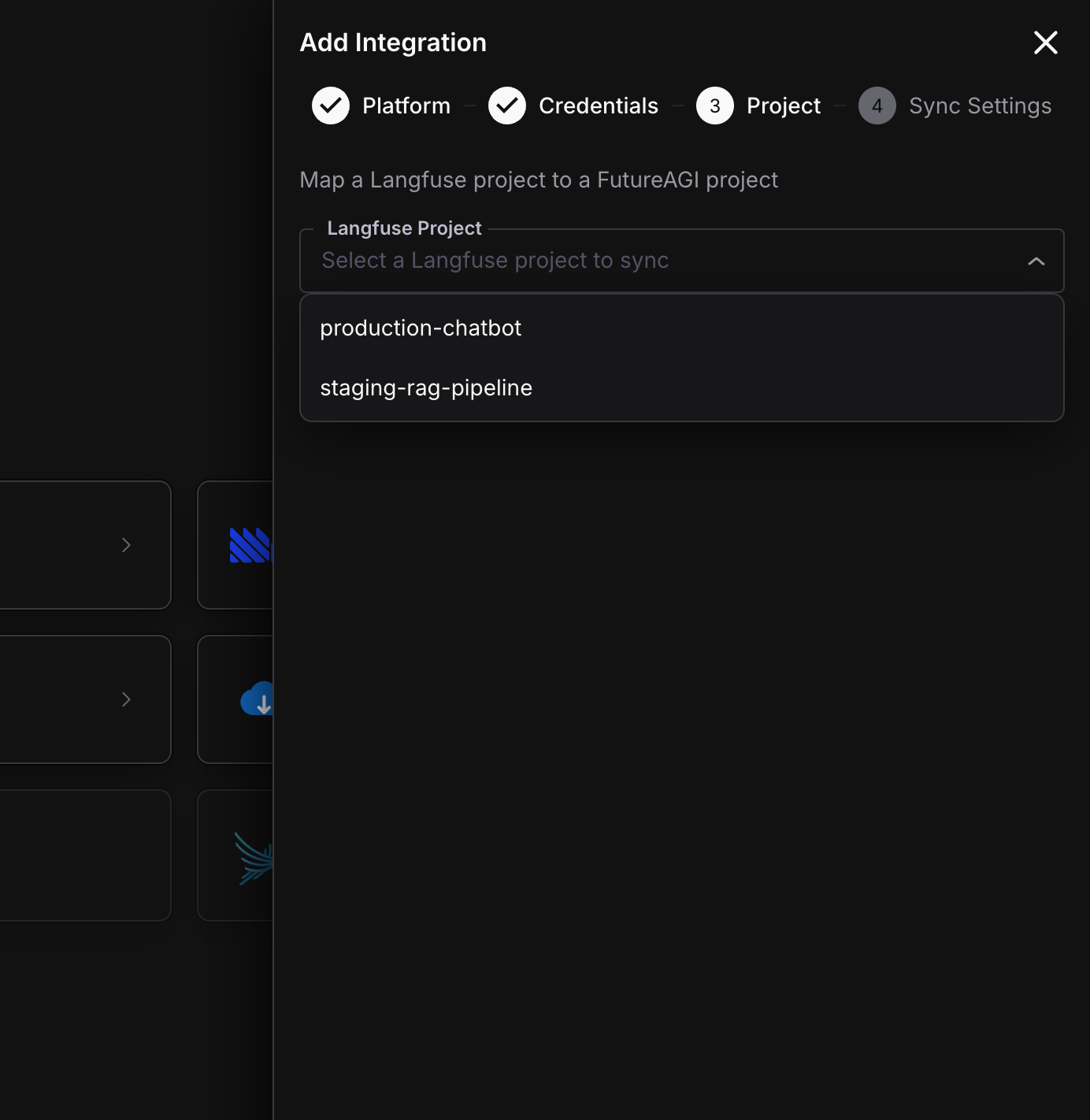
Select which Langfuse project to import from. Then choose an existing Future AGI project to import into, or create a new one.
Tip
Use organization-level API keys in Langfuse to see all projects in the dropdown. Project-level keys only show that single project.
Configure sync settings
Choose how often to sync and how much historical data to import.
Sync Interval - how frequently Future AGI checks Langfuse for new traces:
| Interval | Best for |
|---|---|
| Every 1-2 minutes | High-volume production workloads where you need near real-time data |
| Every 5 minutes (default) | Most use cases |
| Every 15-30 minutes | Low-volume or cost-sensitive setups |
Historical Data - how far back to import:
| Option | What it does |
|---|---|
| Import all traces | Backfills your entire Langfuse history. Shows estimated trace count. |
| Import from a specific date | Pick a start and end date for the backfill window. |
| Only import new traces going forward | Skips history, starts syncing from now. |
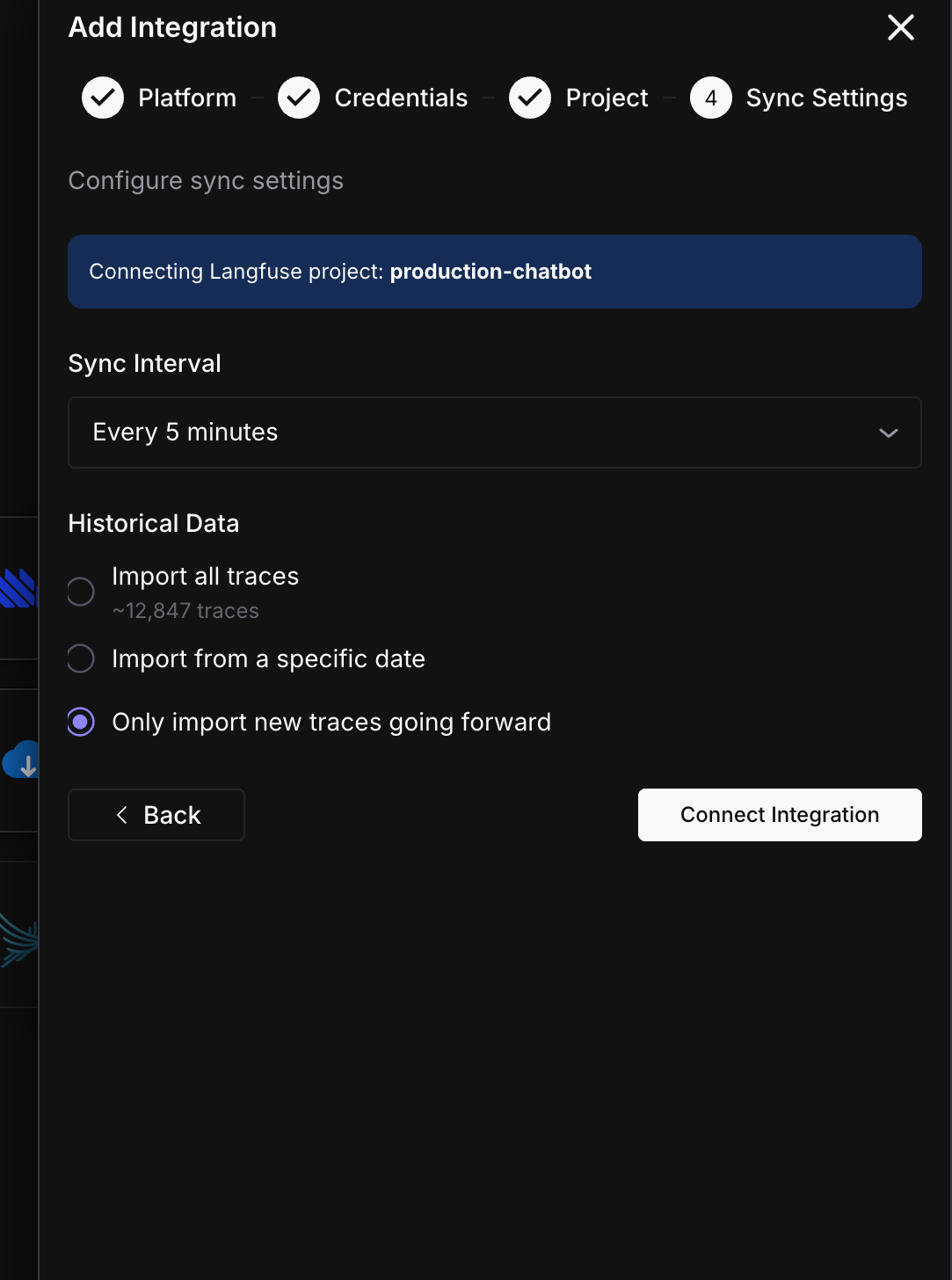
Click Connect Integration.
Done
You’ll see a confirmation screen. Traces will start syncing within the interval you selected.
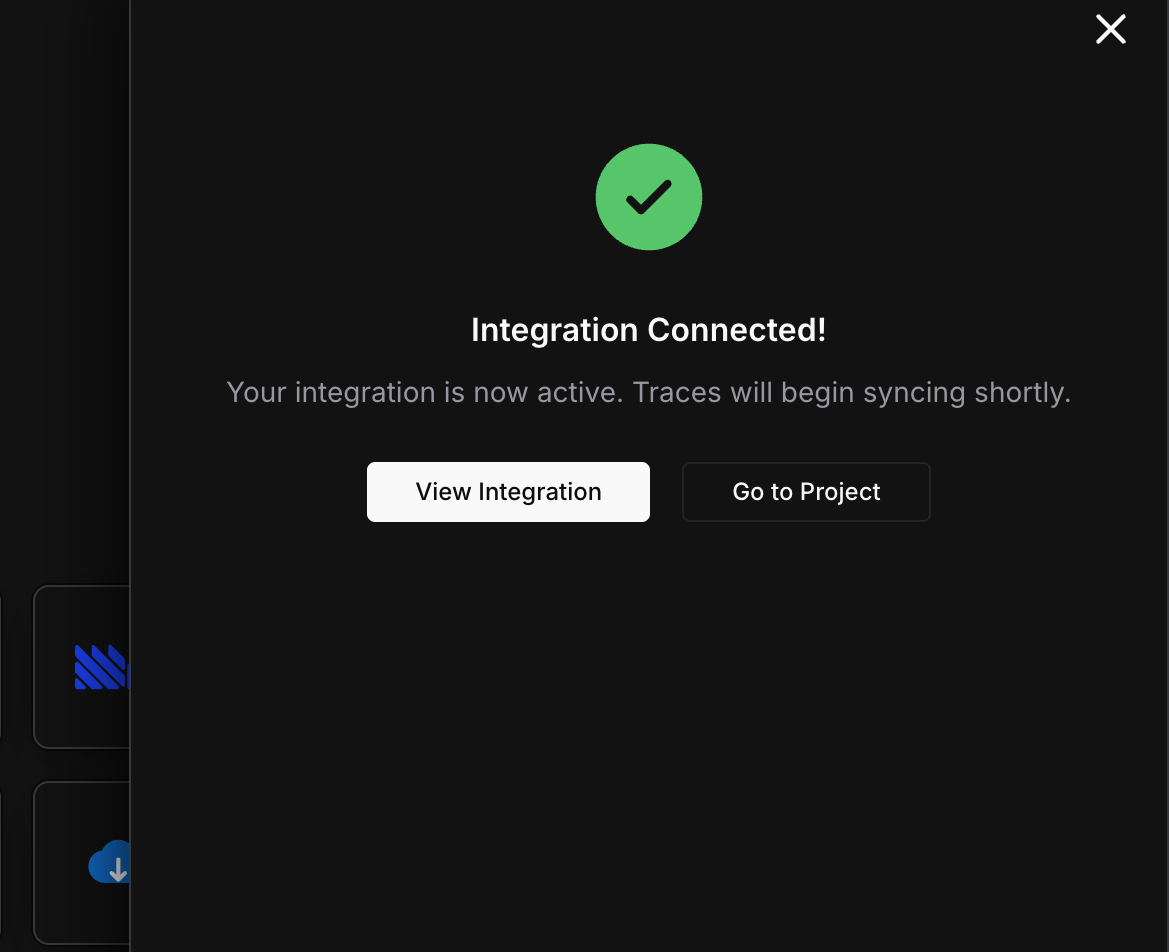
Click View Integration to see sync status and history, or Go to Project to start working with your imported traces.
What gets imported
Here’s what gets synced from Langfuse into Future AGI on each cycle:
| Langfuse | Future AGI | Notes |
|---|---|---|
| Trace | Trace | Name, metadata, tags, user ID, session ID |
| Observation (span/generation) | Span | Input, output, model, latency, status |
| Token counts | Span attributes | Prompt tokens, completion tokens, total tokens |
| Cost | Span attributes | Per-span cost from Langfuse |
| Model name | Span attributes | Auto-detects the provider (OpenAI, Anthropic, etc.) |
| Scores | Evaluation logs | Score name, value, and comment. Both trace-level and span-level scores are imported. Numeric and categorical scores are both supported. |
Note
The sync is idempotent. Running it multiple times won’t create duplicate traces. New scores added to existing traces in Langfuse are picked up on the next cycle. Trace metadata edits (name, tags) are also re-synced.
Sync status
After connecting, you can monitor your integration from the detail page (Settings > Integrations > click your connection).
| Status | Meaning | Action |
|---|---|---|
| Active | Syncing on schedule, everything healthy | None needed |
| Syncing | A sync cycle is currently running | Wait for it to finish |
| Backfilling | Importing historical data | Progress percentage shown |
| Paused | You paused the sync manually | Click Resume when ready |
| Error | Credentials revoked or Langfuse project deleted | Update credentials or check Langfuse |
The detail page also shows:
- Total traces, spans, and scores imported so far
- Last synced timestamp
- Sync history table with per-cycle breakdown (traces fetched, spans synced, scores synced, status)
You can trigger an immediate sync with the Sync Now button (60-second cooldown between manual syncs).
Edit or disconnect
From the integration detail page, click the menu icon to:
- Edit - update your display name, API keys, host URL, or sync interval. Changing API keys triggers re-validation.
- Delete - removes the connection and stops syncing. Previously imported traces are kept.
Warning
Deleting a connection requires typing “DELETE” to confirm. This stops all future syncing but does not delete any traces already imported into Future AGI.
Troubleshooting
Connection shows Error status
This usually means your Langfuse API keys were revoked or the project was deleted. Go to Langfuse > Settings > API Keys, generate new keys, then edit the integration in Future AGI to update them.
Traces are missing after backfill
Large backfills process traces in batches with rate limiting to avoid overwhelming Langfuse’s API. If some traces are missing, the next sync cycle will pick up any that were skipped. Wait for 2-3 cycles, then check again.
Sync paused automatically
Future AGI pauses syncing when it encounters repeated authentication failures (HTTP 401). This prevents hammering Langfuse with invalid credentials. Update your keys to resume.
Only one project shows in the dropdown
You’re using a project-level API key. Switch to an organization-level API key in Langfuse to see all projects.
Backfill is running slowly or pausing mid-way
Large backfills can hit Langfuse’s API rate limits, especially on the free tier. Future AGI backs off automatically when it gets a 429 response and retries on the next cycle. The backfill will complete over multiple cycles. If you need it faster, upgrade your Langfuse plan for higher rate limits.
What’s next
Questions & Discussion