PagerDuty Alerts: Route Future AGI Alerts to On-Call Teams
Route Future AGI alerts to PagerDuty so your on-call team receives notifications when something breaks in your AI agent pipeline.
Connect your PagerDuty service and Future AGI will send alerts through PagerDuty’s Events API v2 when issues are detected - error rate spikes, cost thresholds, or other conditions you’ve configured. Alerts auto-resolve when the condition clears.
What this does
This integration routes alerts from Future AGI to PagerDuty. When a monitored condition triggers (for example, your LLM error rate spikes or costs exceed a threshold), Future AGI sends an alert to PagerDuty which pages your on-call team.
Alerts are deduplicated per alert type and organization, so the same issue won’t page you twice. When the condition clears, Future AGI sends a resolve event to close the incident automatically.
What gets sent
Each alert is a PagerDuty Events API v2 event:
| Field | Description |
|---|---|
event_action | trigger when the alert fires, resolve when the condition clears |
payload.summary | Human-readable description of what happened |
payload.severity | critical, error, warning, or info |
payload.source | agentcc-gateway |
payload.custom_details | Additional context (error counts, thresholds, affected models) |
dedup_key | Auto-generated from alert type + org ID to prevent duplicate pages |
Before you start
You’ll need:
- A PagerDuty account with at least one service configured
- An Events API v2 integration key (routing key) from that service
- Admin or Owner role in your Future AGI workspace
To get your routing key: go to PagerDuty > Services > your service > Integrations > Add Integration > Events API v2. Copy the Integration Key.
Connect PagerDuty
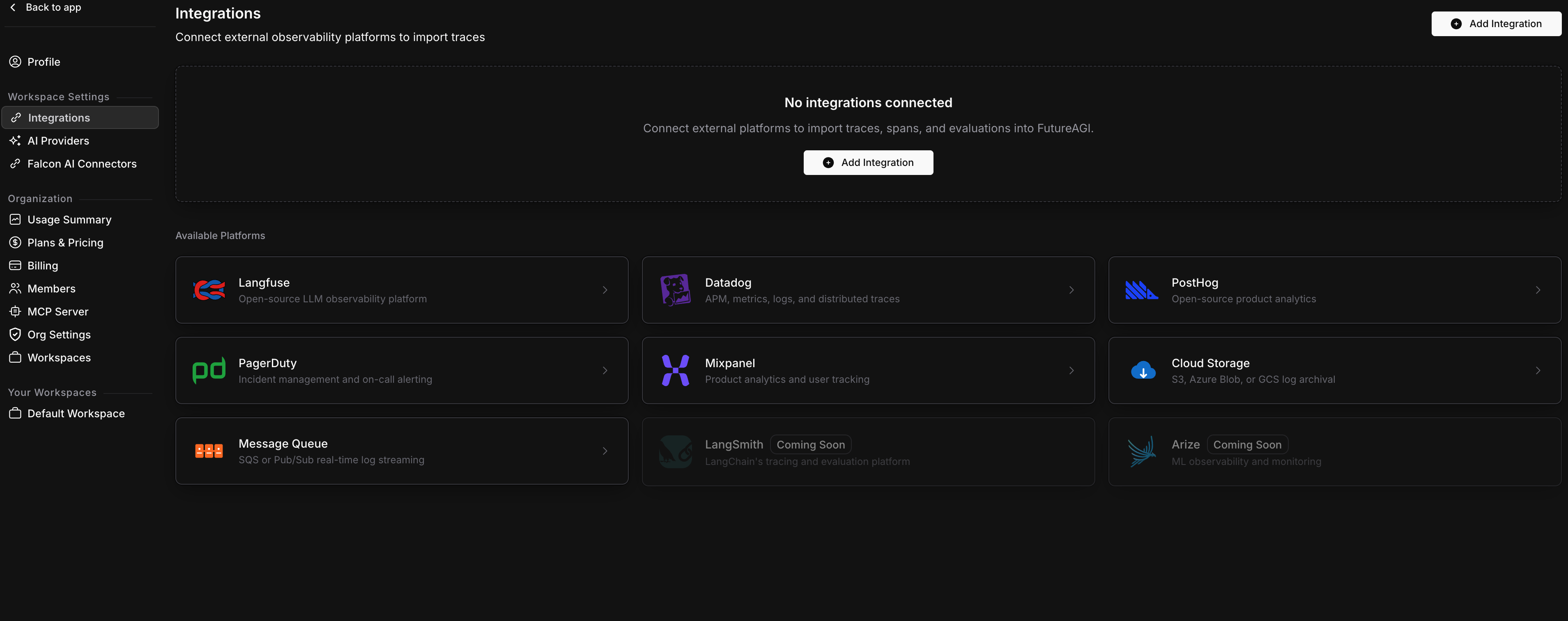
Open Integrations
Go to Settings > Integrations in your Future AGI workspace. Click Add Integration or click the PagerDuty card.
Enter your routing key
On the Credentials step, paste your Events API v2 routing key.
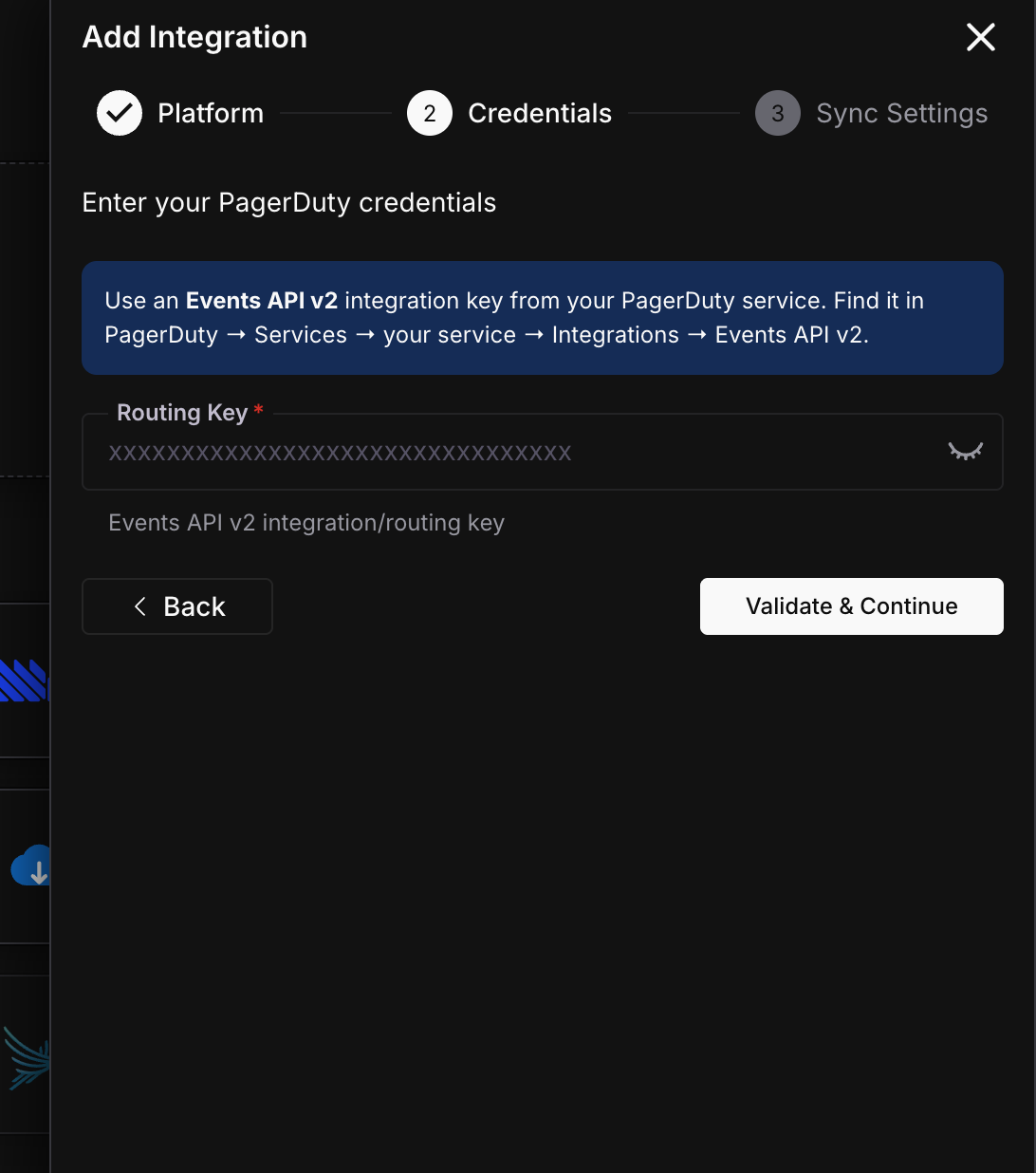
Click Validate & Continue. Future AGI sends a test change event to verify the key is valid.
Configure sync settings
Set the sync interval for how often Future AGI checks for alertable conditions.
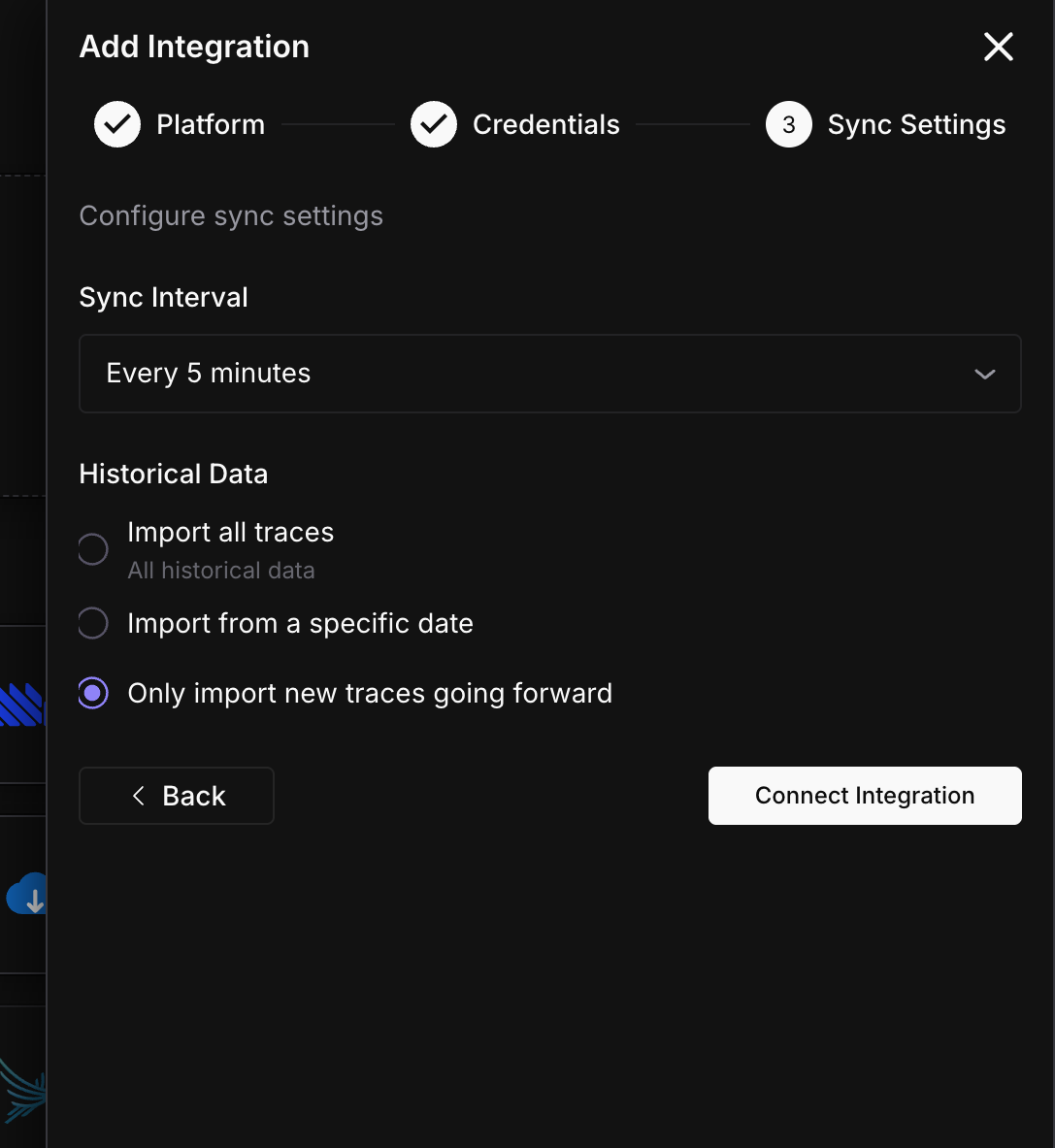
Click Connect Integration.
Done
PagerDuty is connected. Alerts will fire when monitored conditions are triggered.
Alert lifecycle
- Trigger - Future AGI detects an alertable condition and sends a
triggerevent to PagerDuty. This creates an incident and pages your on-call team. - Deduplicate - If the same condition fires again before it’s resolved, PagerDuty groups it under the same incident (same
dedup_key). No duplicate pages. - Resolve - When the condition clears, Future AGI sends a
resolveevent. PagerDuty auto-resolves the incident.
Sync status
Monitor your integration from the detail page (Settings > Integrations > click your PagerDuty connection).
| Status | Meaning | Action |
|---|---|---|
| Active | Connected and monitoring | None needed |
| Paused | You paused alerting manually | Click Resume when ready |
| Error | Routing key revoked or PagerDuty rejected the request | Check your routing key |
Troubleshooting
Not getting paged when expected
Check that your PagerDuty service has an on-call schedule configured and that the Events API v2 integration is enabled on the service. Also verify the routing key matches the integration key shown in PagerDuty.
Getting duplicate pages
This shouldn’t happen - alerts are deduplicated by alert type and organization. If you’re seeing duplicates, check if you have multiple PagerDuty integrations configured in Future AGI pointing to the same service.
Connection shows Error status
Your routing key may have been revoked or the PagerDuty service was deleted. Generate a new Events API v2 integration key, then edit the integration to update it.
What’s next
Questions & Discussion