Trace Z.ai chat completions
Trace Z.ai general platform chat completions made with the OpenAI Python client in Future AGI.
Trace Z.ai’s OpenAI-compatible chat completions in Future AGI using the OpenAI Python client and the existing traceAI-openai instrumentor.
Install
Use Python 3.10–3.13 and install the instrumentor and client:
pip install traceAI-openai==0.1.10 openai==3.31.0Use a Z.ai general platform API key and a model available to your account. This setup uses the OpenAI client; keep that client in the example rather than substituting ZaiClient.
Trace a chat completion
Set your Z.ai and Future AGI keys. For a self-hosted Future AGI installation, also set FI_BASE_URL to your collector origin.
export ZAI_API_KEY="YOUR_ZAI_API_KEY"
export FI_API_KEY="YOUR_API_KEY"
export FI_SECRET_KEY="YOUR_SECRET_KEY"
Register the tracer and instrument the OpenAI client before creating it. Replace your-model with a current Z.ai model code.
import os

from fi_instrumentation import register
from fi_instrumentation.fi_types import ProjectType
from openai import OpenAI
from traceai_openai import OpenAIInstrumentor

trace_provider = register(
    project_type=ProjectType.OBSERVE,
    project_name="my-chatbot",
)
OpenAIInstrumentor().instrument(tracer_provider=trace_provider)

client = OpenAI(
    api_key=os.environ["ZAI_API_KEY"],
    base_url="https://api.z.ai/api/paas/v4/",
)

response = client.chat.completions.create(
    model="your-model",
    messages=[{"role": "user", "content": "What is the capital of France?"}],
)
print(response.choices[0].message.content)
trace_provider.force_flush()
View the trace
In Future AGI, open Observe → Tracing, select my-chatbot, and open the recent ChatCompletion trace. Select its LLM span to inspect the request, response, timing, and token counts returned by the model.
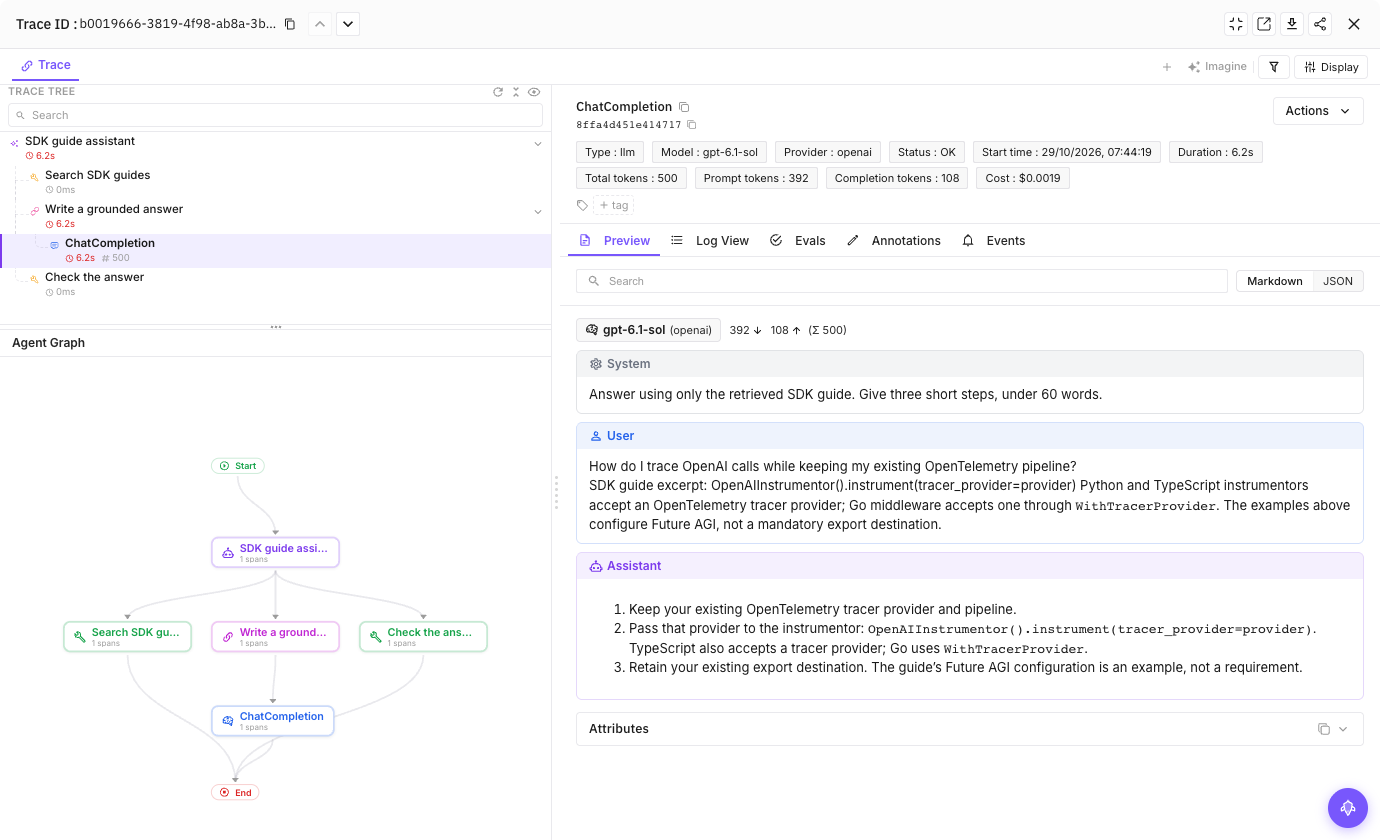
The Future AGI trace details view, illustrated with a sample trace.
Privacy
This setup sends request, response, and error content to Future AGI. Use data approved for tracing. For prompt and response masking options, see the OpenAI integration; masking does not change what you send to Z.ai. In traceAI-openai 0.1.10, those masking options do not remove tool definitions or error details, including exception messages and stack traces, from exported telemetry. Avoid sensitive data in those fields.
Troubleshooting
- No trace: Confirm that you use
openai.OpenAI, instrument it withtracer_provider=trace_provider, and set both Future AGI keys. See No traces appearing. - Authentication or quota error: Check your general platform key and model access. If you use a Coding Plan, follow its endpoint configuration instead.
- Provider shows
openai: The instrumentor labels the client it wraps. Find your Z.ai requests by project and model.
For more client instrumentation details, see the OpenAI integration and Z.ai’s OpenAI Python SDK guide.
Questions & Discussion