Views
Save a filtered trace table as a view so you can return to it in one click.
A view saves the current trace table, filters and all, as a named tab you return to in one click instead of rebuilding the same filters each time. This guide saves a view on the support-agent project from the Observing a LangGraph agent cookbook.
Create a view from the current filters
First filter the trace table down to what you keep coming back to, for example Model is one of gpt-4o-mini (see Filters). With the filters applied, click the + next to the Trace, Sessions, and Users tabs to turn them into a view.
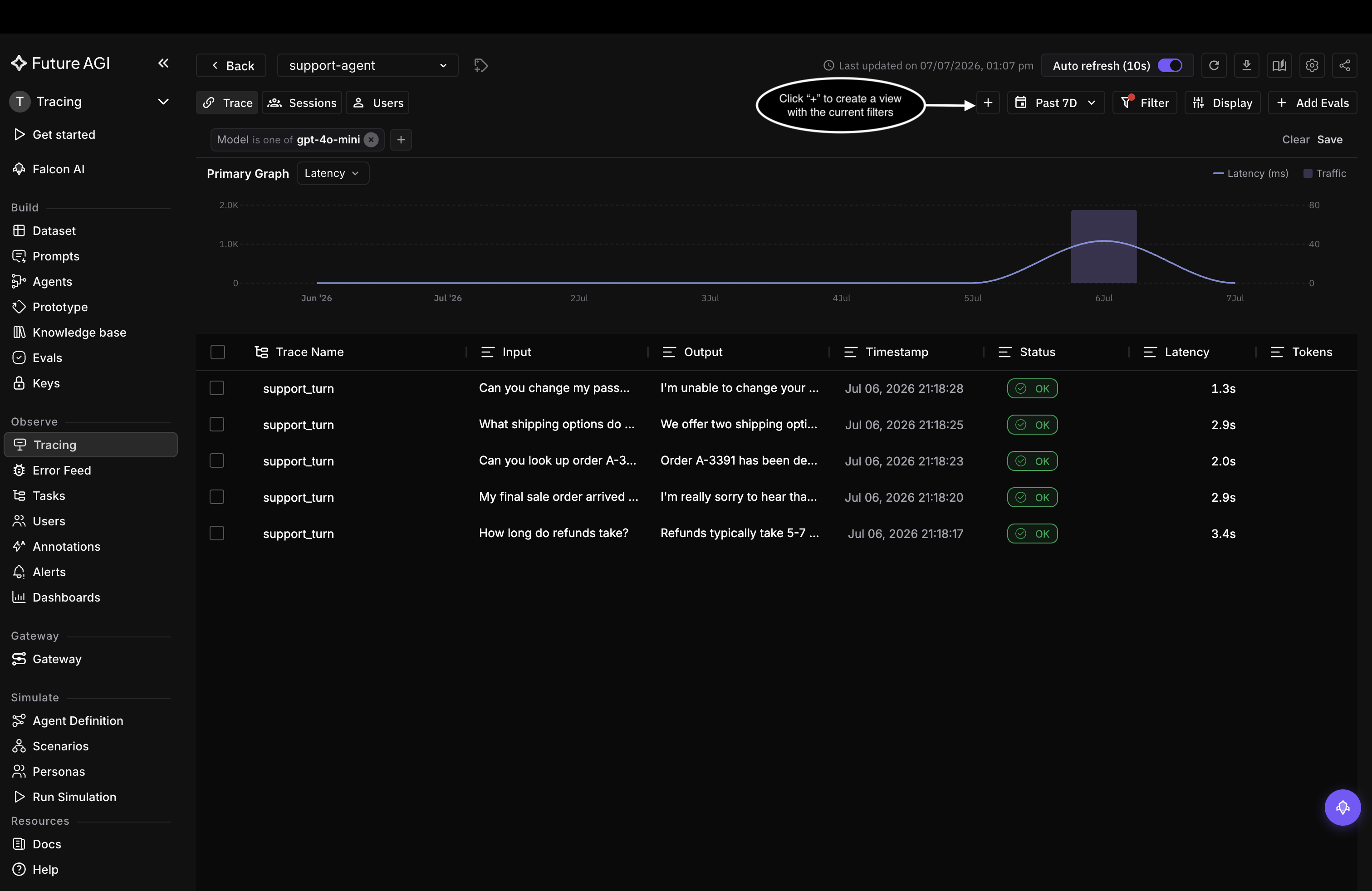
With filters applied, the + next to the tabs saves them as a view
Name and save the view
In Save view, give it a View Name that says what it holds, like Filter by model, and click Save view.
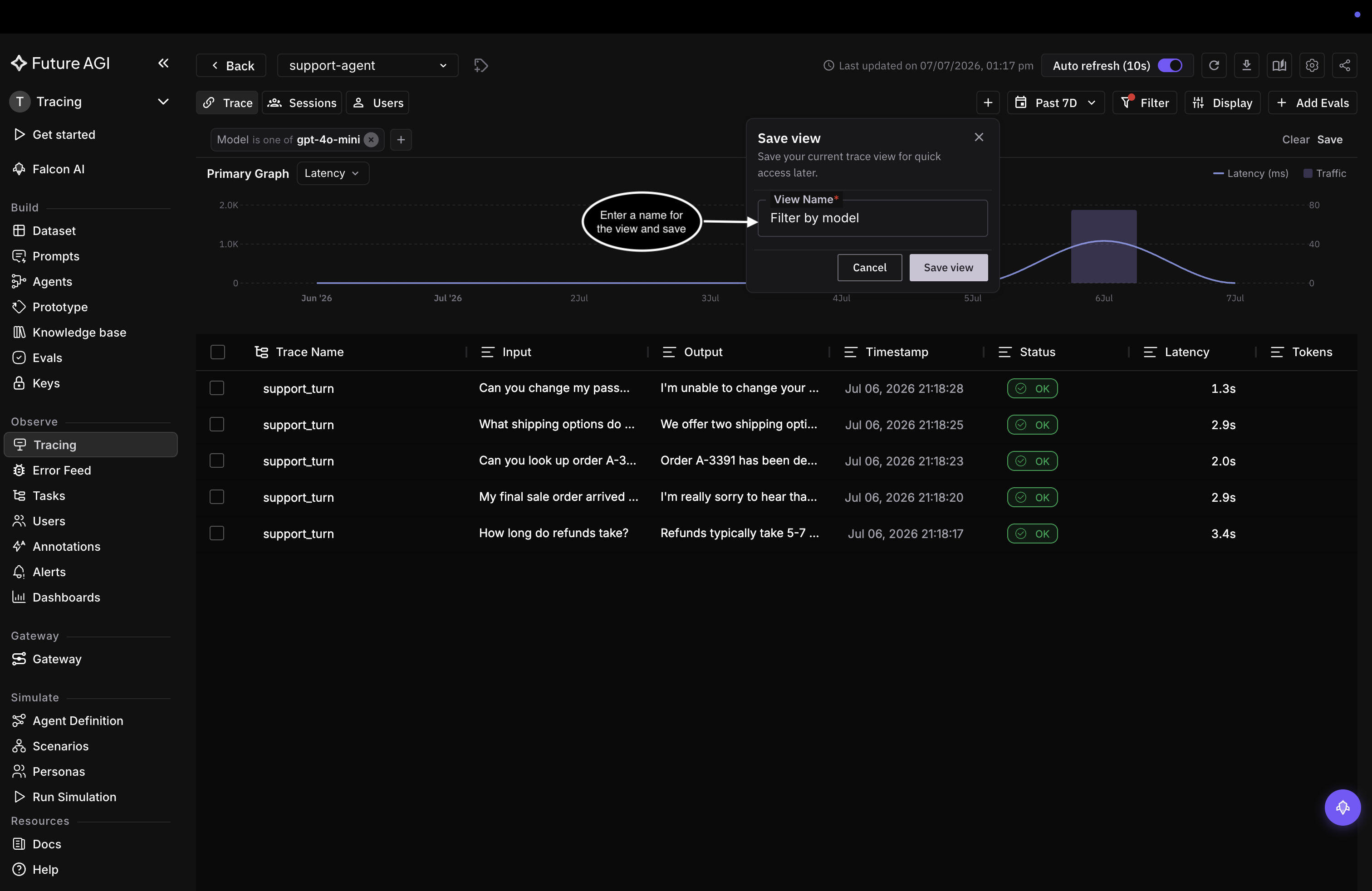
Name the view for what it holds, then Save view
Open a saved view
The view appears as its own tab beside Trace, Sessions, and Users. Click it and the table reloads with every filter the view saved, no rebuilding. Add one view per recurring question, so a bad-latency view and a single-model view are each a tab away.
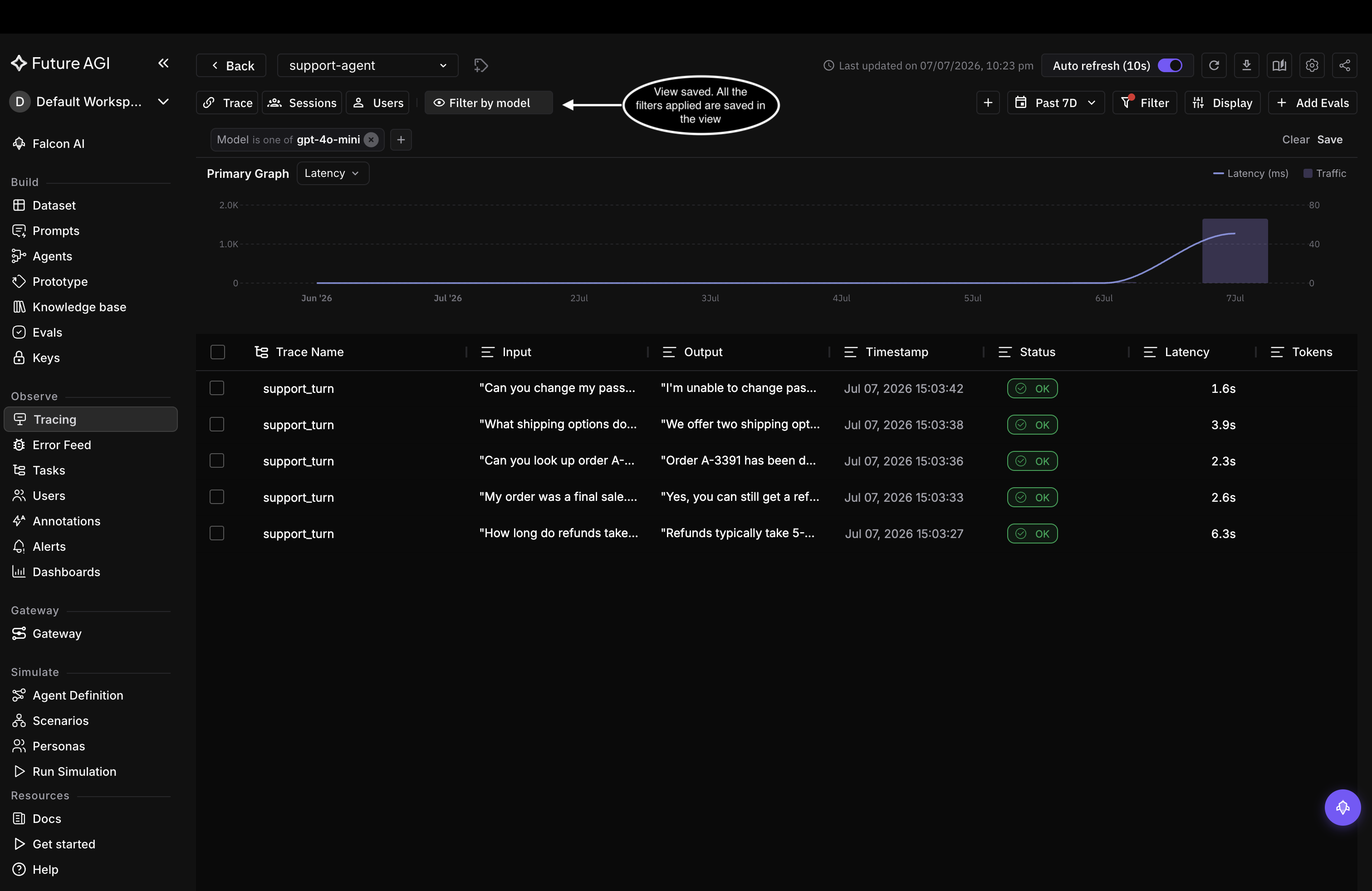
The saved view becomes a tab that restores its filters in one click
To score the traces a view collects, set up evals; to hear when they cross a threshold, set up alerts.
Questions & Discussion