Filters
Narrow the trace table to exactly the traces you want by status, model, time, and more.
Filters cut a busy trace table down to the traces you actually care about, whether that is failed requests, one model, a time window, or a single conversation. This guide filters the support-agent project from the Observing a LangGraph agent cookbook.
Open the filter panel
Click Filter at the top right of the trace table.
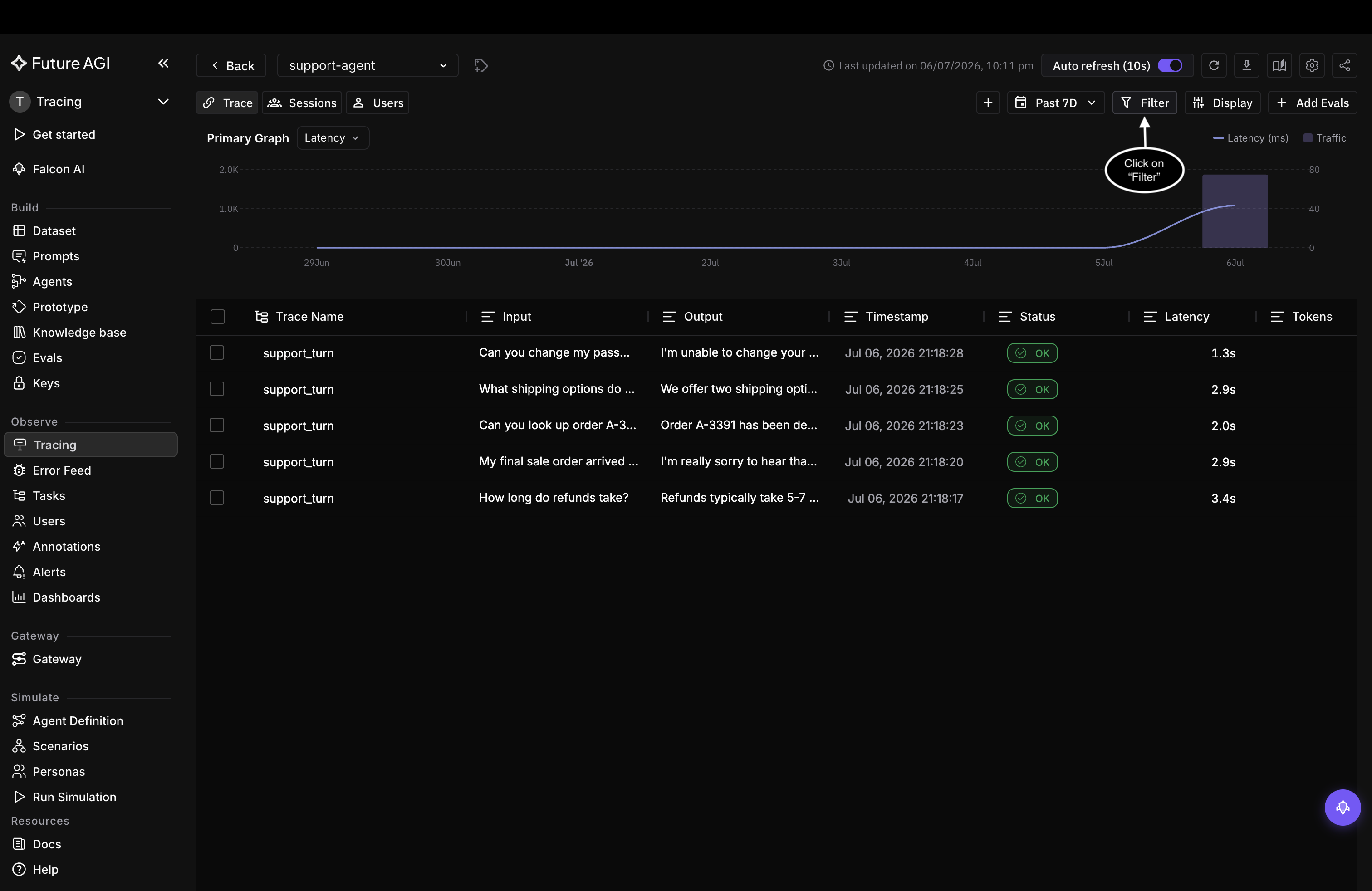
Open the filter panel from the top right of the trace table
Three ways to filter
The panel gives you three ways to build the same filter:
- AI search: describe what you want in plain English, such as “errors on gpt-4o today”, and Observe builds the filter for you
- Basic: pick a property, a condition, and a value; add more conditions and they apply together (AND)
- Query: type the filter expression directly, for conditions the Basic builder can’t express
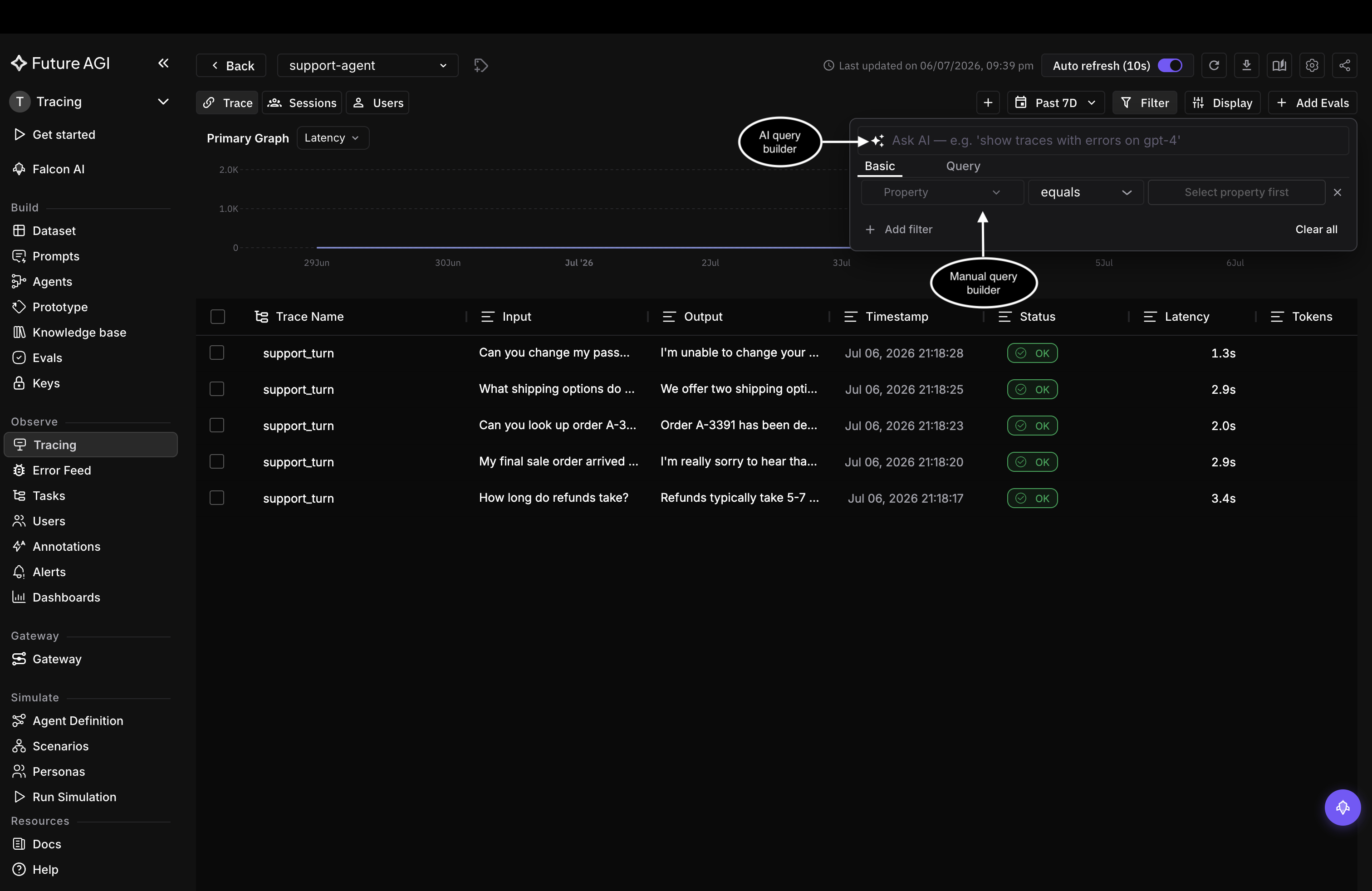
The filter panel: AI search on top, the Basic builder below, and a Query tab
Build a filter in Basic
Building a filter takes two picks: a property, then its value.
Search for the property you want. Properties are grouped into System, Evals, Annotations, and Attributes, so you can filter on anything the SDK recorded, not just the visible columns.
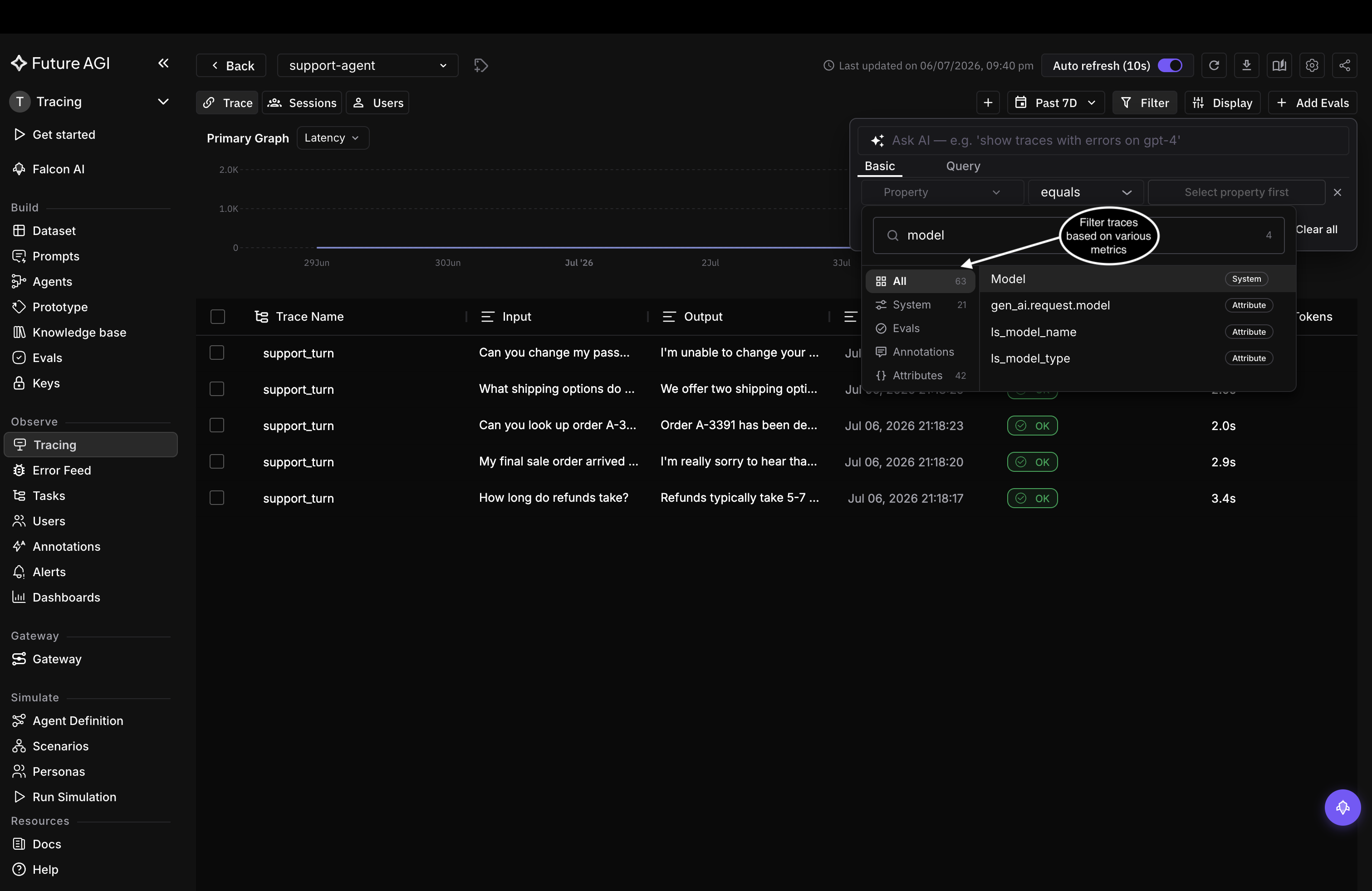
Search for a property; here Model, one of the System properties
Then choose one or more values. For Model, those are the models your traces actually ran on.
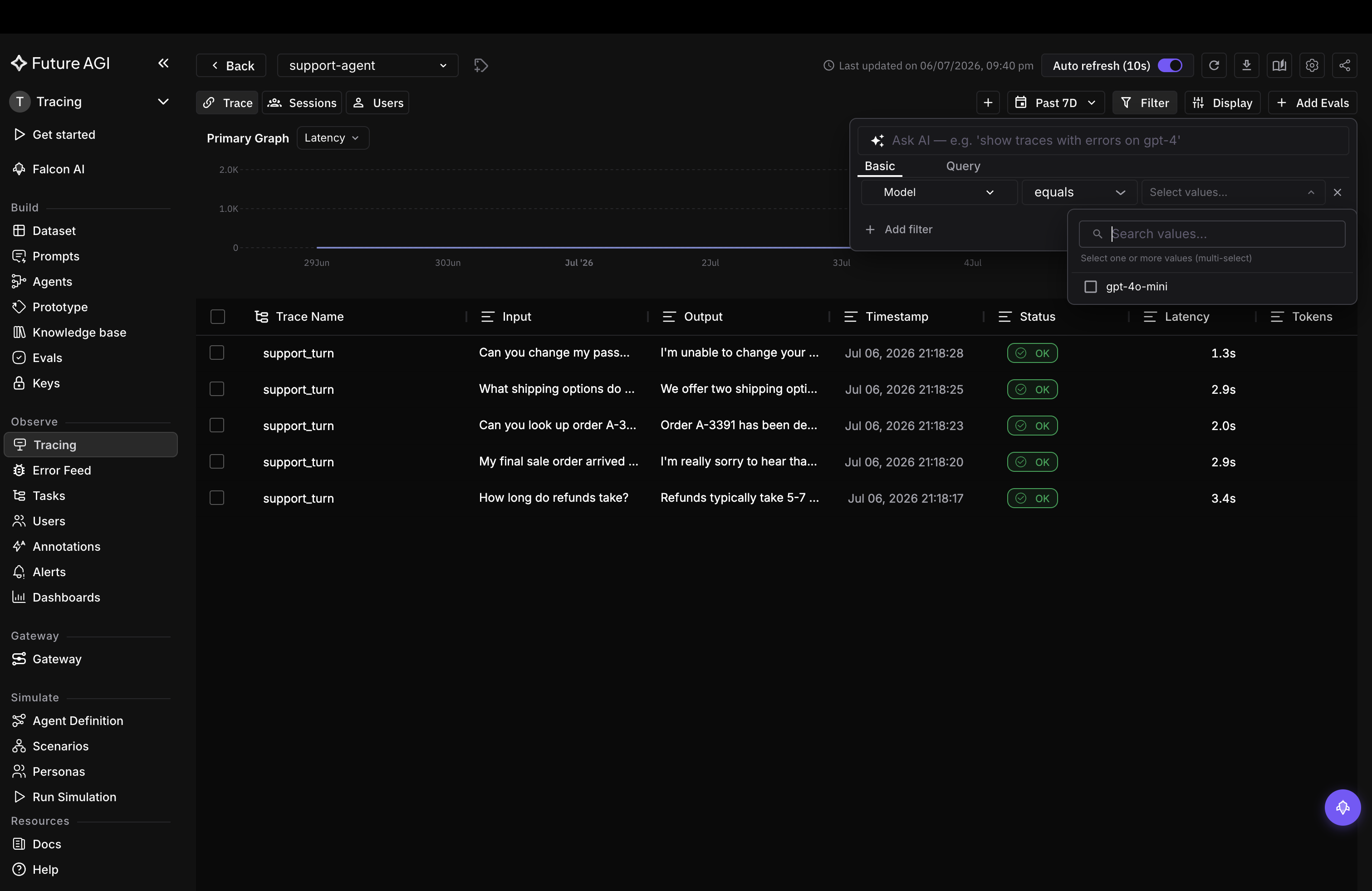
Pick the value or values; every support-agent turn ran on gpt-4o-mini
Click Add filter to stack another condition. Conditions apply together, so Model is gpt-4o-mini plus Status is ERROR returns only the failed gpt-4o-mini turns.
Write it as a query
For conditions the Basic builder can’t express, switch to the Query tab and type the expression. Query mode uses symbolic operators (=, !=, >, <, contains).
scores.context_adherence < 0.8                          # ungrounded answers
user.id = cust_42                                       # one customer's traces
fi.span.kind = LLM AND scores.context_adherence < 0.8   # low-adherence LLM spans
The last query is the one the cookbook uses to surface its single ungrounded turn. To follow one customer across conversations, filter on user.id; to replay a full conversation, open the Sessions tab.
For every filterable field and operator, see Filter syntax.
Questions & Discussion