The Evaluations page
Browse, filter, and open every eval from the Evaluations page
The Evaluations page is your eval library. Every built-in eval and every one your team creates lives here, so this is where you browse what’s available, narrow down to the evals you need, open one to test or edit it, and create your own.
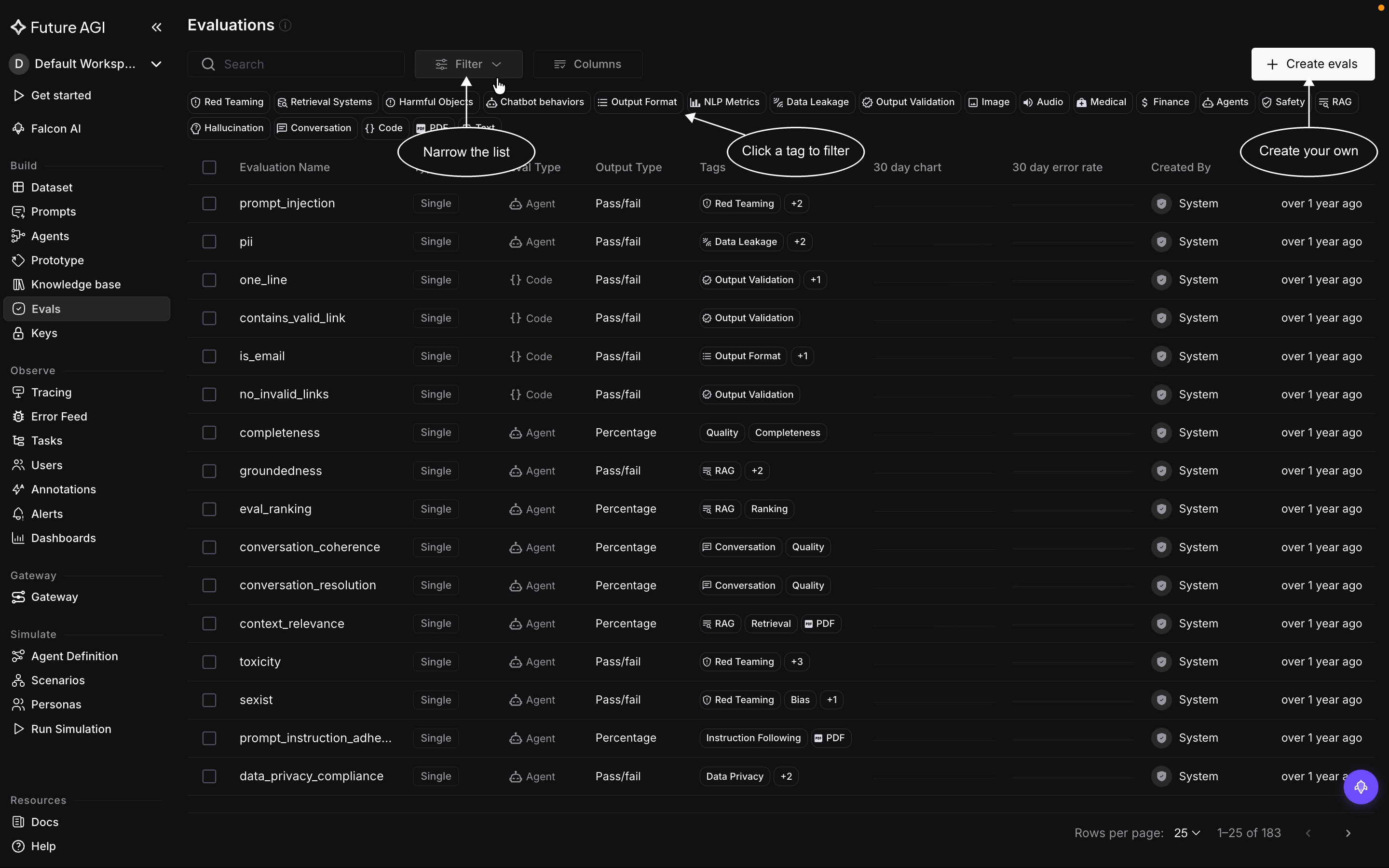
The Evaluations page: browse every eval, filter by tag, rearrange the columns, or create your own
The evaluations table
Each row is one eval, and the columns tell you what it is at a glance:
- Evaluation Name, the eval’s name, like
groundednessorprompt_injection - Type, whether it runs on its own (single) or aggregates several child evals (composite)
- Eval Type, how it reaches its verdict: Agent, LLM-as-Judge, or Code
- Output Type, what it returns: pass or fail, a percentage score, or a category label, covered in Output types
- Tags, the categories the eval belongs to, like Red Teaming, RAG, or Safety
- 30 day chart and 30 day error rate, its recent run volume and failure rate
- Created By, System for a built-in eval or your workspace for a custom one
- Last updated, when the eval last changed
The screenshot shows the default columns. A few more are hidden, like Versions, how many versions the eval has, and you turn them on from the Columns control.
Tags
Every eval carries one or more tags that say what it checks and where it fits, and they are how you make sense of a library this size. They fall into a few kinds:
- Concern, the risk the eval guards against: Safety, Red Teaming, Data Leakage, Hallucination, Harmful Objects
- Technique or check, how it measures: RAG, Retrieval Systems, NLP Metrics, Output Validation, Output Format, Code
- Modality, the kind of content: Image, Audio, Text, PDF, Conversation
- Domain, the use case: Medical, Finance, Agents, Chatbot behaviors
These are the main tag chips; individual evals also carry finer tags like Quality, Bias, or Data Privacy. An eval usually carries more than one, so groundedness is tagged both RAG and Retrieval Systems, and prompt_injection is tagged Red Teaming.
Find an eval
Three controls narrow the list, and they stack:
- Search by name in the search box
- Tag chips, the row under the search: click a tag to show only the evals that carry it, and stack tags to narrow further
- Filter, for finer control than the chips: build a condition on name, type, eval type, output type, tags, or who created the eval. Unlike a single tag chip, you can combine conditions, like Output Type is Pass/Fail and Created By is your workspace
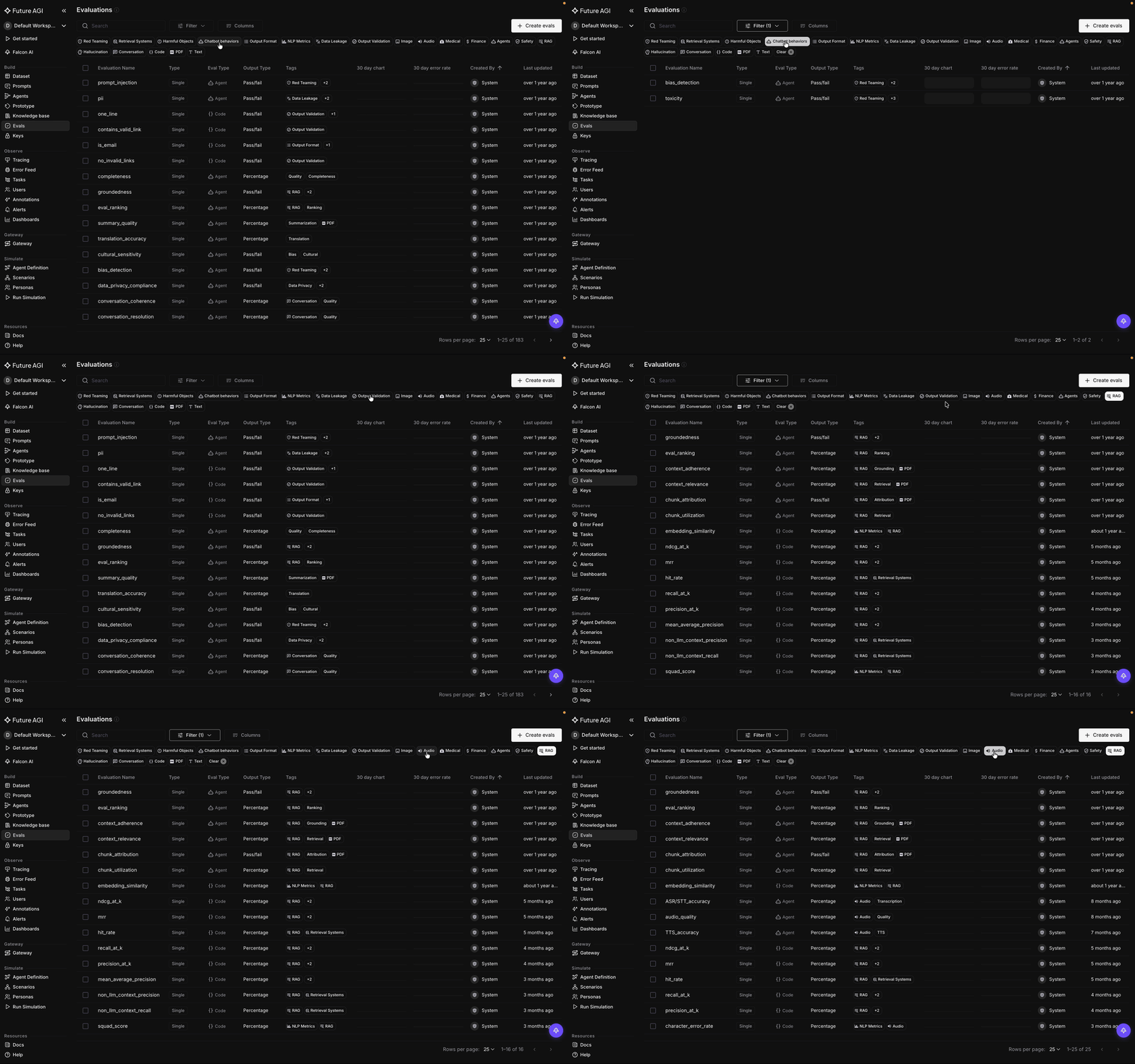
Click a tag to filter the list to the evals that carry it, and stack tags to narrow further
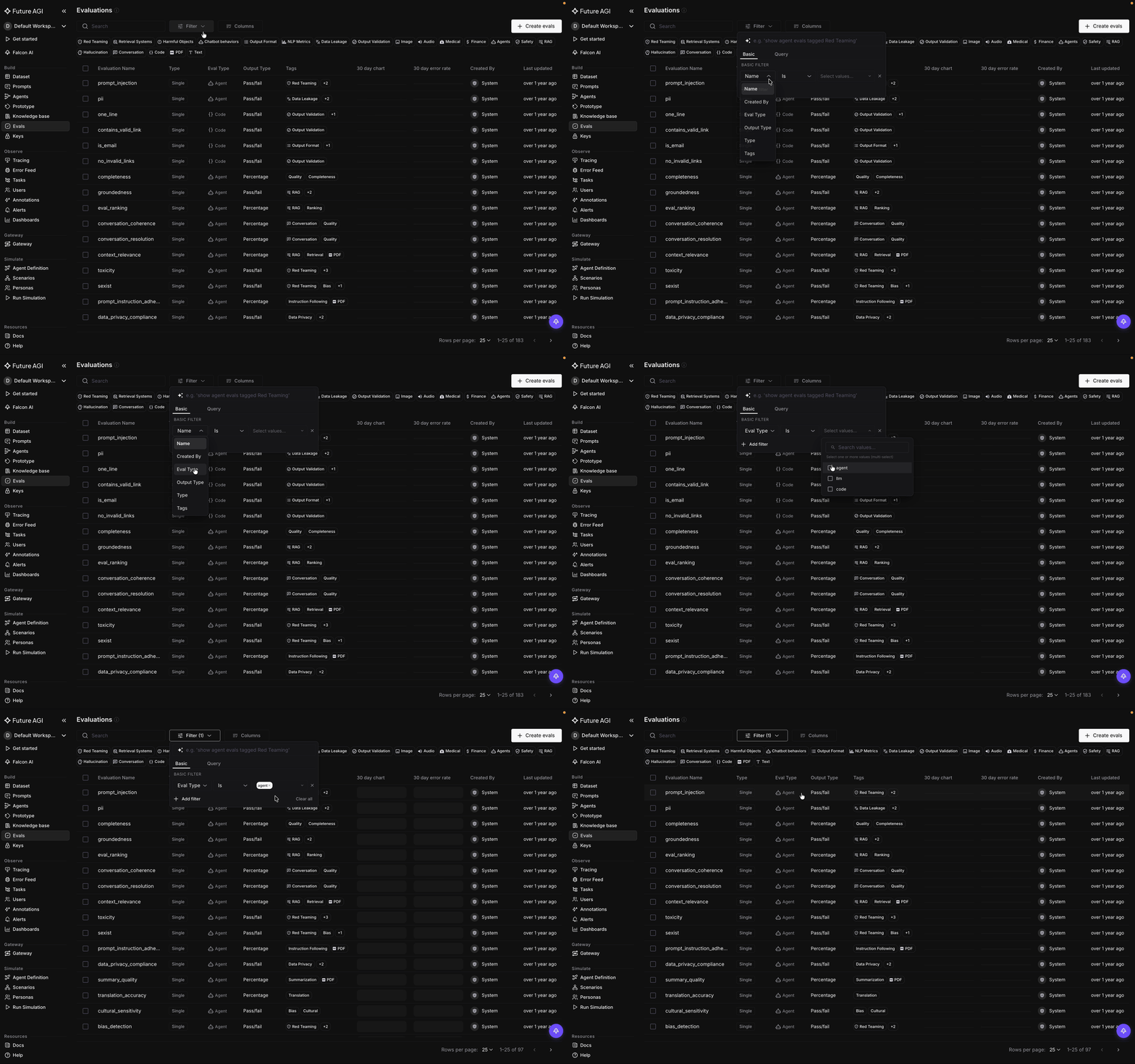
Open Filter and build a condition on any field, from eval type to tags to who created it
Arrange the columns
The Columns control lets you show, hide, and reorder the table columns. Keep the ones you care about, like Output Type and Tags, and drop the rest so the table shows what matters to you.
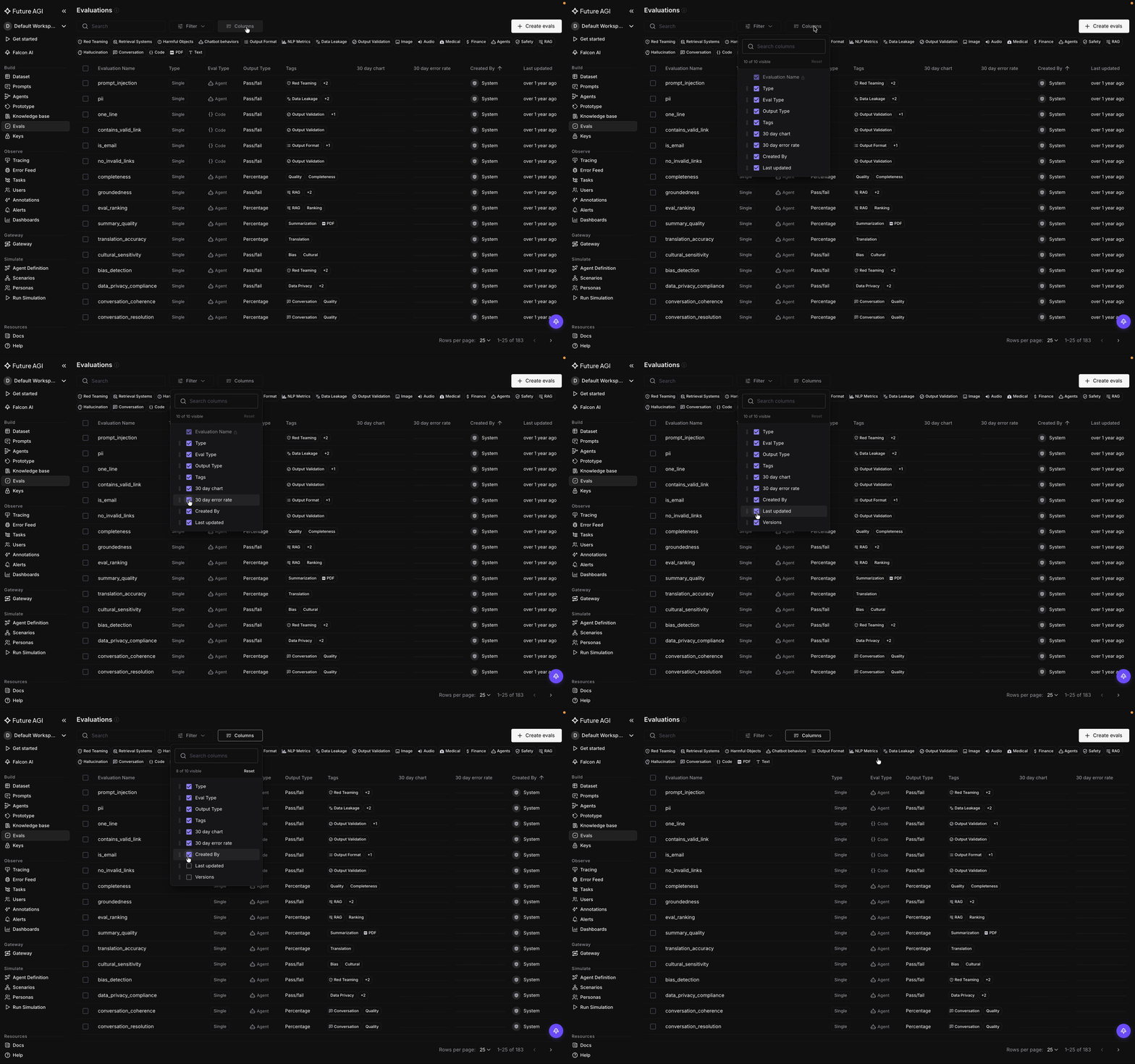
Open Columns to show, hide, and reorder the table columns
Create your own
Create evals, at the top right, opens the flow to build a custom eval: give it a name, write its rule, and pick its output type. It then joins the library alongside the built-in ones, filterable and taggable the same way.
Dive deeper
Questions & Discussion