Use custom models
Bring your own LLM as the evaluator, from a provider or a custom endpoint
Evaluations need a model to act as the evaluator: to read each response and decide whether it passes, fails, or scores in a range. A custom model lets you bring your own LLM as that evaluator instead of a Future AGI model, when a model of yours knows your domain better, when inference has to stay in a specific cloud or region, or when you want eval costs tracked against a model you already pay for. Once added, it appears in the model dropdown wherever you configure an eval.
Two ways to connect:
- From a provider: a direct integration with Open AI, AWS Bedrock, AWS Sagemaker, Vertex AI, or Azure
- Custom endpoint: any model behind an HTTP API, including self-hosted, fine-tuned, or proxy deployments
Add a model
Go to Settings → AI Providers, open the Custom model tab, and click Create custom model.
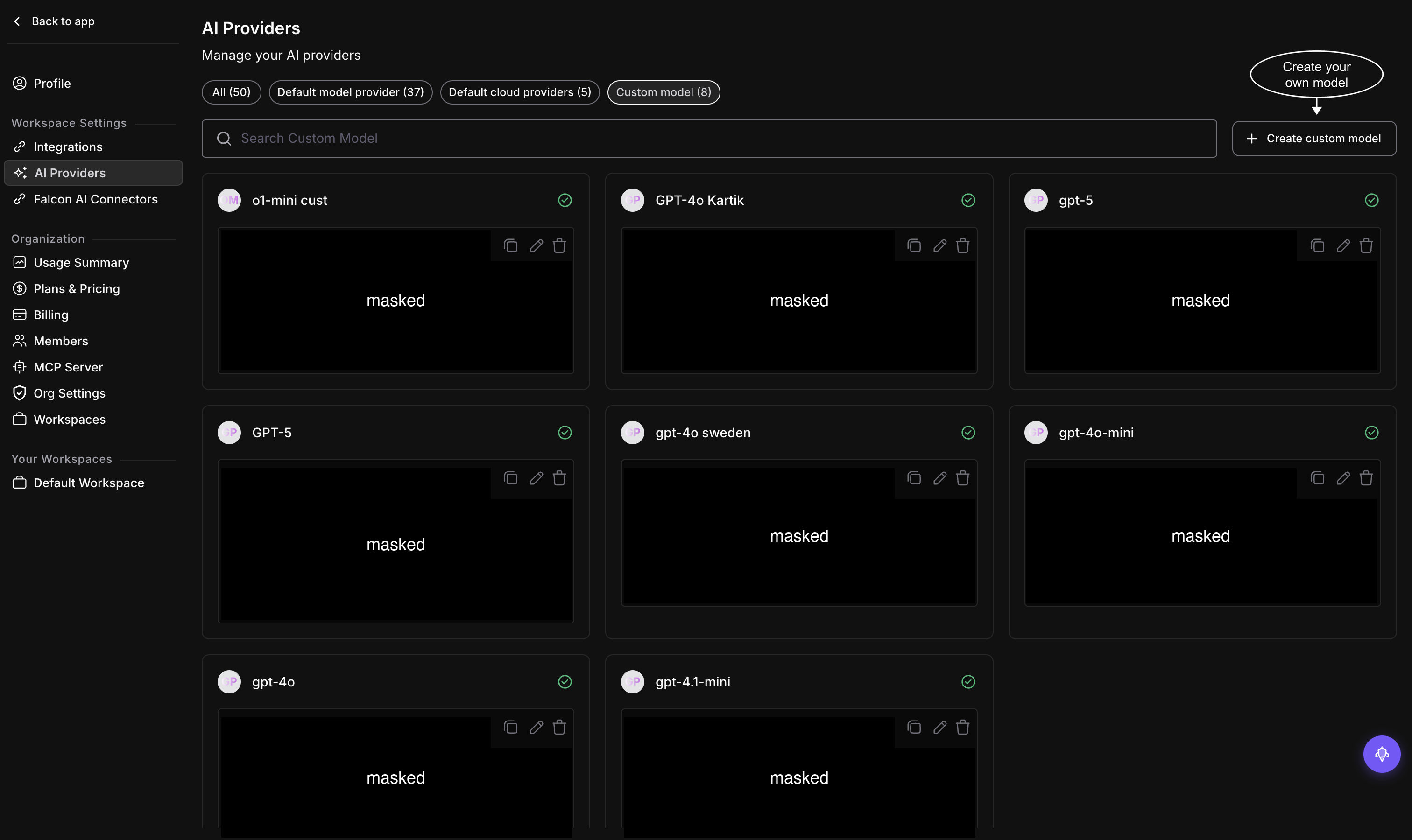
The Custom model tab lists everything you’ve added so far; edit, delete, or copy any entry from here
An Add Model drawer opens with two options: From model Provider or Configure Custom Model.
From a provider
With From model Provider selected, pick a provider from the Model Provider dropdown: Open AI, AWS Bedrock, AWS Sagemaker, Vertex AI, or Azure.
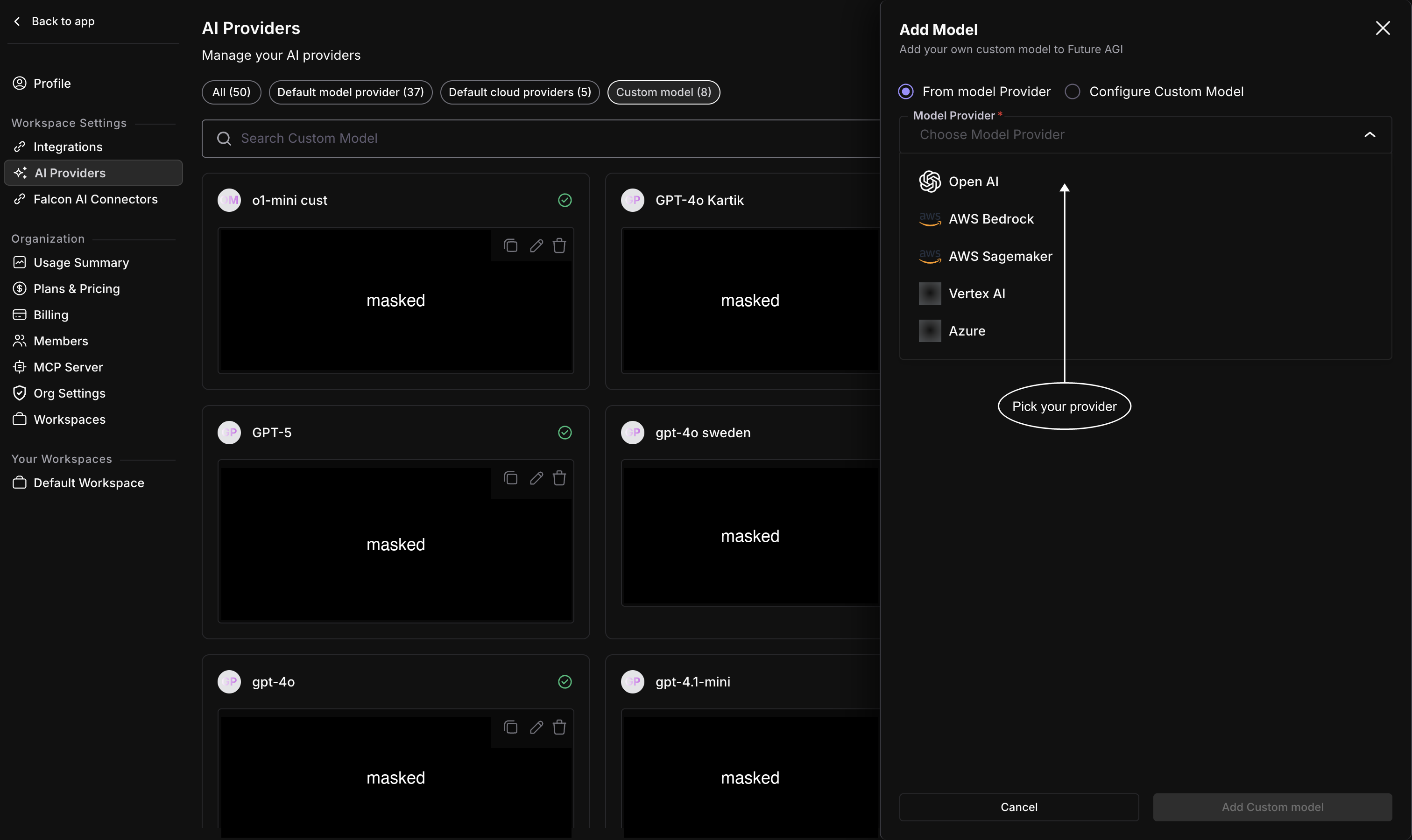
Five supported providers, each with its own credential form
Fill in the provider’s form: a Model Name, Input and Output Token Cost Per Million Tokens for cost tracking, and the provider’s credentials, an API key for Open AI, region and access keys for Bedrock or Sagemaker, a service account for Vertex AI, endpoint and key for Azure. A token cost can be 0, for a model you host yourself for example, but not negative. A Form and JSON toggle lets you fill the fields individually or paste a raw config.
For AWS Bedrock, Model Name is the invocation ID, not a label you invent. Copy a chat foundation-model ID such as anthropic.claude-3-haiku-20240307-v1:0, or a system inference-profile ID such as us.anthropic.claude-3-5-sonnet-20241022-v2:0, from the AWS console. A family name such as Claude is rejected. Connecting a model does not train or import one in AWS. Save sends a small validation request to AWS and can incur provider charges. New application-profile ARNs, provisioned throughput, and session-token or role credentials are not supported by this form.
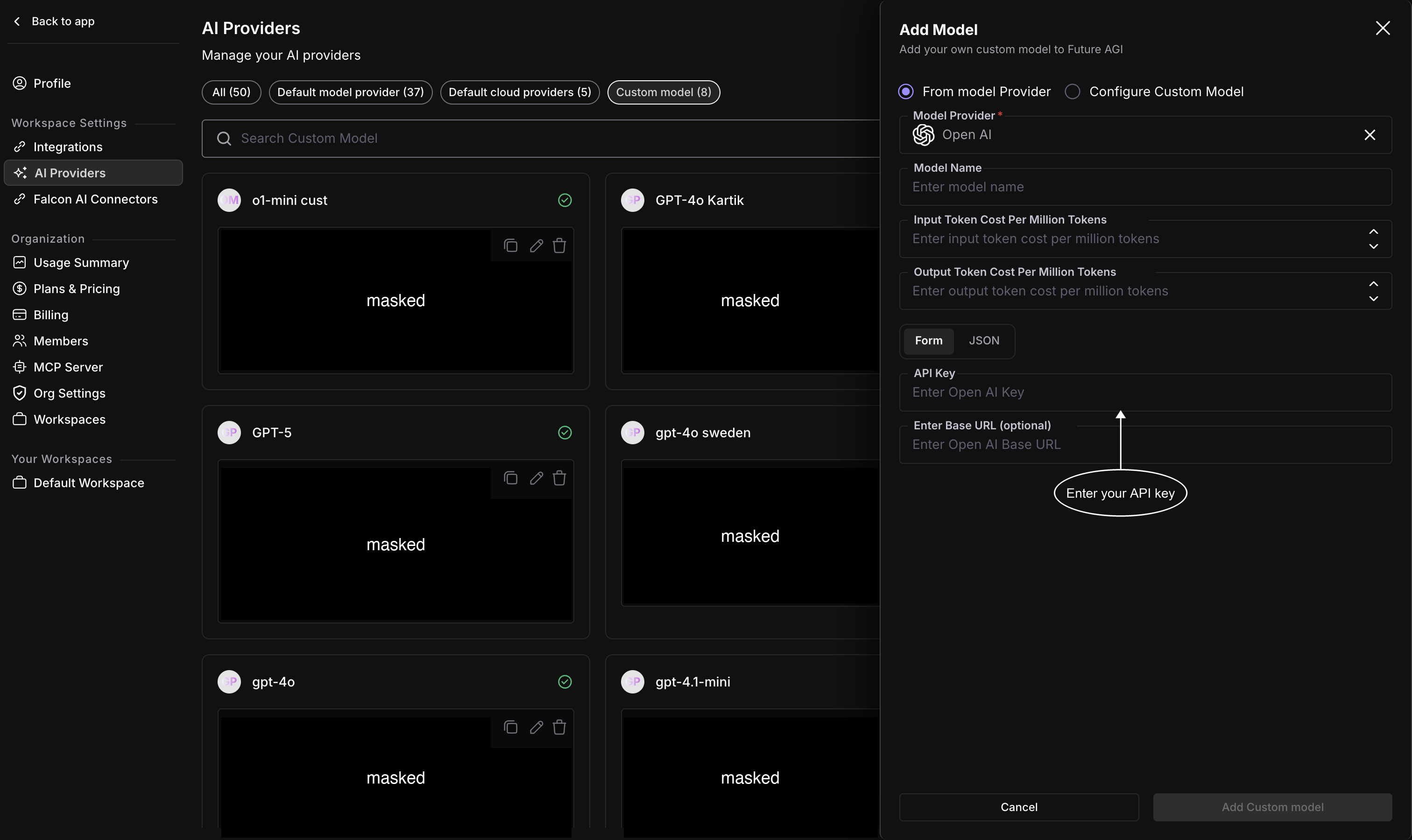
Open AI’s form: model name, token costs, API key, and an optional base URL
Custom endpoint
Select Configure Custom Model instead to connect any model behind an HTTP API. Fill in the Model Name, the token costs (0 works for a model you host yourself), and the API Base URL: the full chat-completions URL Future AGI calls, such as https://your-host/v1/chat/completions, not only the /v1 base. Anything else the endpoint needs, an auth header, a tenant ID, a routing parameter, goes under Custom Configuration as key/value pairs, and Add more configuration adds another pair.
When you add the model, Future AGI sends a test request to the API Base URL. An error such as https://your-host/v1 answered 404 Not Found. API Base URL must be the full chat-completions URL, such as https://your-host/v1/chat/completions, and the server must serve model 'my-model'. means the URL stops at the /v1 base, or the server has no model by the name you entered.
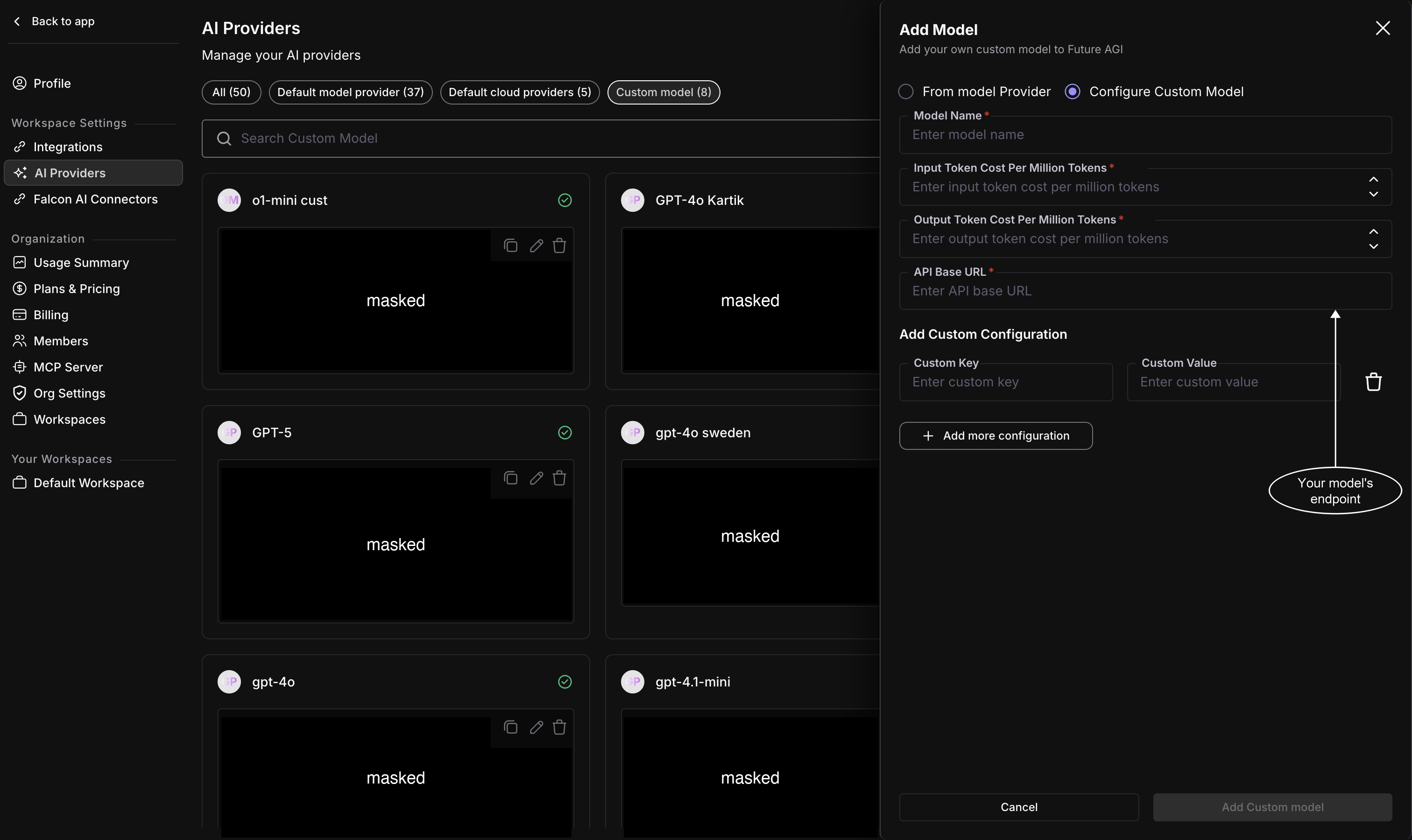
A custom endpoint needs an API base URL; everything else it needs goes in Custom Configuration
Save the model
Click Add Custom model. The model joins the Custom model list, and it now shows up in the model dropdown wherever you pick an evaluator, like when you create a custom eval.
Keep exploring
Questions & Discussion