Add evaluations
Choose the evaluations that grade every call in an environment, turn on tool call grading, and grade a finished run
Evaluations decide whether your agent did the right thing in each conversation. In an environment, a run plays a set of scenarios against your agent, and each scenario played once is a call, a phone call for a voice agent or a conversation for a chat agent. The evaluations on the environment score every call of every run, so you choose them once, and keeping the set fixed is what makes one run comparable with the next.
You need an environment in Ready status; Build an environment covers getting one. Evaluations come from the Future AGI evaluation library.
How a call is graded
Three things grade a call in an environment, and only one of them is what this page changes:
| Layer | Where it comes from | What it checks | Same for every scenario? |
|---|---|---|---|
| Sub-goals | Written into each scenario from the contract | The specific things that scenario tests, such as checks_refill_status | No, each scenario has its own |
| Evaluations | Chosen on the Evaluations tab, from the library | Qualities every call should have, such as staying within the agent’s authority | Yes |
| Tool call evaluation | A switch on the Evaluations tab | Whether each tool call was the right tool, with the right arguments, at the right time | Yes, when it is on |
Sub-goals say whether the agent did what one scenario asked. Evaluations say whether it behaved well while doing it, the same way in every call, which is why they are the ones you choose and keep fixed.
See what is already added
Open the Evaluations tab. It already holds a few evaluations: when the builder reads your agent into its contract, it picks the ones that fit, so a pharmacy line might start with advice_authority_boundary and customer_agent_prompt_conformance.
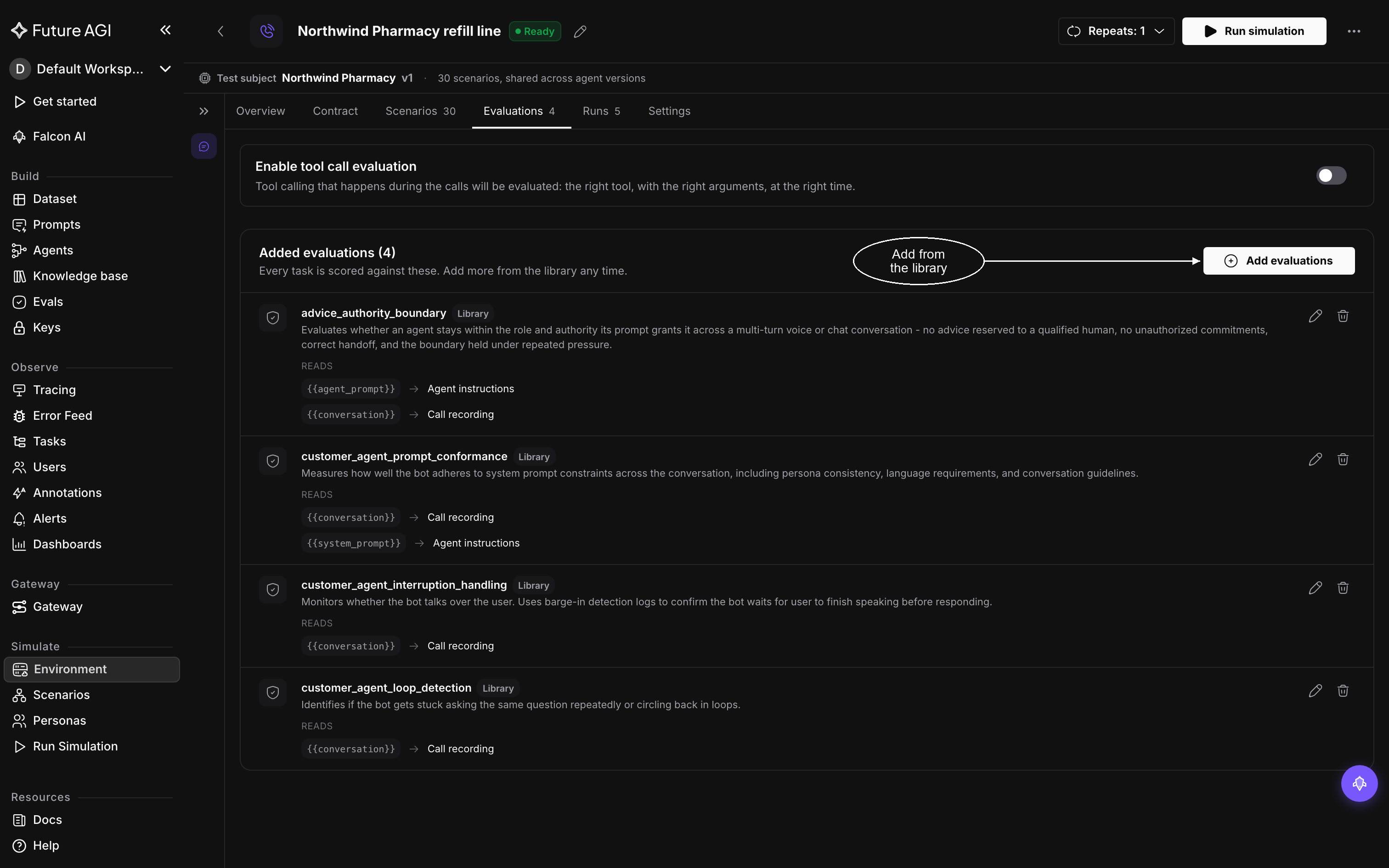
Evaluations picked from the contract arrive already added, each with the inputs it reads
An evaluation scores a call from a few named inputs, and in an environment those inputs are wired for you. Each evaluation under Added evaluations lists them under Reads, with what fills each one: {{conversation}} from the Call recording or Transcript, {{agent_prompt}} from the Agent instructions.
To decide what to add, start from what a failure would cost you. Keep the suggested set, add one evaluation for each behavior that would be a release blocker if it broke, such as escalating to a human or never giving clinical advice, and resist adding many overlapping ones: a small, stable set gives a clearer trend from run to run.
Add or remove evaluations
Click Add evaluations, in the header of the Added evaluations card, to open Select Evaluation, the evaluation library. Search by name or narrow it with a category such as Conversation, Agents or Safety, expand a row to see what fills each input, and click Add on each one you want. Create New Eval writes your own, covered in Evaluation.
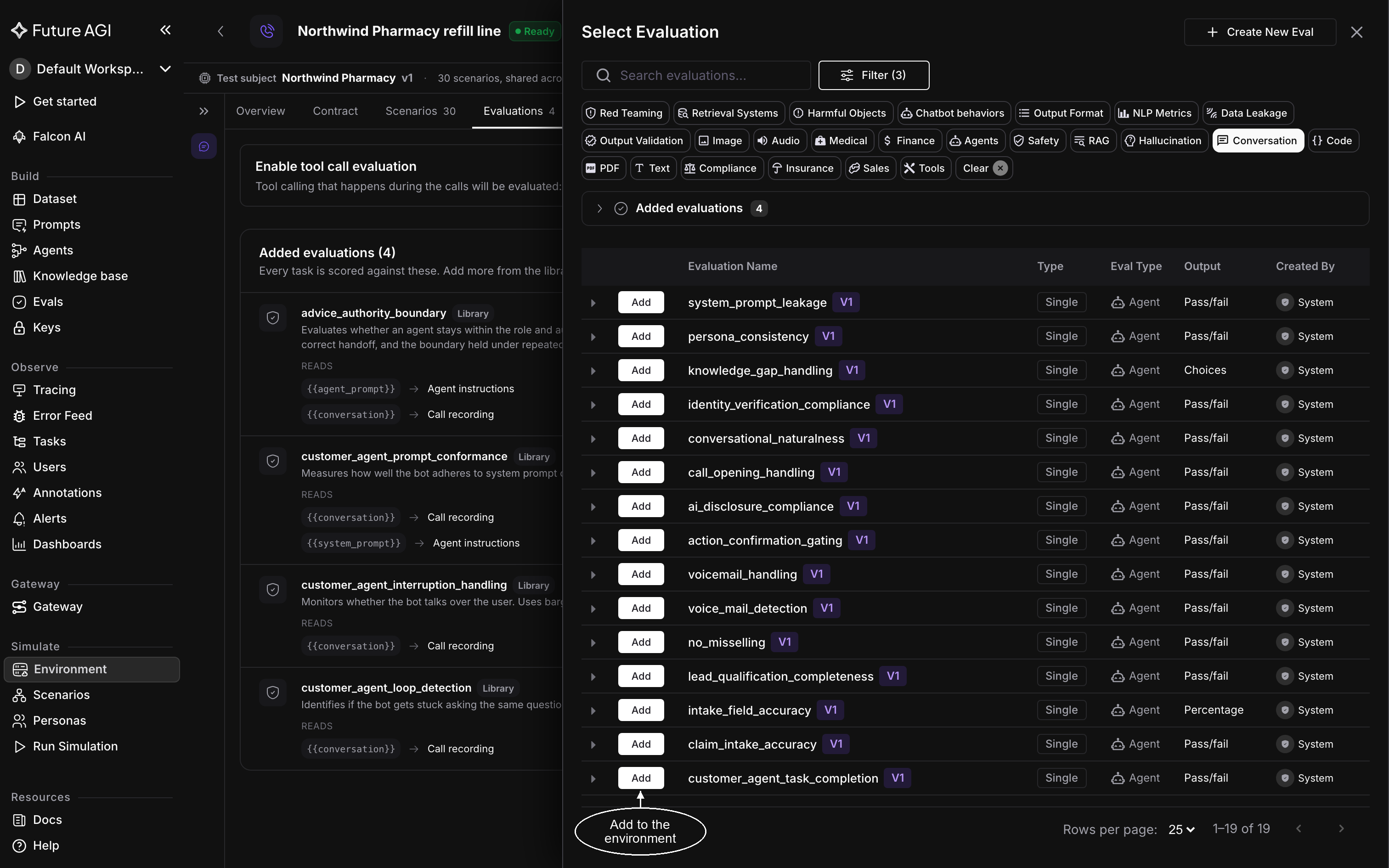
Each library evaluation is one click to add, and grades every call from then on
An evaluation you add scores every call from then on. Calls that already finished are left as they were, so adding one doesn’t silently change a run you have already read; grade a finished run to bring a past run up to date. To remove an evaluation, click the delete icon on its row.
Grade tool calls
If your agent calls tools, turn on Enable tool call evaluation at the top of the Evaluations tab. It grades the tool calls your agent makes during each call: whether it picked the right tool, with the right arguments, at the right time.
Grade a run that already finished
Adding an evaluation to the environment doesn’t reach back into past runs, so a finished run has its own way to catch up. Open the run from Runs and click Run evals at the top. The All Evaluations drawer lists every evaluation on the run, with Evals (N) to tick them all:
- tick the evaluations to grade with, then click Run (N), or Run All (N) when every one is ticked, and confirm
- click Add Evaluations to bring in one from the library first, then run it
- run or remove a single evaluation from its own row
Only a completed run can be graded again. Grading runs in the background, and when it finishes the new verdicts appear as columns beside the others. If a row can’t be ticked, its score came from the run itself, and only re-running the call refreshes it.
Dive deeper
Questions & Discussion