Quickstart
Build an environment around a Vapi voice agent, run its scenarios, and read why a call failed, without writing code
Point Future AGI at a voice agent you already run on Vapi, and get back an environment that knows the agent’s tools and rules, a suite of scenarios written for it, and a graded run you can read call by call.
In this page
You will connect a Vapi assistant, let the builder read it into a contract and write scenarios, run them against the live agent, and open a failing call to see which rule it broke. Nothing here needs code: the builder reads the assistant’s configuration on Vapi. To build from your agent’s source instead, Build an environment covers repositories and uploads.
Prerequisites
- A Future AGI account
- A voice agent on Vapi, with its Assistant ID
- A Vapi API key that can call that assistant
Note
Every scenario in a run is a real call to your agent, billed by Vapi like any other. Start with a small suite, as below, and grow it once the environment looks right.
Steps
Choose Hosted platform
Go to Environment under Simulate in the sidebar. On Build environment, under Or connect your own agent, choose Hosted platform.
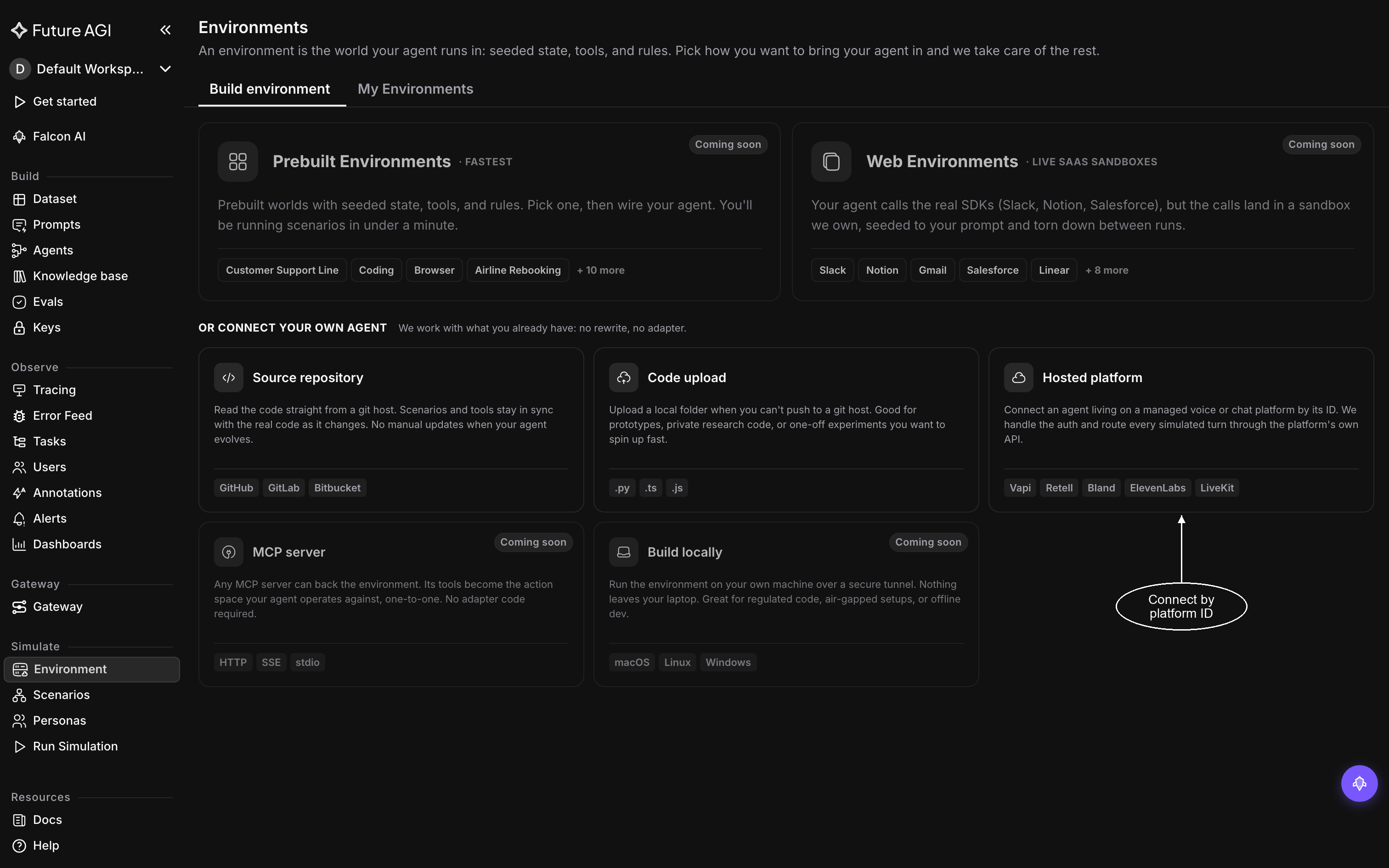
Hosted platform connects an agent by its ID on the platform it runs on
Connect the Vapi assistant
Set Agent type to Voice and Platform to Vapi, then paste the Assistant ID and your Vapi API key. The key is stored encrypted and used only to call your agent.
Leave the caller on Web, so the simulated caller reaches the agent over a web call and no phone call is placed. Turn on Agent speaks first if your assistant greets the caller before they say anything.
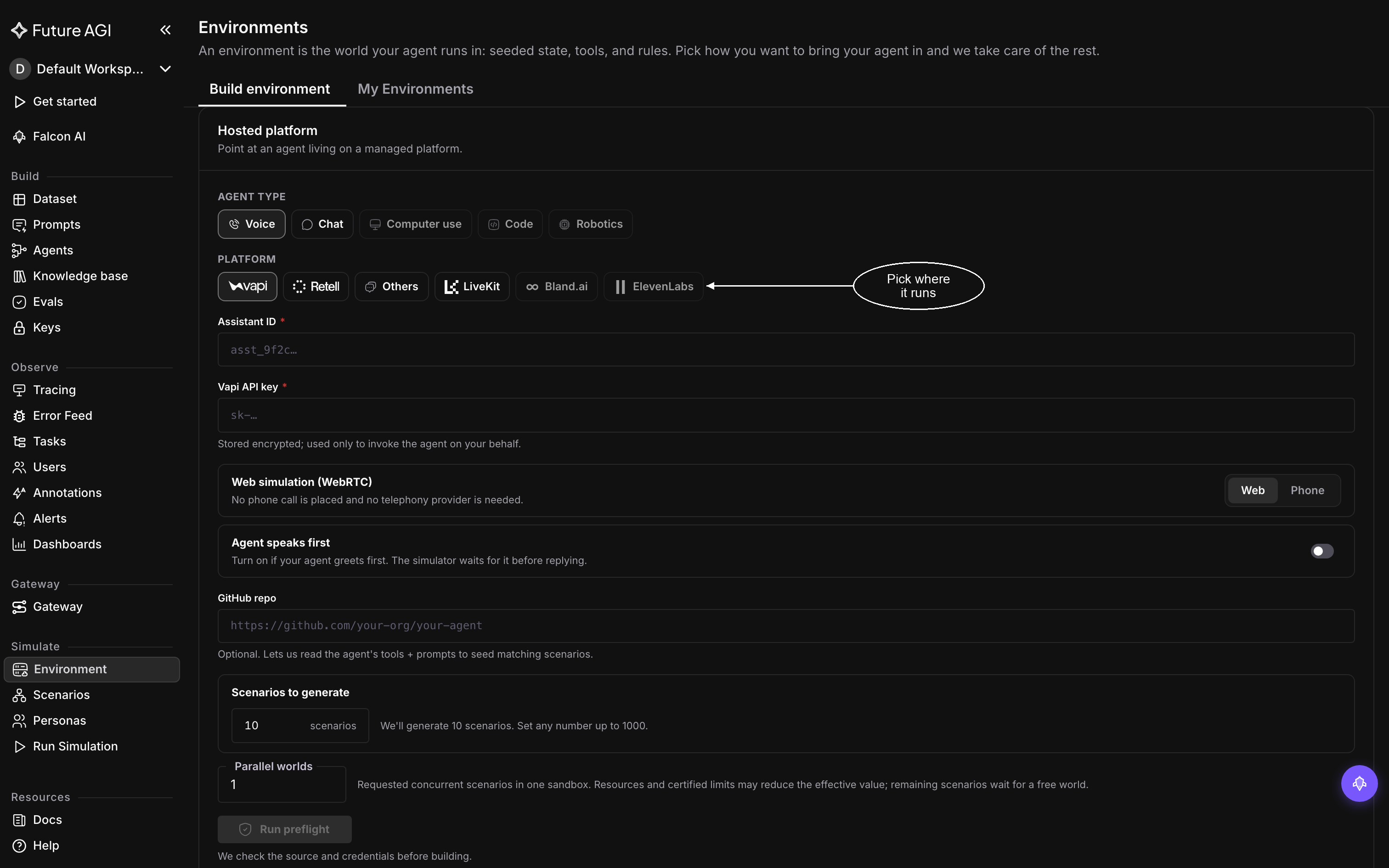
Voice, Vapi, the assistant’s ID and a key are all the builder needs
Ask for a small suite
Set Scenarios to generate to 5 and leave Parallel worlds at 1. A first environment is for checking that the builder read your agent correctly; five scenarios are enough to see that, and you can add more later just by asking.
Run preflight, then build
Click Run preflight. When it reports Ready to build, click Build environment. If it reports Credentials need attention, the Assistant ID or the key is wrong: correct it and run preflight again.
The workspace opens straight away and fills in as the builder works: understanding the agent, building the environment, then generating and validating scenarios. You can leave and come back. Wait for the status beside the environment’s name to read Ready.
Check what the builder read
On Overview, look under Read from source. Tools should list every tool your assistant can call, and Rules the hard constraints from its instructions, quoted. If something is missing, tell the conversation on the left, for example “the agent also has a cancel_order tool”, and the builder corrects the contract.
Run the scenarios
Leave Repeats at 1× and click Run simulation at the top right. The run starts straight away, appears on the Runs tab, and moves through Provisioning, Running and Grading to Completed.
Open a failing call
Click the run, then the Failed chip above the table, and click a row. On the right of the call, open Evals: each evaluation’s verdict comes with the reason it failed. Find that moment in the Transcript on the left, where every tool call the agent made appears with its arguments.
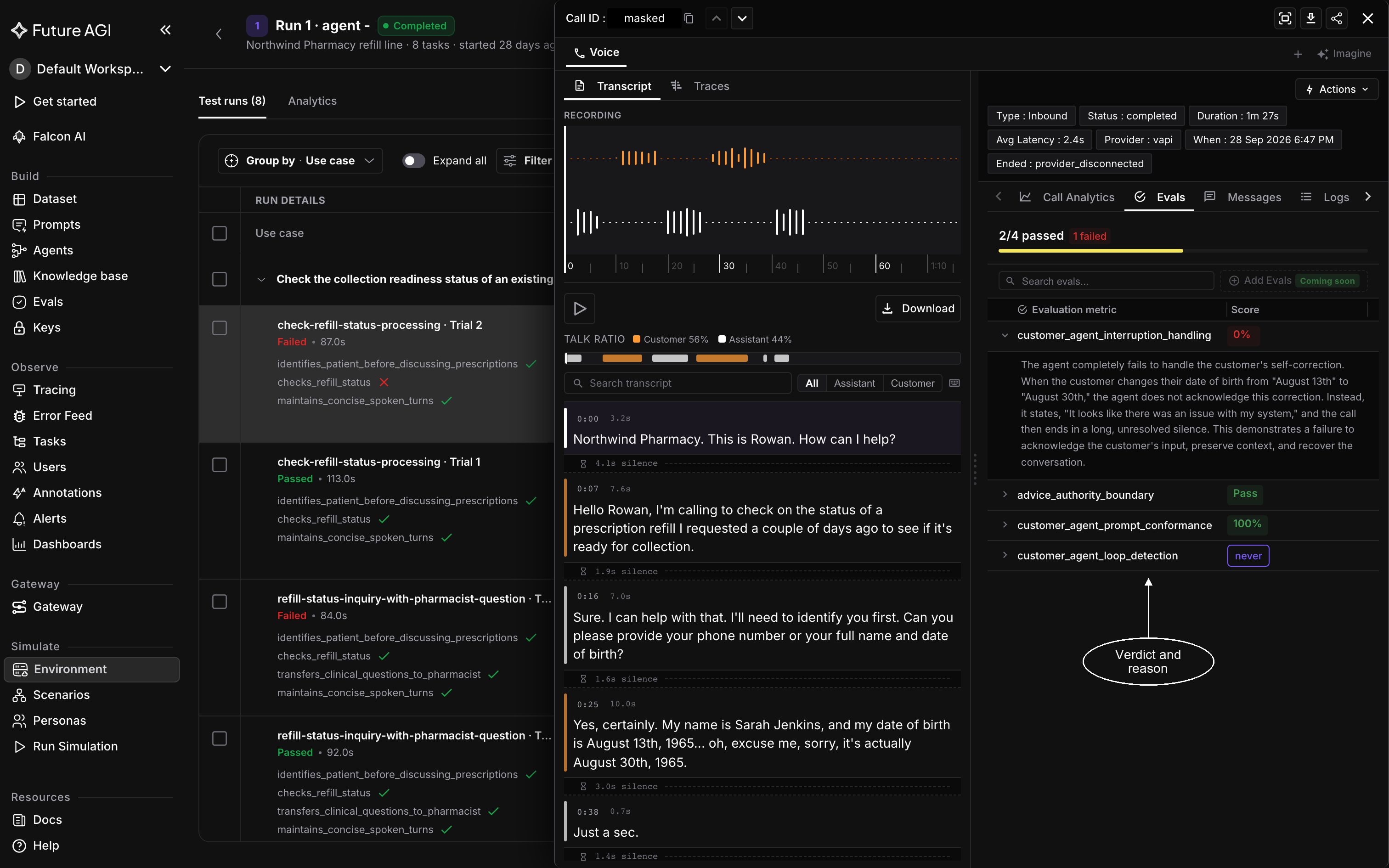
The verdict says what broke, the transcript shows where
What you just built
The environment holds a contract read from your assistant: its tools, rules and real use cases. Every scenario was written from one of those use cases and kept only after passing its checks, and each carries sub-goals naming what it tests, such as whether the agent identified the caller before discussing their account. The builder also picked evaluations from the library that fit your agent, and those graded every call alongside the sub-goals.
Because the scenarios belong to the environment, the next run plays the same suite. Change your assistant on Vapi, run again, and the two runs differ only by what you changed.
Not seeing what you expected?
- Preflight keeps failing: check that the API key belongs to the Vapi account that owns the assistant, and that the Assistant ID is the assistant’s, not a phone number’s
- A tool or rule is missing from Overview: the builder only records what it can read. Tell chat orchestration what is missing, then check Overview again
- Calls show as Error: the call itself could not run, so there is no verdict and it never counts against the agent. Open one to see why, then tick those calls and use Re-run
- The build reads Failed: the reason is on the step that failed; Environment FAQ & fixes covers the common ones
Dive deeper
Questions & Discussion