Agent definitions & versions
The voice or chat agent you simulate against, and how versions keep runs comparable
What an agent definition holds
An agent definition is the record of the agent you simulate against in a simulation. It carries:
- a name, and a type of voice or chat
- the connection details Simulation needs to reach the agent
- an optional knowledge base the agent draws on
Every edit you make can be frozen as a numbered version, and a run points at a definition and at one of its versions, so it names exactly which configuration it exercised.
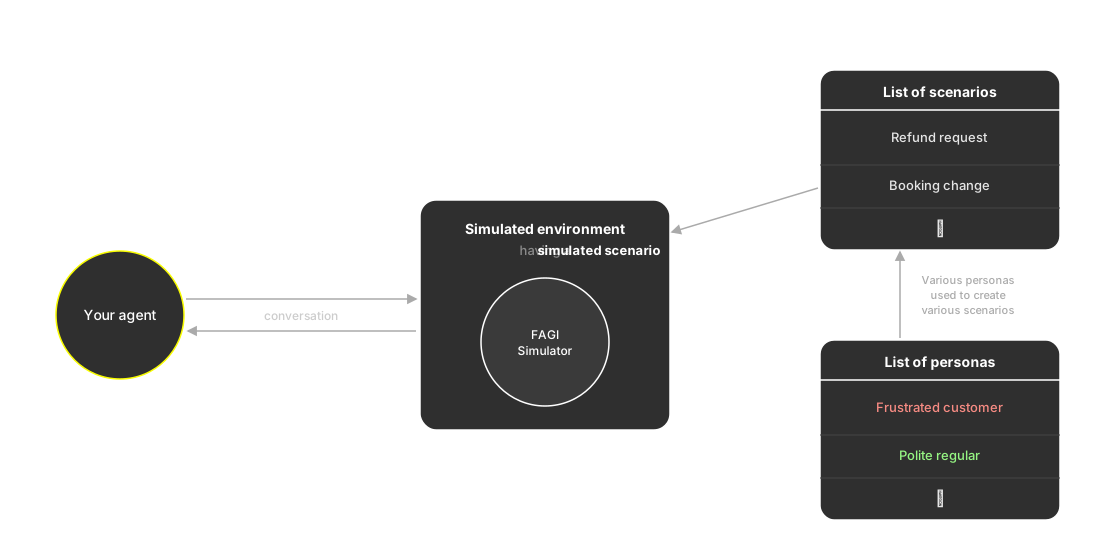
The agent definition is your side of the conversation: what Simulation reaches, and how
Voice and chat agents
The type decides how Simulation reaches your agent, so a definition is wired one of two ways. Connect your agent walks through both.
Voice
A voice agent is reached over the phone, and a number is all Simulation needs. You give the definition one, the Future AGI caller dials it to hold the conversation, and the agent on the other end can run on any provider you like.
Connecting Vapi or Retell as the provider is optional, and goes further. Those two are integrated natively, so if your agent runs on one of them the definition can also carry:
- an assistant ID and an API key for that provider
- the assistant’s name and system prompt, pulled straight from the provider so the definition matches what runs in production
- a concurrency limit that caps how many calls run at once
Chat
A chat agent is answered by your own code. Simulation hands your service each turn the persona says, through the SDK, and your agent replies until the conversation ends. No phone number is involved, so a chat agent needs no provider connection.
What a version captures
A definition holds one live configuration, the one you edit. A version freezes it: creating a version snapshots that configuration under a number, and you write a commit message describing what changed, the same way you would for code. The newest version becomes the active one, and activating a version archives every other version of that definition, so exactly one is active at a time.
A run executes against the snapshot a version holds rather than whatever the definition looks like today. If you don’t pick a version when you set up a run, it uses the definition’s latest version, so the configuration a run exercises is always one you can name afterwards. Older versions stay runnable, which is how you re-run a configuration you have since edited past.
Note
Editing a definition doesn’t create a version. It changes the live configuration and leaves existing versions untouched, so create one whenever you want the configuration you just ran preserved. Connect your agent covers this alongside the setup.
Versions keep runs comparable
Every run records the version it ran against, and a version’s results are the evaluation scores from the conversations that ran against it. So you can change the agent, create a version, and see whether the scores moved against a frozen baseline instead of a shifting one. If a new version regresses, the one before it is still there to run.
Keep exploring
Questions & Discussion