Evaluate tool calls
Turn on tool call scoring for a run test, and see where the results land
Tool call evaluation scores the tool calls your agent made during a conversation, separately from the evals that score what it said. Turn it on for a run test and each call gets its own tool-call results, kept apart from the rest of that call’s eval scores rather than folded into them.
Turn it on
The switch lives on the Select evaluations step of the simulation wizard, labelled Enable tool call evaluation. It sits above the eval library, off by default, and turning it on doesn’t count as one of the evals that step requires you to add. It’s set once, when you create the run.
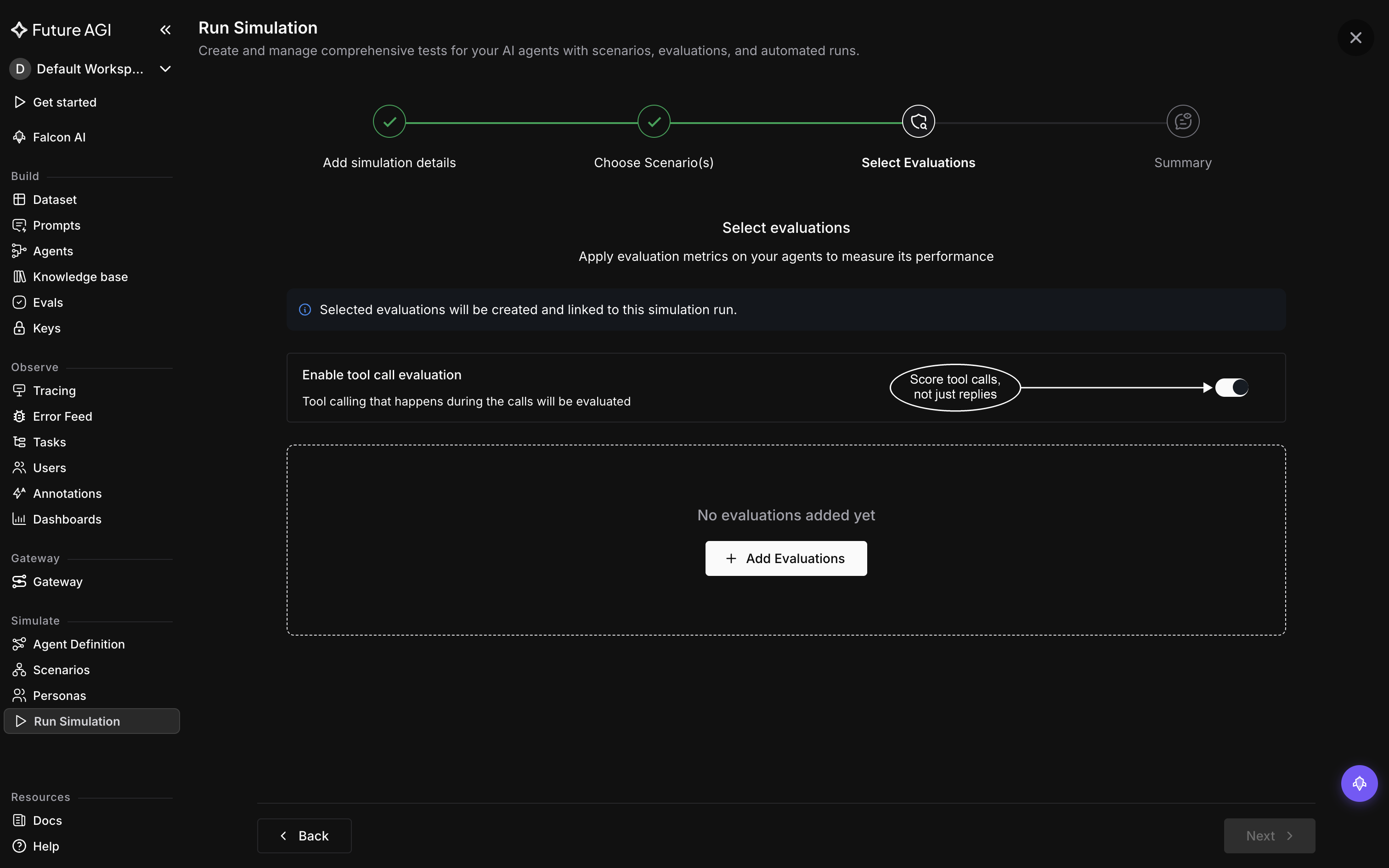
Switched on, with no evals added yet. The step still won’t let you past until at least one is
Flip it only for a run test whose agent actually calls tools during the scenarios you’ve attached. A scenario that never reaches a tool leaves nothing for it to evaluate.
Warning
Tool call evaluation only works for agents on Vapi. Turning it on for a chat agent, or for a voice agent on Retell or Bland.ai, leaves nothing to evaluate, even though both are supported voice providers for the rest of Simulation.
Report tool calls from a chat agent
Vapi is the only place tool call evaluation actually scores anything, so a chat agent’s tool calls aren’t evaluated even when you report them. The shape is still the one your callback needs to use if you want tool calls to show up at all: return an AgentResponse instead of a plain string, and set two of its fields: tool_calls, the tools your agent decided to call, and tool_responses, the results that came back from them, each entry a dict with role, tool_call_id, and content. If your agent already holds the raw tool output in a different shape, pass it through metadata={"tool_outputs": [{"call_id": ..., "output": ...}]} instead and the SDK converts it for you.
Run a chat simulation covers the full callback contract, including the plain-string return you use when tool calls aren’t part of what you’re testing.
Voice calls need nothing returned from you
Unlike a chat agent, a voice agent on Vapi doesn’t need to return anything for its tool calls to be evaluated.
Where the results show up
Open a call from the run’s results and its tool-call results sit alongside that call’s other eval scores, as their own entry rather than mixed into them. Calls & transcripts walks through that view in full.
The transcript itself won’t help here: it’s built from what the persona and the agent said to each other, so a tool call never shows up as a turn in it. Check the tool-call results for that call instead of scanning the transcript for what got called.
Dive deeper
Questions & Discussion